
ScoreLM Guides
scorelm.com

Show a sponsor on a game

By the end you’ll have a game presented by one of your sponsors, with its logo on the game’s page.

  • Who: League admin or Editor
  • Time: 3 min
  • Steps: 5
Video · 0:51 · Voiceover · every step is also written on screen Prefer to read? Steps below

Before you start

Steps

  1. Step 1: In the left menu, click Schedule.

    Your games are listed by day.
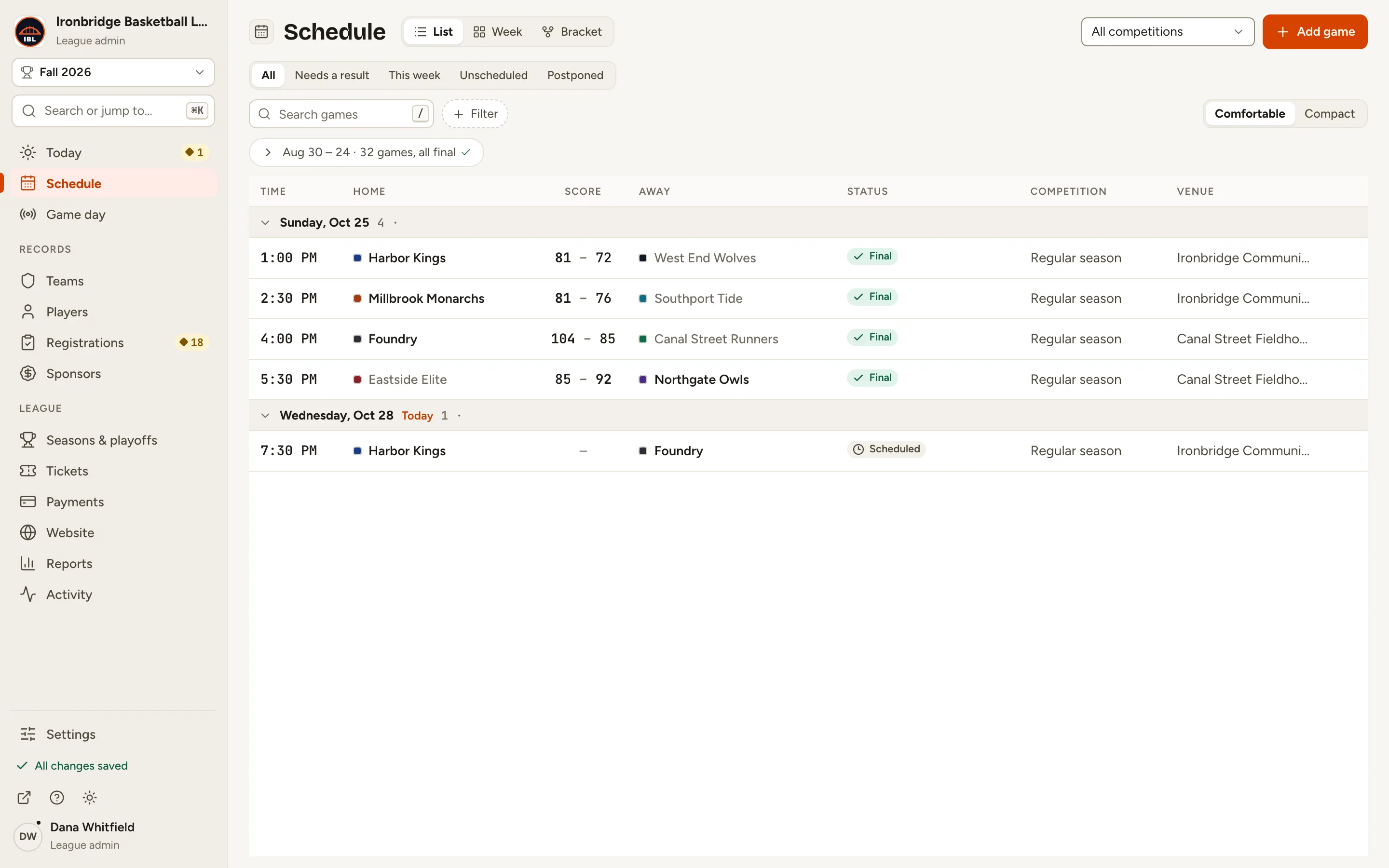
    Fig. 1

    Scroll sideways to see the whole screen.

    The Schedule list with tonight’s Harbor Kings vs Foundry game.
    Fig. 1Schedule, with tonight’s game.
  2. Step 2: Click the game, like tonight’s Harbor Kings vs Foundry.

    The game’s panel opens on the right, with its details.
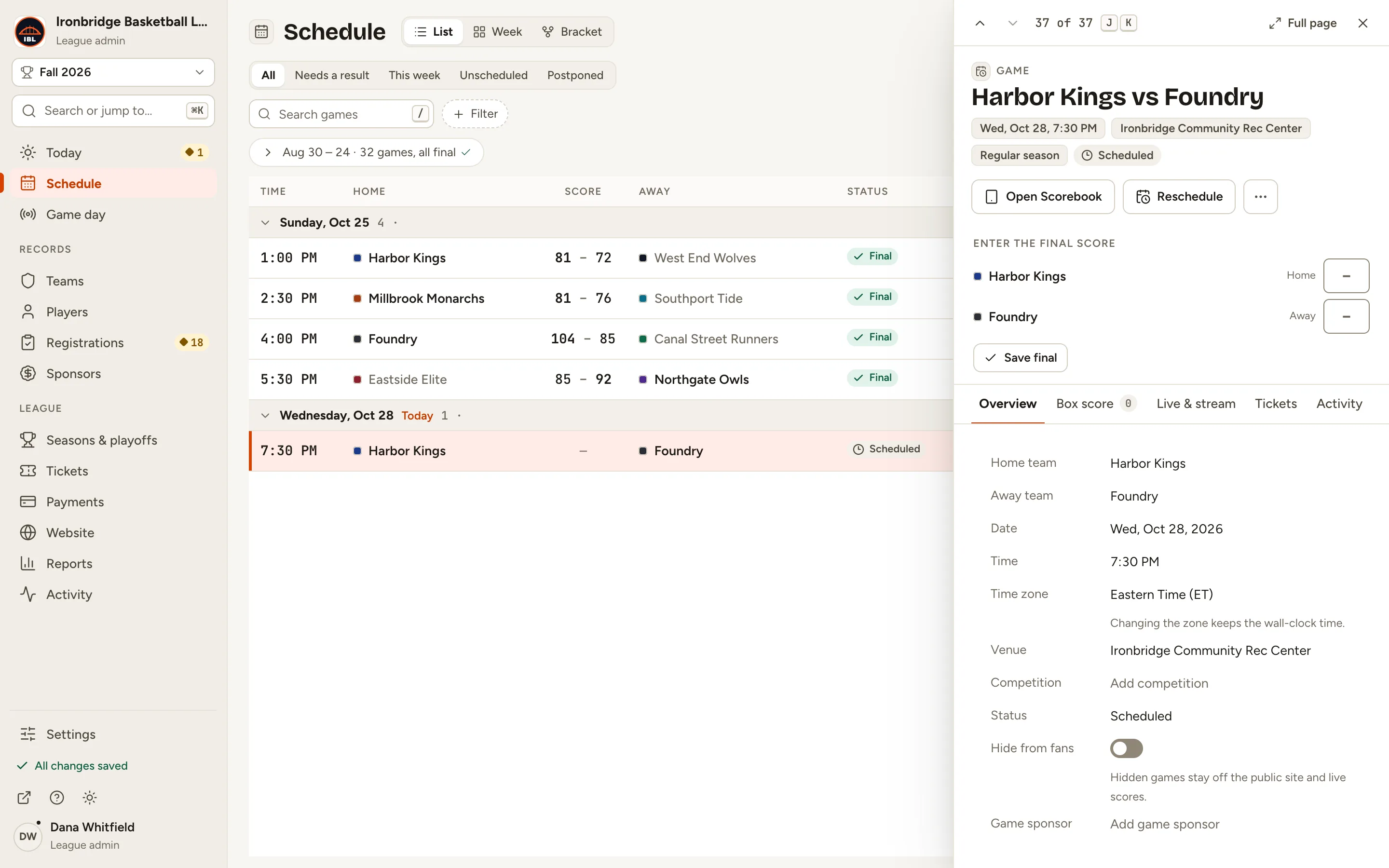
    Fig. 2

    Scroll sideways to see the whole screen.

    The Harbor Kings vs Foundry panel with its Overview details.
    Fig. 2The game’s panel.
  3. Step 3: Next to Game sponsor, click Add game sponsor.

    The Game sponsor field opens, ready to pick a sponsor.
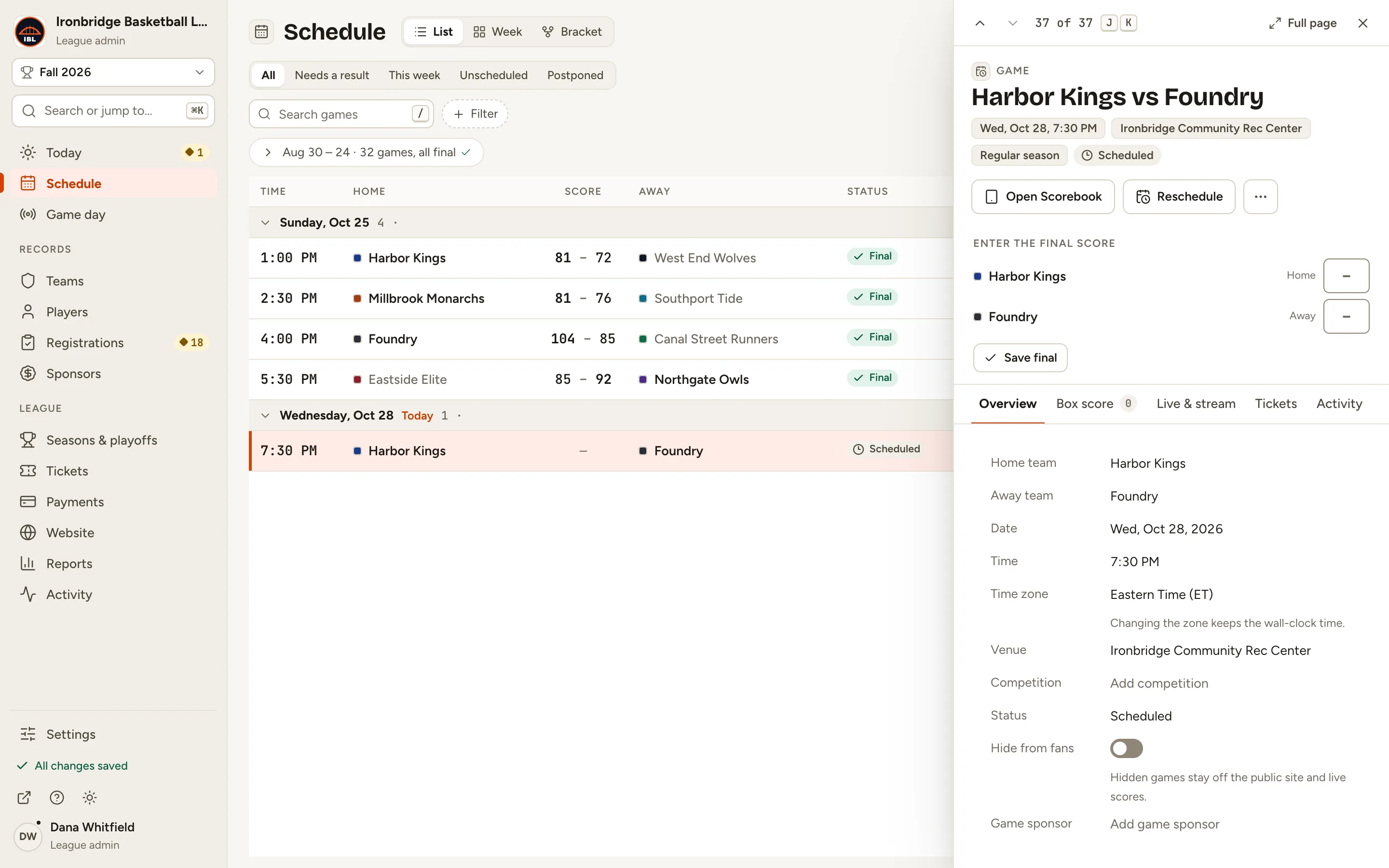
    Fig. 3

    Scroll sideways to see the whole screen.

    The Game sponsor row with Add game sponsor.
    Fig. 3Game sponsor, at the bottom of the details.
  4. Step 4: Choose a sponsor, like Tidewater Credit Union.

    It saves straight away, with Undo in the message at the bottom. Choose No sponsor to take it off again.
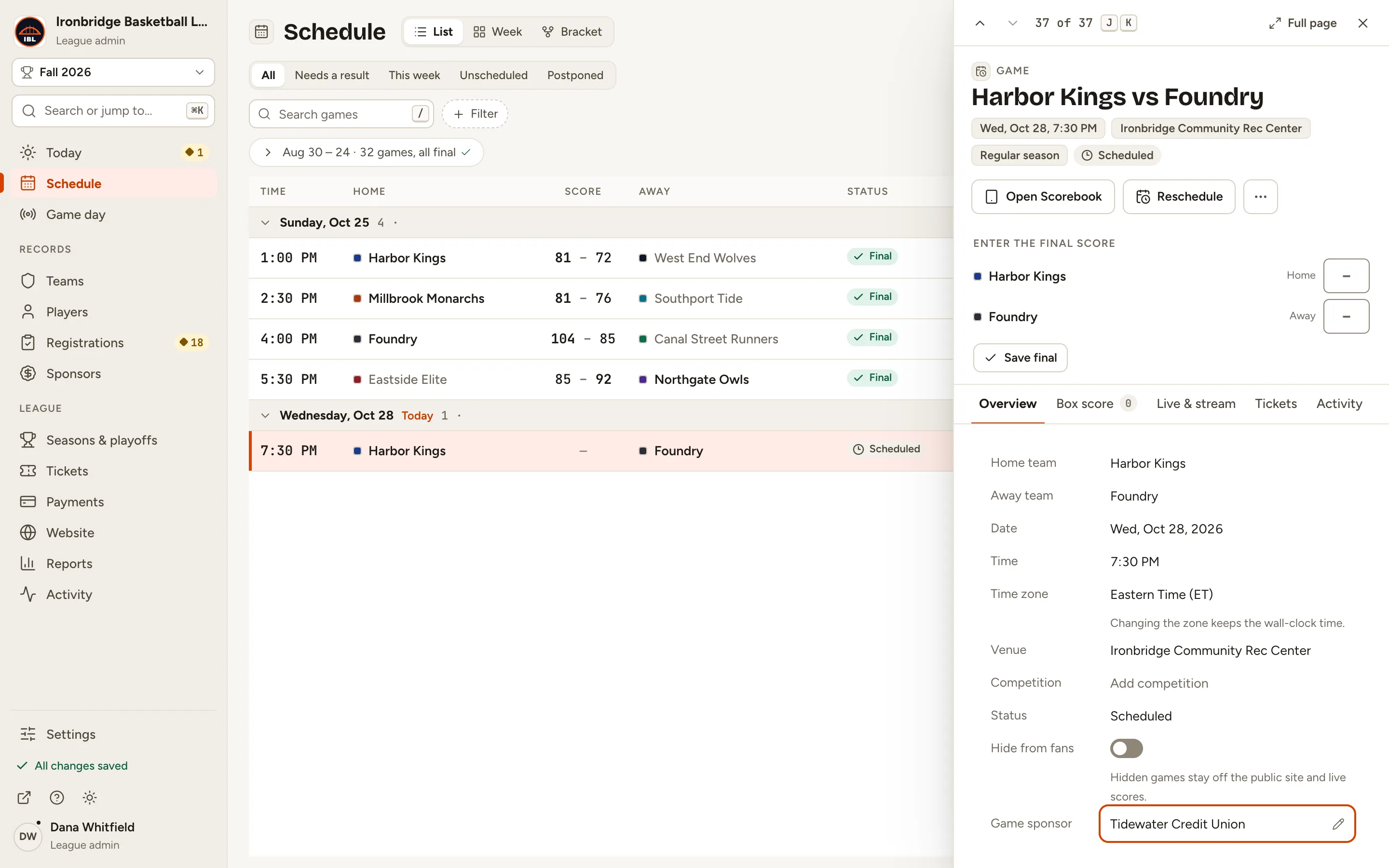
    Fig. 4

    Scroll sideways to see the whole screen.

    The Game sponsor row showing Tidewater Credit Union.
    Fig. 4Tidewater Credit Union, set as the game sponsor.
  5. Step 5: On your website, open Schedule and click the game.

    From the admin, click ↗ (View public site) at the bottom of the sidebar; your website opens in a new tab. The game’s page shows Game sponsor with the sponsor’s logo, linking to its sponsor page.
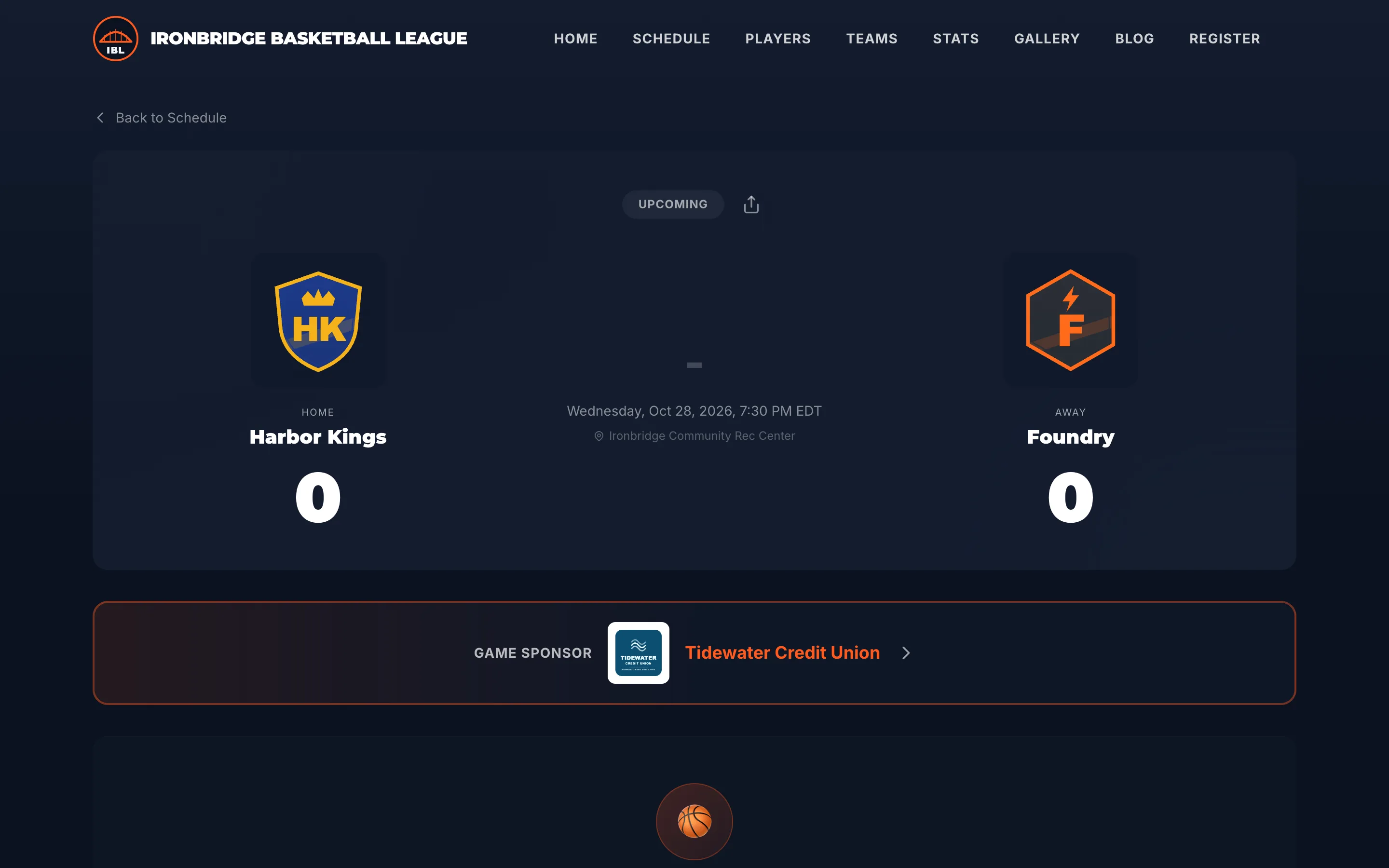
    Fig. 5

    Scroll sideways to see the whole screen.

    The public Harbor Kings vs Foundry page with the Game sponsor banner showing Tidewater Credit Union.
    Fig. 5The game sponsor on the game’s page.

What you’ll see

The game is presented by your sponsor on its public page. A game has one sponsor; set or change it any time from the game in Schedule.
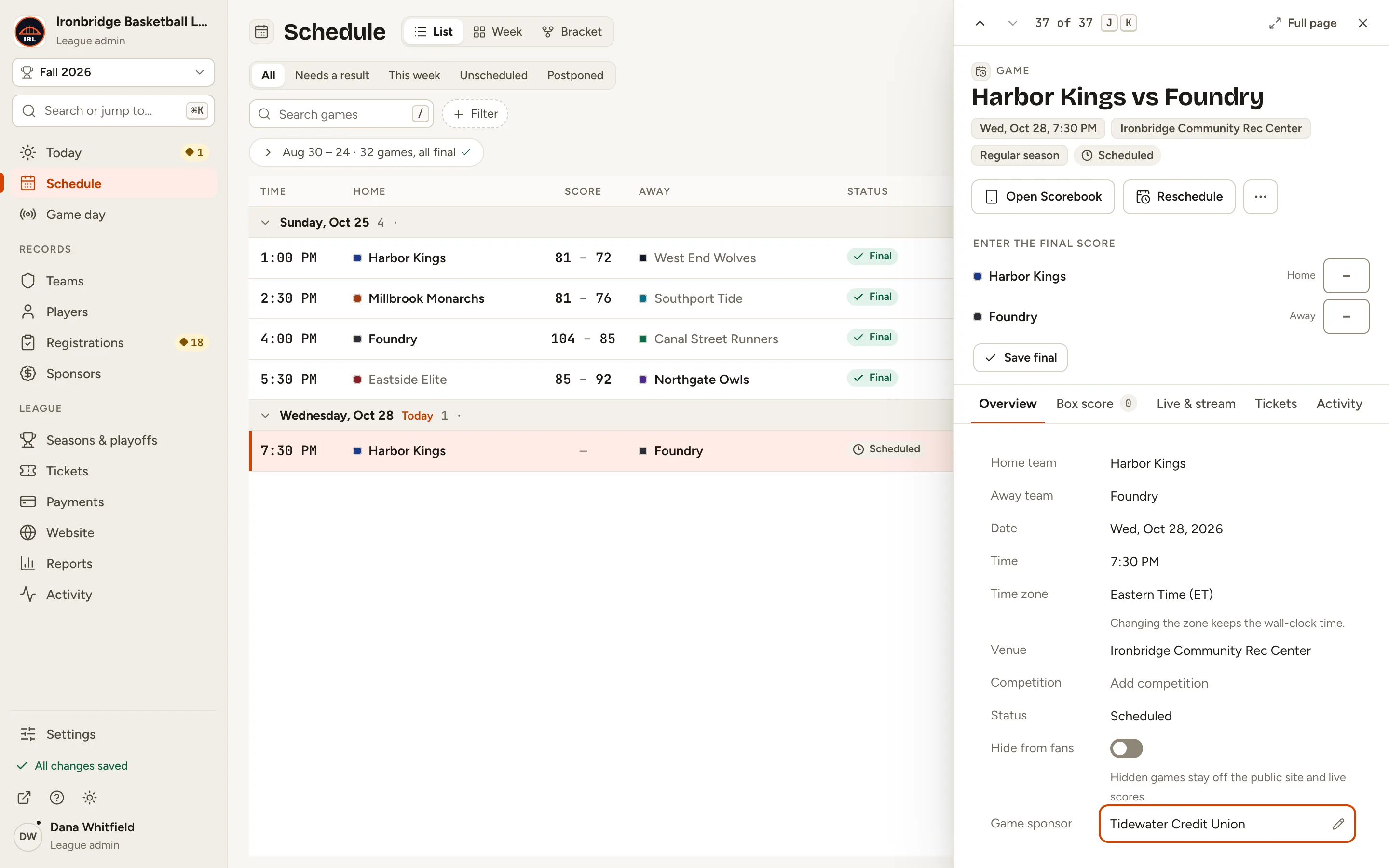
Fig. 6

Scroll sideways to see the whole screen.

The Harbor Kings vs Foundry panel with Game sponsor Tidewater Credit Union.
Fig. 6The game with its sponsor.

Common questions

Which sponsors can I choose?
Any sponsor in Sponsors. Pick one that isn’t hidden: a hidden sponsor still shows on the game’s page, but its sponsor page isn’t public. To add one, see Add sponsors and sponsor levels.
Can a game have more than one sponsor?
No, one per game. Different games can have different sponsors.
How do I remove a game’s sponsor?
Open the game in Schedule, click the Game sponsor value and choose No sponsor.
Does this also put the sponsor on the stream overlay?
No. The game sponsor shows on the game’s page. Sponsor pop-ups on a stream are set up separately. See Show a player highlight or sponsor pop-up.