
ScoreLM Guides
scorelm.com

Sell tickets for a game

By the end you’ll have a ticket sale for a game, with its prices set and a public page where fans buy.

  • Who: League admin or Editor
  • Time: 3 min
  • Steps: 7
Video · 1:09 · Voiceover · every step is also written on screen Prefer to read? Steps below

Before you start

  • Tickets is on the Pro plan. If your sidebar has no Tickets, your plan doesn’t include it.
  • Fans pay by card through your league’s Stripe account, so connect it first. See Connect Stripe to take payments.
  • You need the game on your schedule: here Foundry @ Harbor Kings on Saturday, January 9.

Steps

  1. Step 1: In the left menu, click Tickets.

    Your ticket sales are listed, with how many tickets each has sold and what it has taken in.
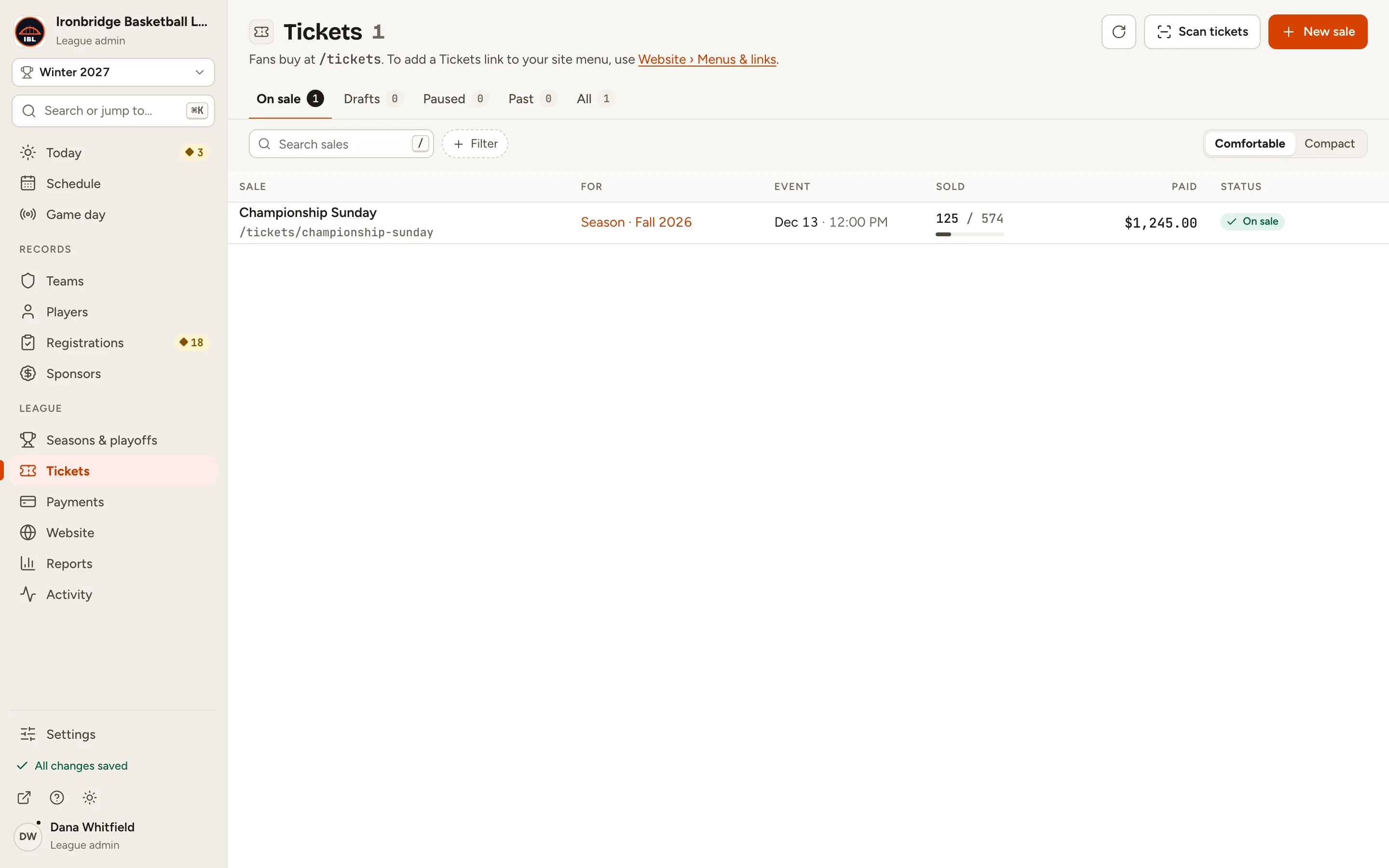
    Fig. 1

    Scroll sideways to see the whole screen.

    The Tickets page listing the Championship Sunday sale, on sale.
    Fig. 1Your ticket sales.
  2. Step 2: Click New sale at the top right.

    The New ticket sale form opens with A game chosen. A sale can also be a season pass, a competition, or something else like a banquet.
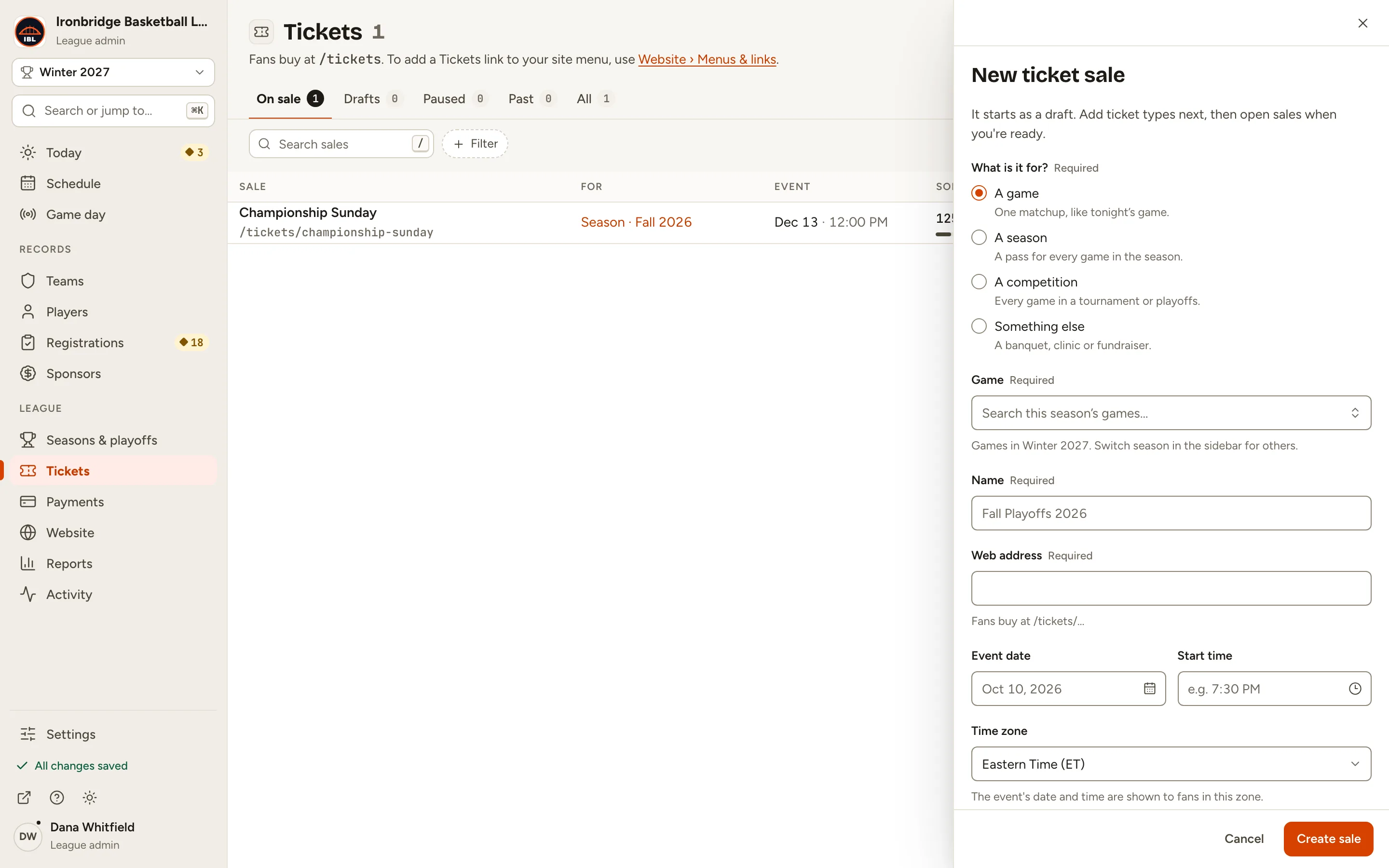
    Fig. 2

    Scroll sideways to see the whole screen.

    The New ticket sale form with A game selected under What is it for?
    Fig. 2A sale for a game.
  3. Step 3: Click Game and pick the game, like Foundry @ Harbor Kings on Sat, Jan 9.

    The list shows the games in the season you have picked in the sidebar. The Name, Web address, date, time and venue fill in from the game; change any of them if you like.
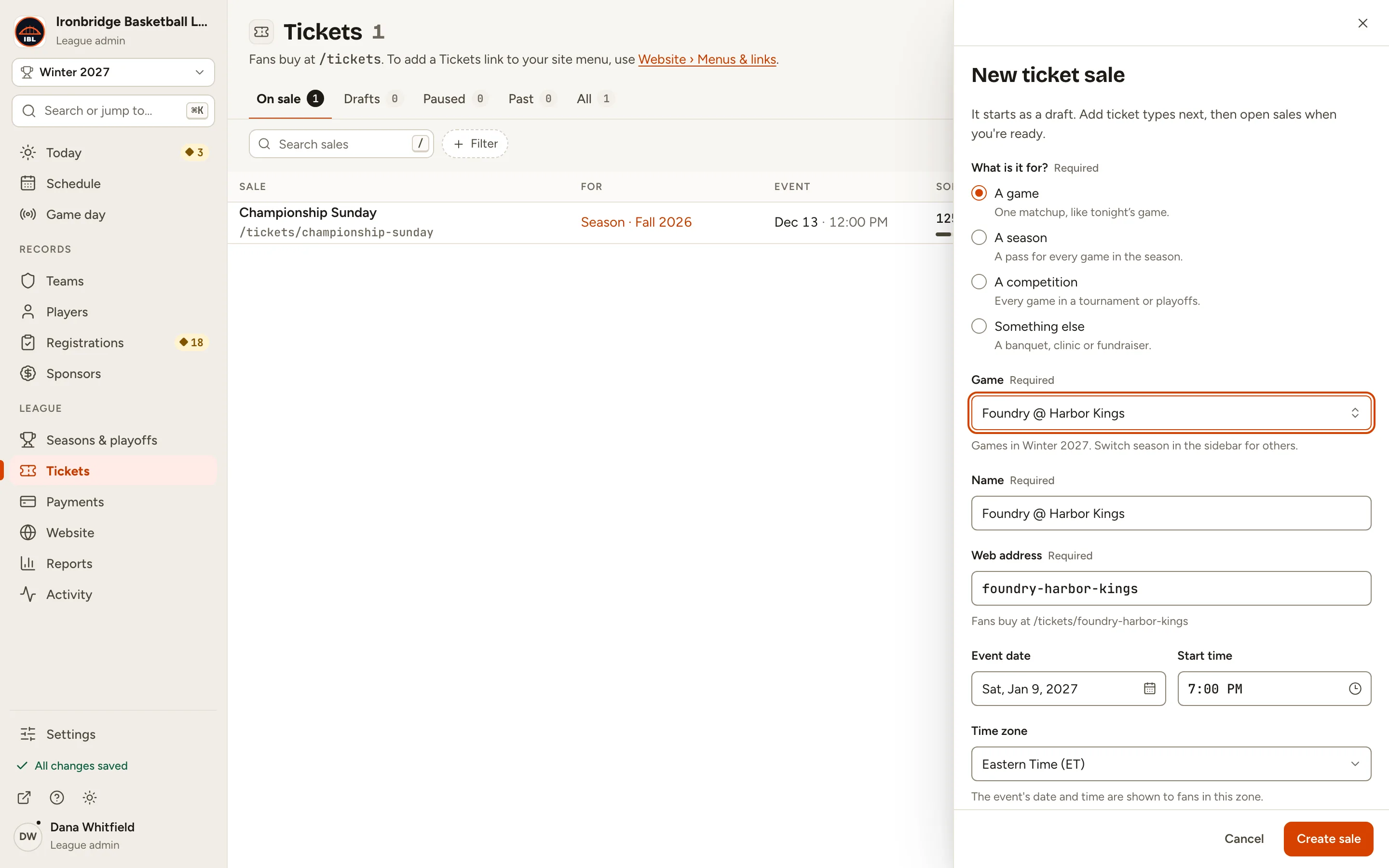
    Fig. 3

    Scroll sideways to see the whole screen.

    The form with Foundry @ Harbor Kings picked, its name, web address foundry-harbor-kings, date Sat, Jan 9, 2027 and time 7:00 PM filled in.
    Fig. 3Pick the game; the rest fills in.
  4. Step 4: Click Create sale.

    The sale is made as a Draft and opens on Ticket types. Fans can’t see it yet.
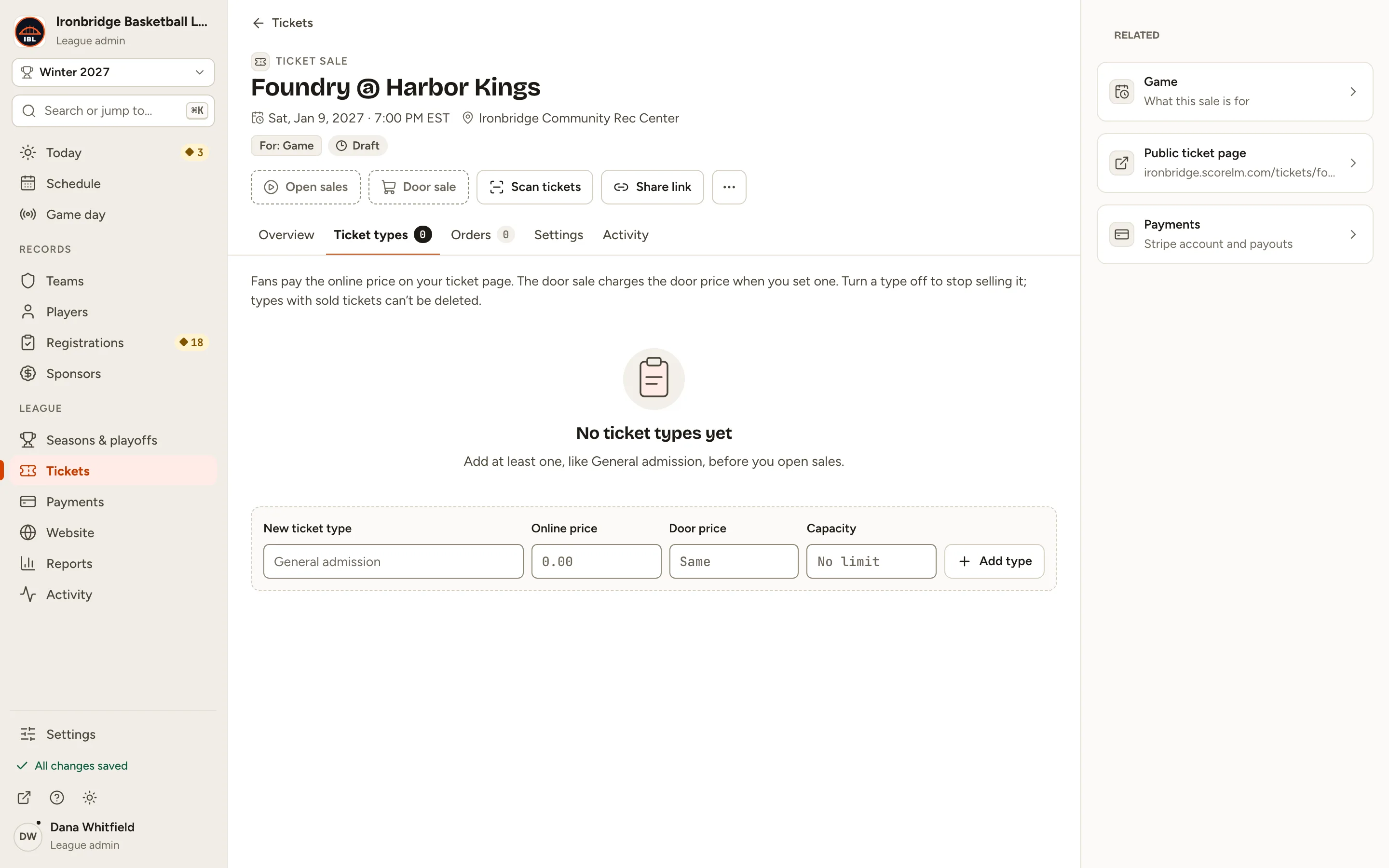
    Fig. 4

    Scroll sideways to see the whole screen.

    The new Foundry @ Harbor Kings sale, Draft, on its empty Ticket types tab.
    Fig. 4A draft sale, ready for its ticket types.
  5. Step 5: Type a New ticket type, like General admission, its Online price and Door price, like 12 and 15, and a Capacity, like 300. Then click Add type.

    Fans pay the online price on your ticket page; the door sale charges the door price. Leave Door price empty to charge the online price at the door, and Capacity empty for no limit. Add more types the same way, like Kids.
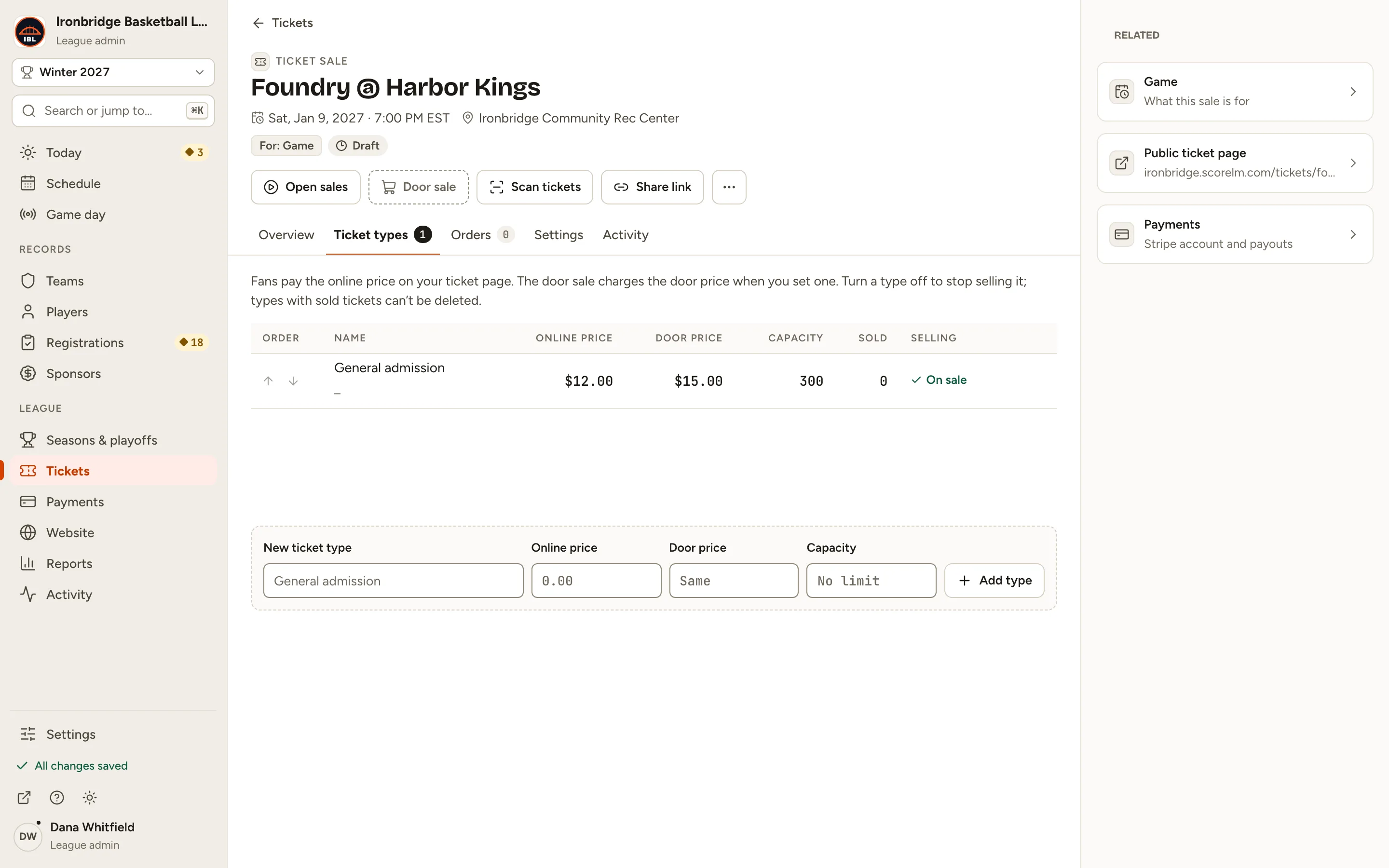
    Fig. 5

    Scroll sideways to see the whole screen.

    The Ticket types tab with General admission at $12.00 online, $15.00 at the door and a capacity of 300, on sale.
    Fig. 5General admission: $12 online, $15 at the door.
  6. Step 6: Click Open sales.

    The sale is On sale: fans can buy now, and you can sell at the door.
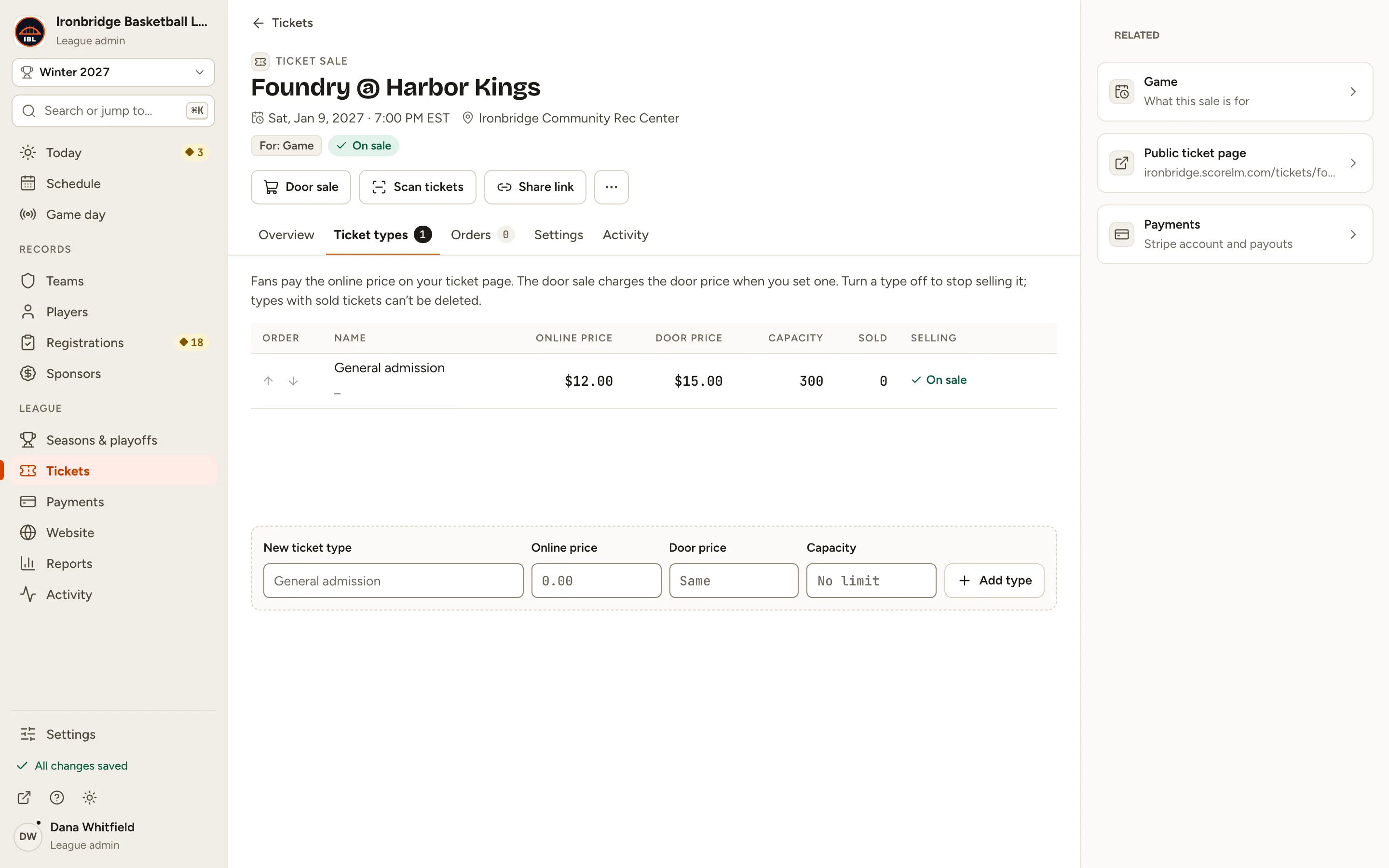
    Fig. 6

    Scroll sideways to see the whole screen.

    The sale header showing On sale, with Door sale, Scan tickets and Share link.
    Fig. 6On sale.
  7. Step 7: Under Related, click Public ticket page; it opens in a new tab.

    This is the page fans buy on: each ticket type with its price and a Continue to checkout button. With a door price set, it shows how much fans save by buying online.
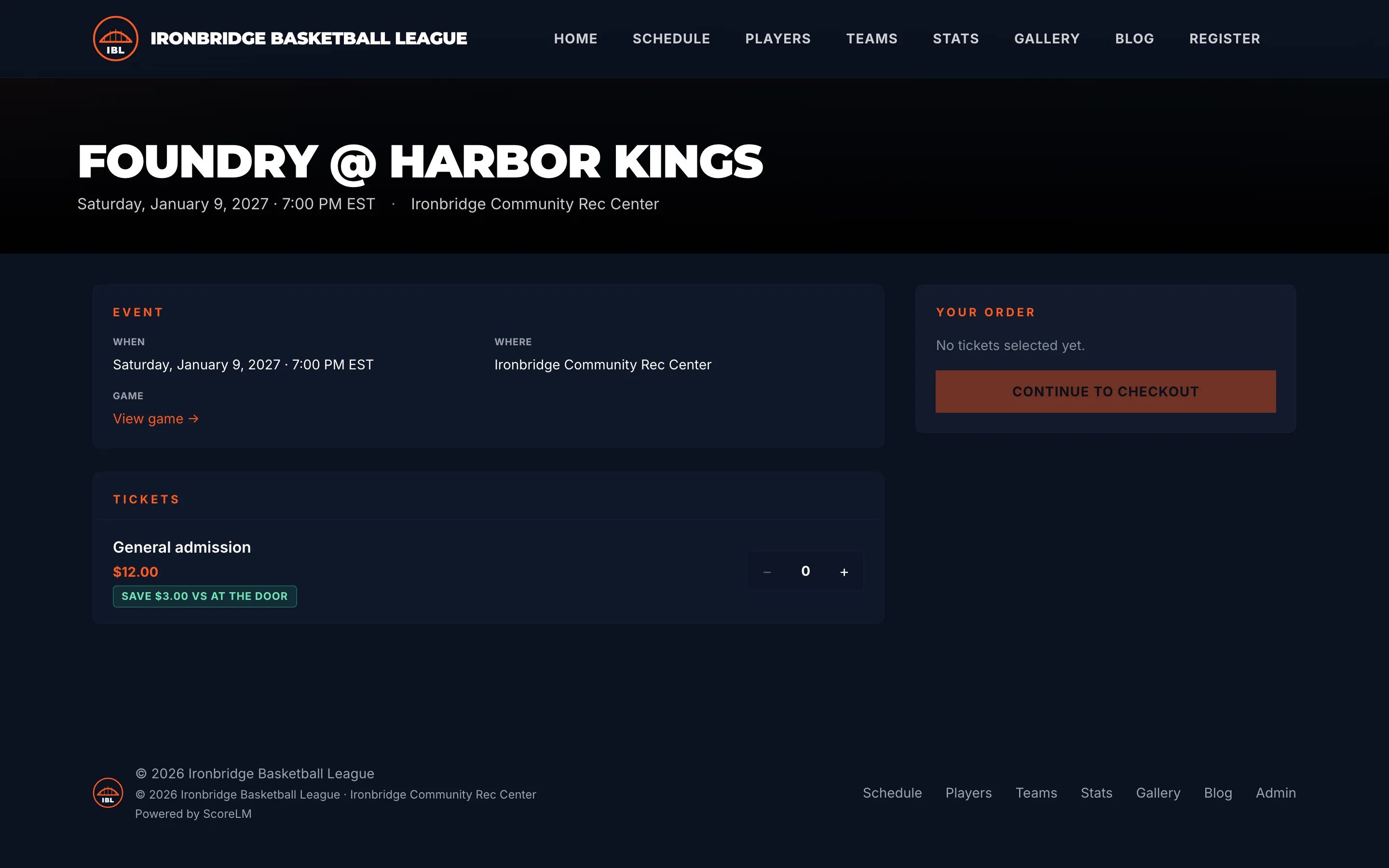
    Fig. 7

    Scroll sideways to see the whole screen.

    The public Foundry @ Harbor Kings ticket page with General admission at $12.00, Save $3.00 vs at the door, and Continue to checkout.
    Fig. 7The ticket page fans see.

What you’ll see

Foundry @ Harbor Kings is on sale. Share the link, and every order shows up on the sale’s Orders tab. Each ticket has a QR code you scan at the gate.
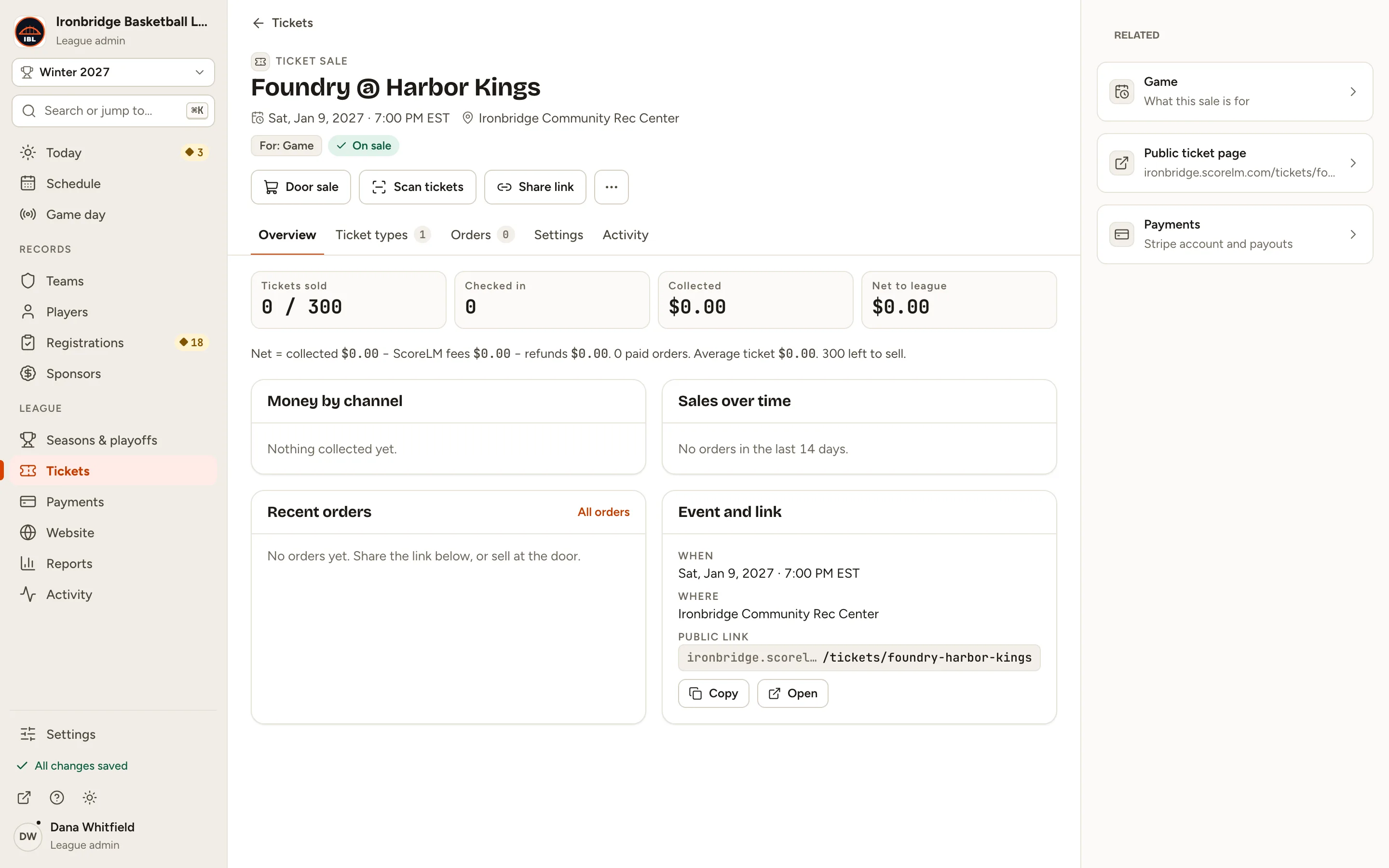
Fig. 8

Scroll sideways to see the whole screen.

The sale’s Overview tab with Tickets sold, Checked in, Collected and Net to league.
Fig. 8Foundry @ Harbor Kings, on sale.

Common questions

How do fans find the ticket page?
Click Share link on the sale to copy its address, and post it wherever your fans are. Your site’s /tickets page lists every sale that’s on sale. To add a Tickets link to your site menu, use Website › Menus & links.
Can I start selling later, or stop on a date?
Yes. On the sale’s Settings tab, under When people can buy, set Sales open and Sales close. Leave them empty to sell as soon as the sale is open, until the event.
How do I pause or stop sales?
Open the ··· menu at the top of the sale and choose Pause sales or Close sales. Tickets already sold stay valid. A sale with orders can’t be deleted; close it instead.
Where does the money go?
Card payments go to your league’s Stripe account, with the ScoreLM fee taken out. The sale’s Overview shows what was collected and the net to your league.
Can a stat keeper sell tickets?
No. Only league admins and editors can create sales, open orders and use the door sale. Stat keepers can scan tickets at the gate.