Read your site traffic
By the end you’ll have a clear read of how many fans visit your site, on what devices, and what they look at most.
Before you start
- Nothing to set up: ScoreLM counts every page fans open on your site from the day it goes live.
- Site traffic is for league admins. Editors see the Season summary report instead.
Steps
-
Step 1: In the left menu, click Reports.
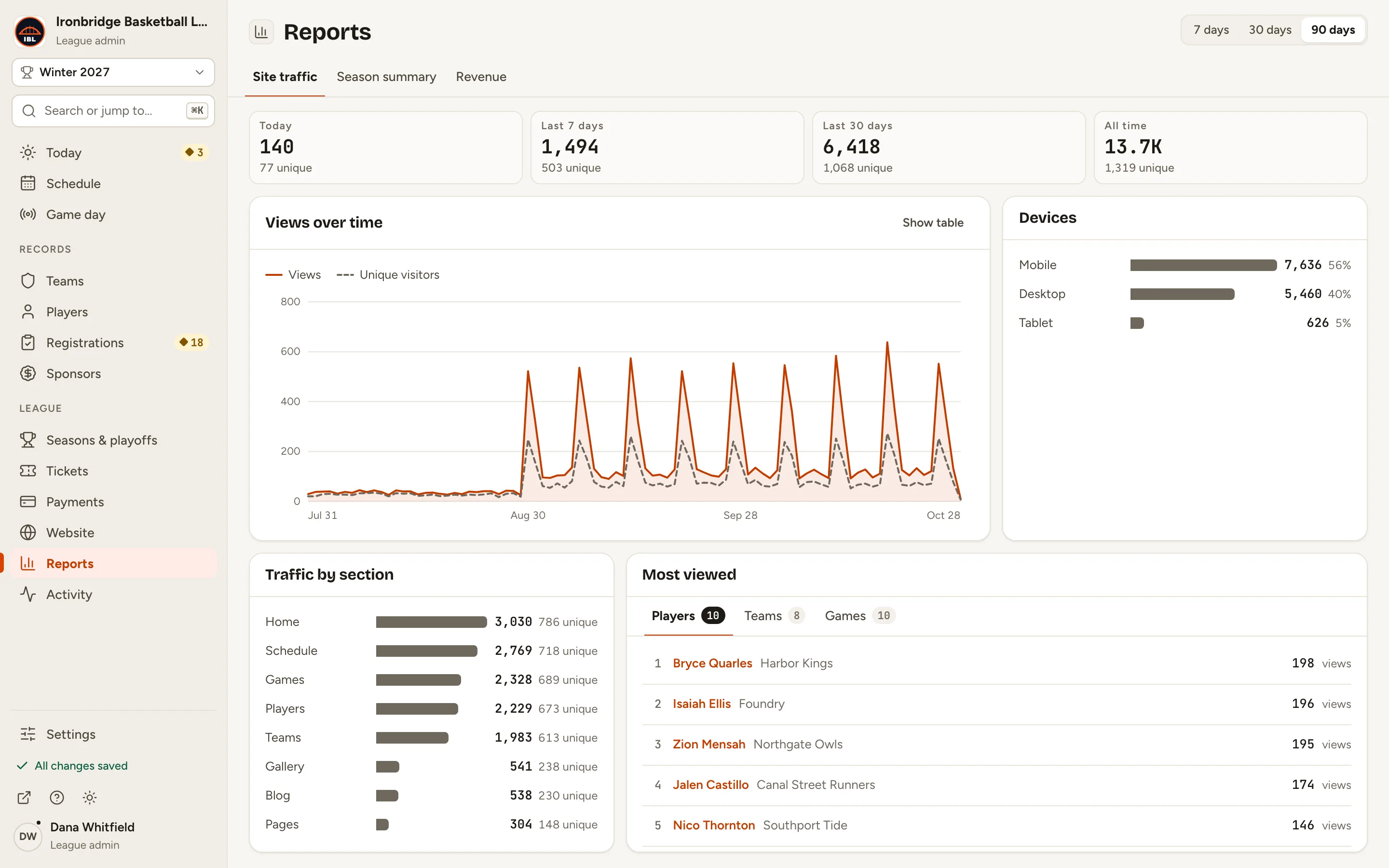
Reports opens on Site traffic. The cards at the top show views for Today, the Last 7 days, the Last 30 days and All time, each with its unique visitors.
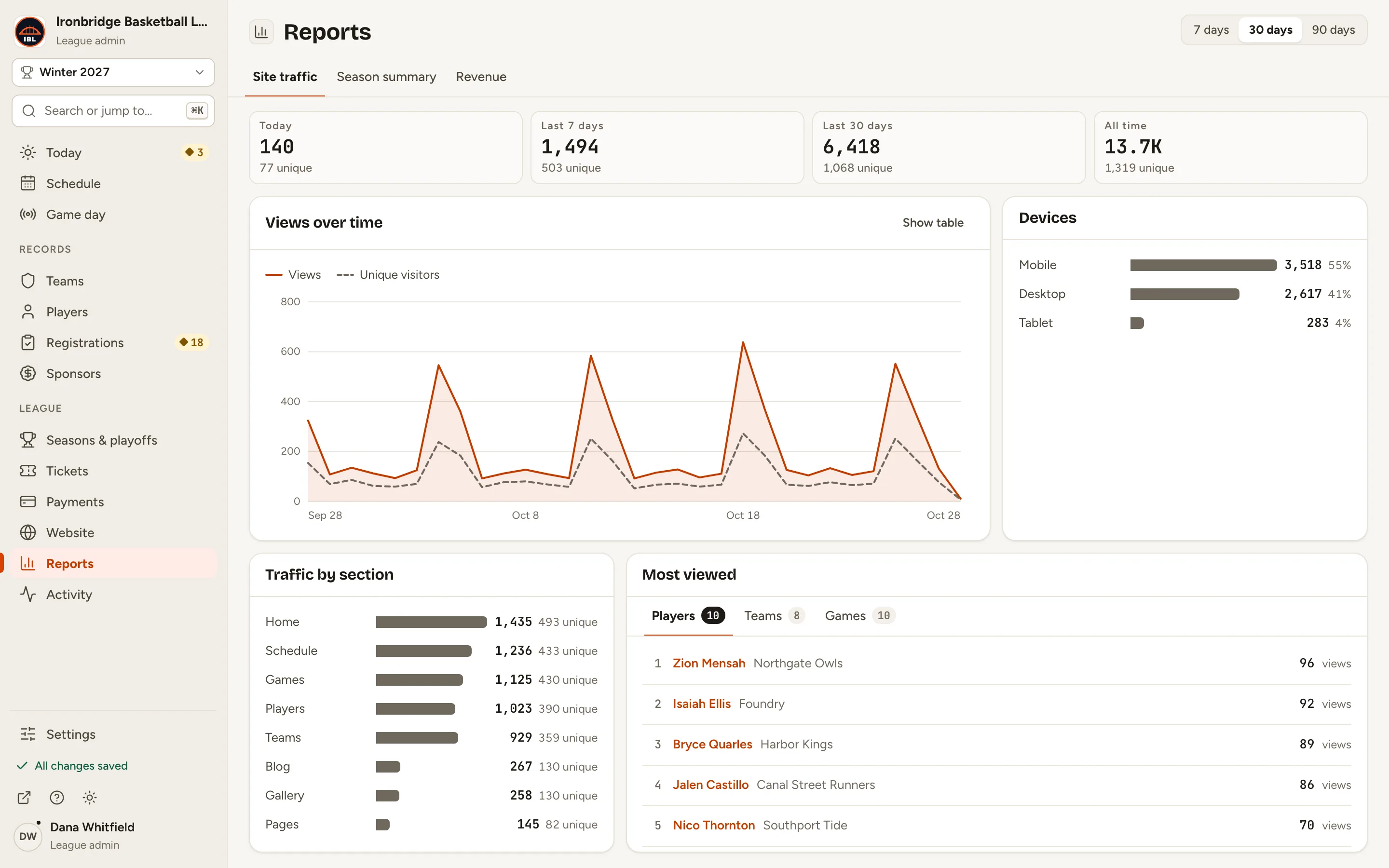
Fig. 1Site traffic at a glance. -
Step 2: At the top right, click 90 days.
Views over time, Devices, Traffic by section and Most viewed now cover 90 days. Here, the spikes are game nights. The four cards keep their own periods.
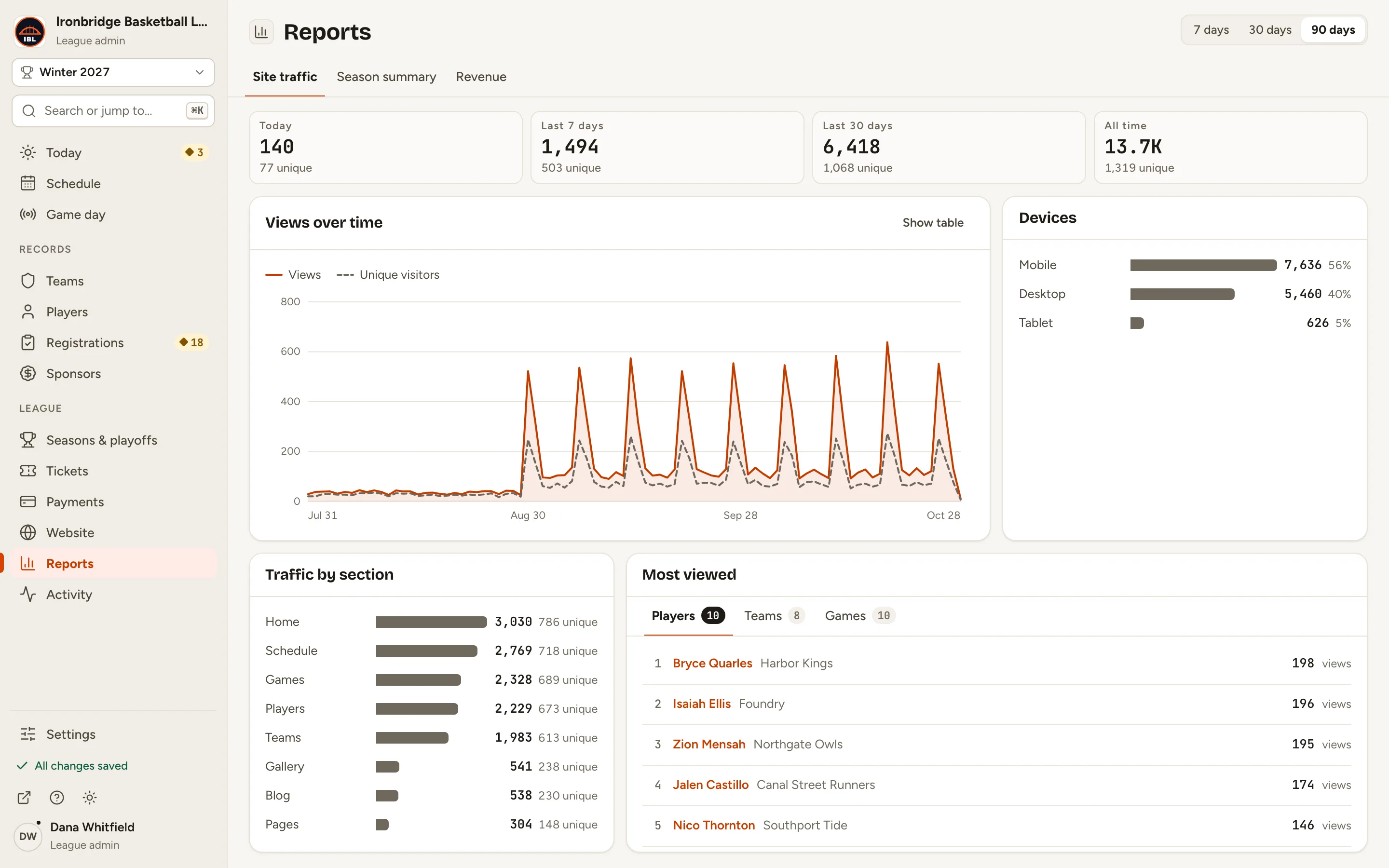
Fig. 2Three months of views, with game nights standing out. -
Step 3: Click Show table on Views over time.
The chart becomes a table with each day’s views and unique visitors. Show chart switches back.
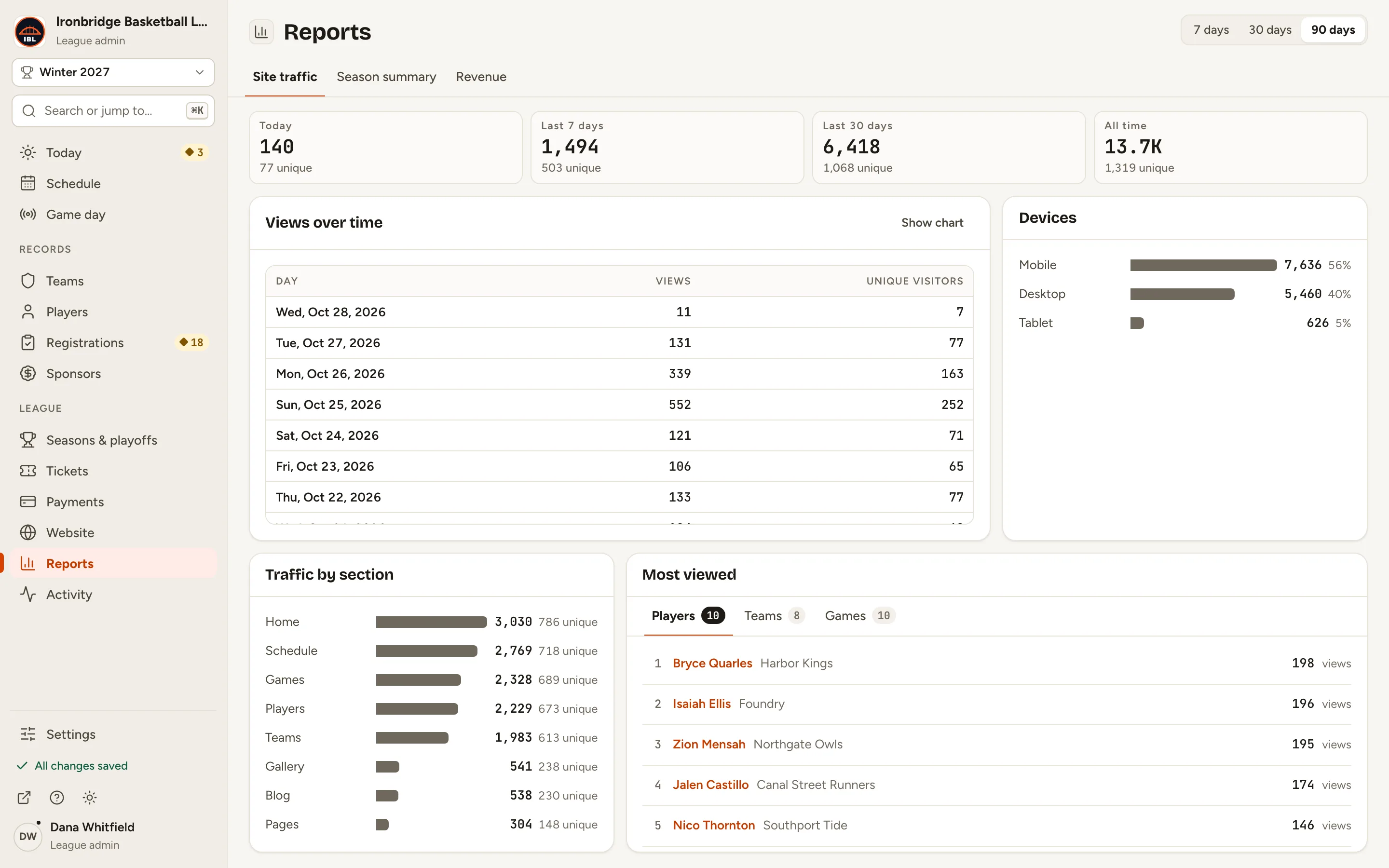
Fig. 3Every day’s numbers. -
Step 4: Under Most viewed, click Games.
The games fans opened most, with their score and date. Players and Teams rank those pages the same way. Click a name to open its record.
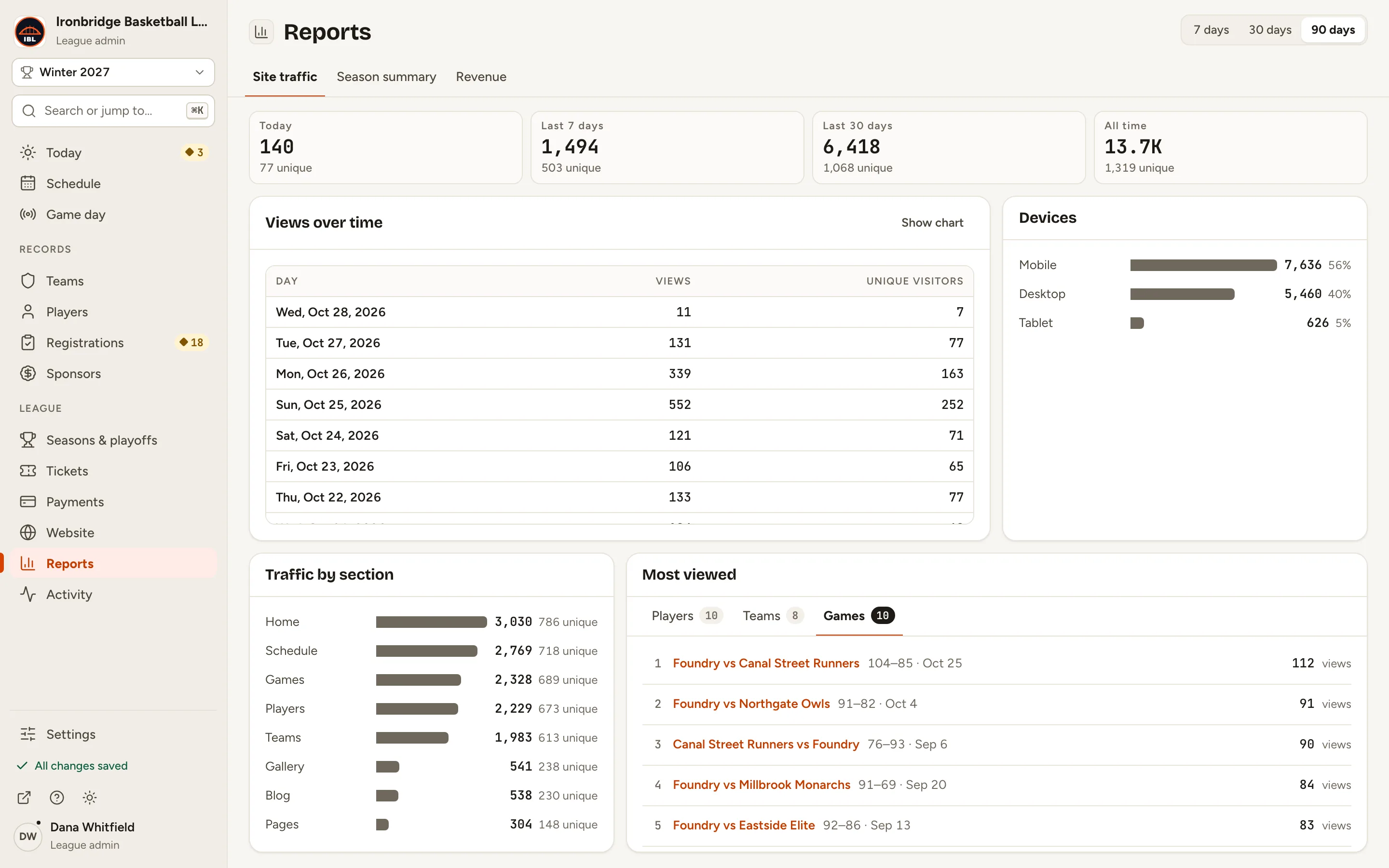
Fig. 4The games fans looked at most.
What you’ll see
You know how many fans visit, when they come (game nights), what device they use, and which games, players and teams they follow most. Use it to choose what to feature: the top games for highlights, the most-viewed players for spotlights.