
Split players into teams with the team builder
By the end you’ll have everyone who signed up split into named teams, on those teams’ rosters for the season and on your website.
Before you start
- You need a player registration with people signed up. See Open a player registration.
- The team builder places people who are registered, and paid when there’s a price. Anyone who still owes is left out until they pay.
Steps
-
Step 1: In the left menu, click Registrations, then the registration, like Winter 2027 player registration.
It opens on its Overview: 26 people are registered.
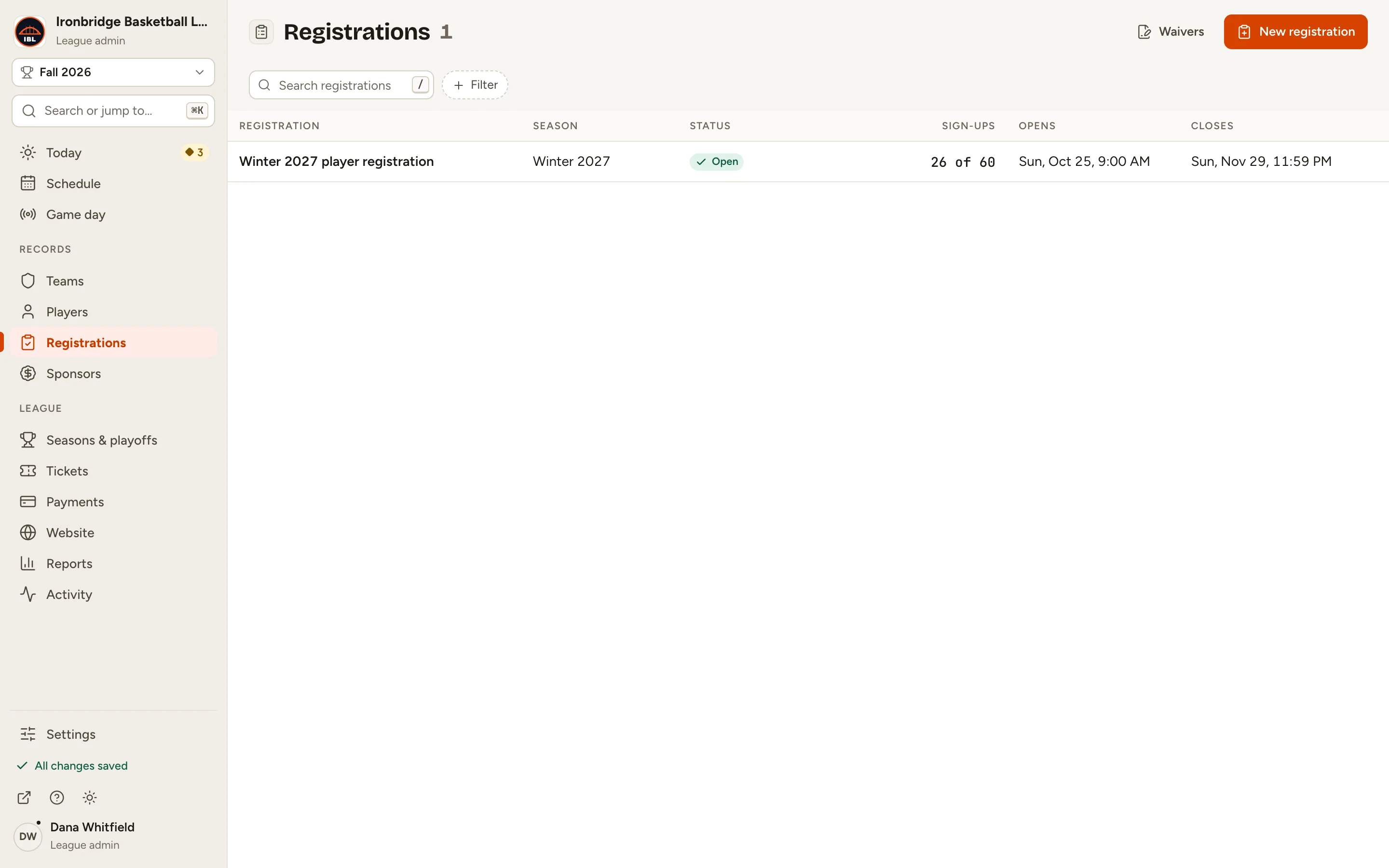
Fig. 1The registration in the list. -
Step 2: Click the Team builder tab.
While people can still sign up, it says Sign-up is still open: teams are built once registration closes.
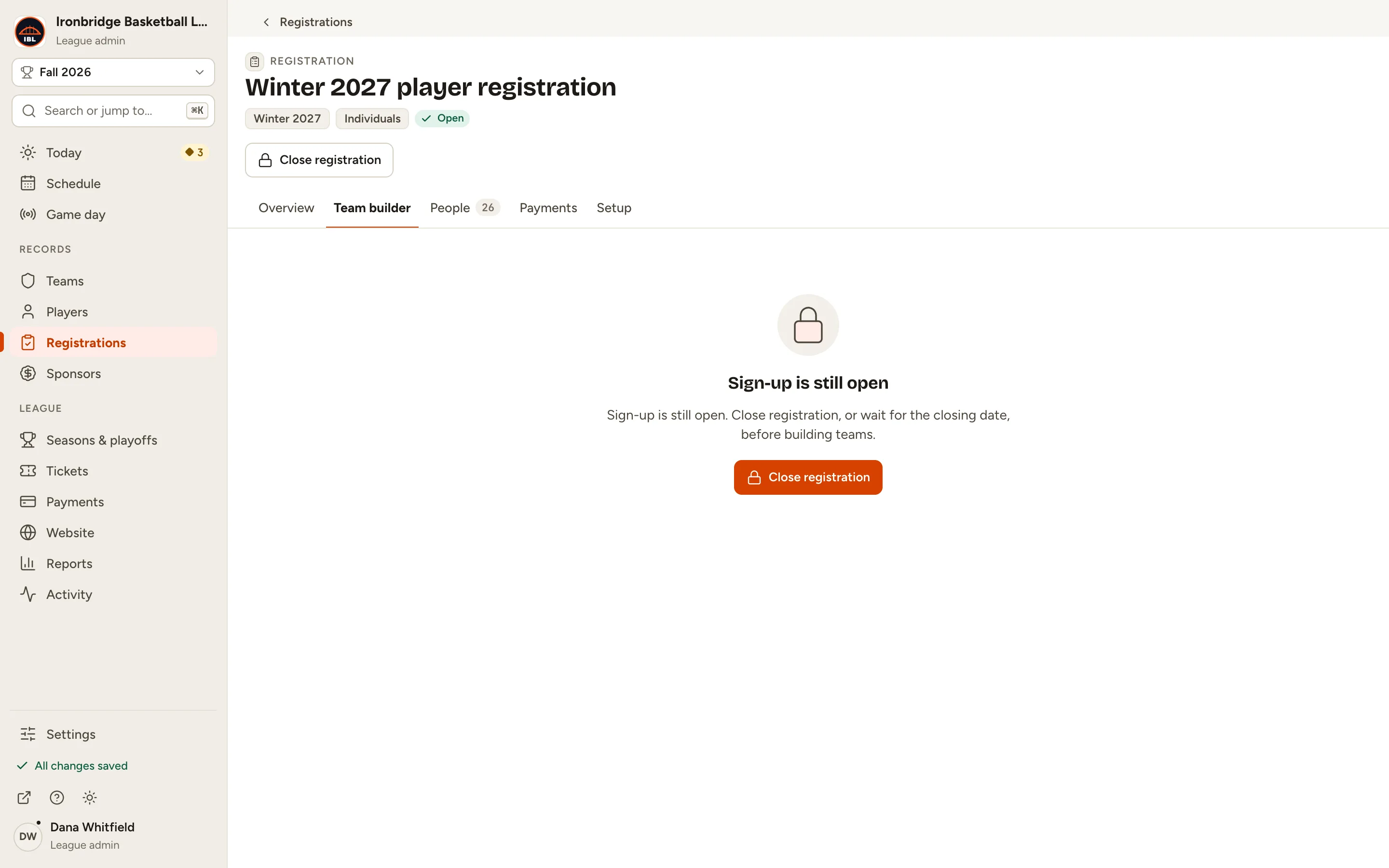
Fig. 2The team builder waits for sign-up to close. -
Step 3: Click Close registration.
No one else can sign up, and the team builder opens on Choose how to split with a first shuffle.
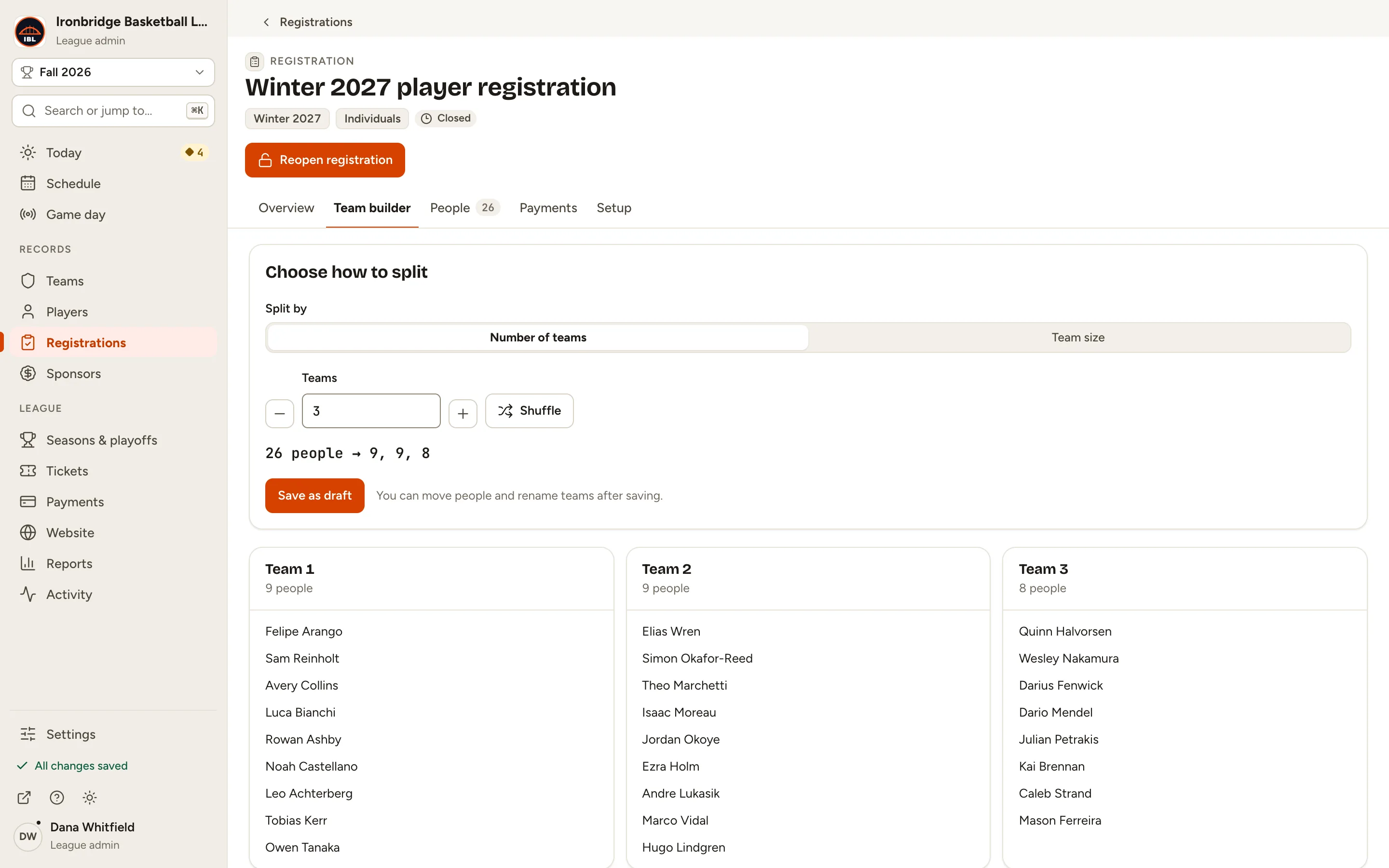
Fig. 3Choose how to split. -
Step 4: Under Teams, click + until it says 4.
The line under it shows how the 26 people split: 26 people → 7, 7, 6, 6. Choose Team size under Split by to set the people per team instead.
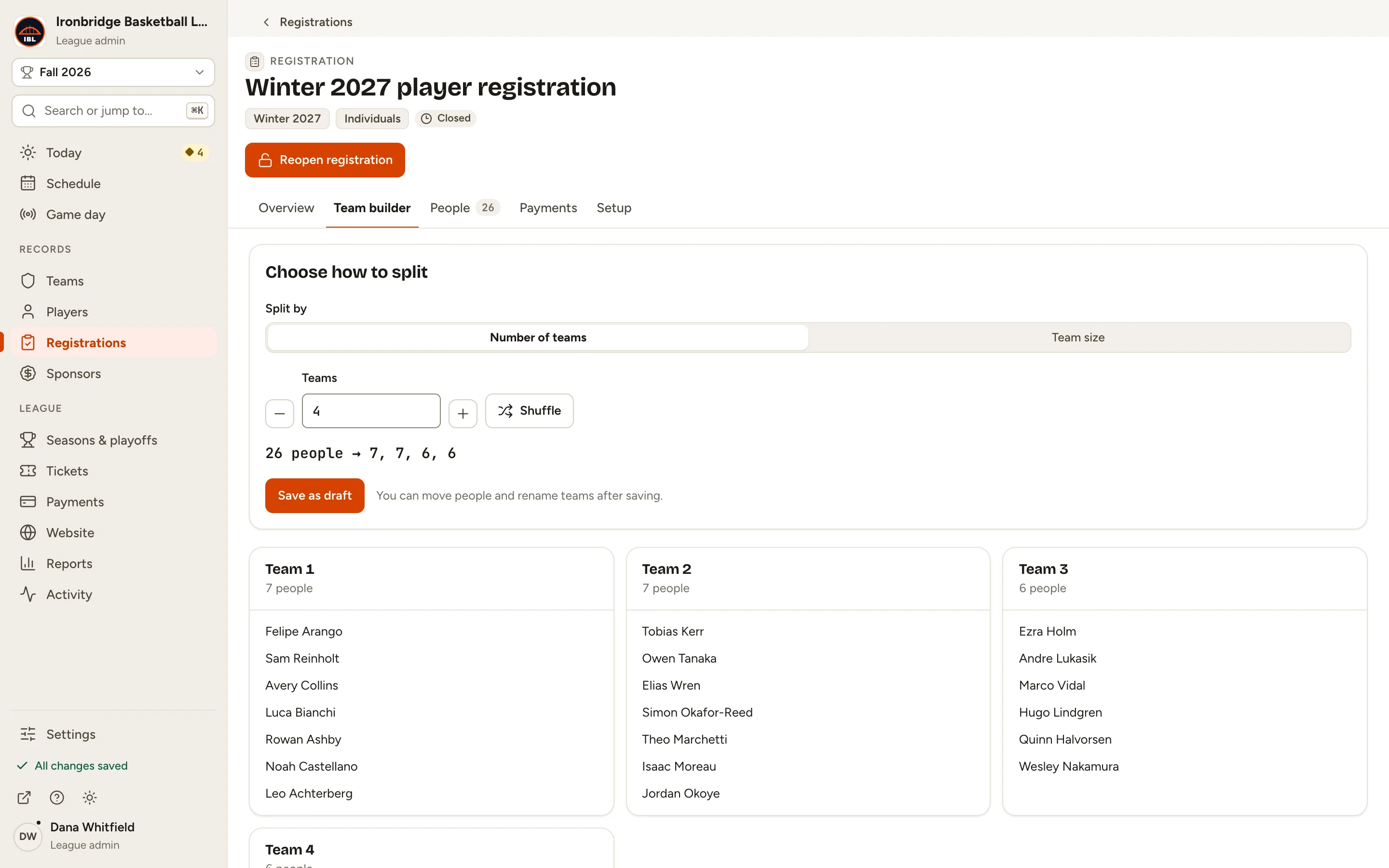
Fig. 4Four teams. -
Step 5: Click Shuffle until you’re happy with the teams.
Each shuffle deals everyone onto the teams again at random.
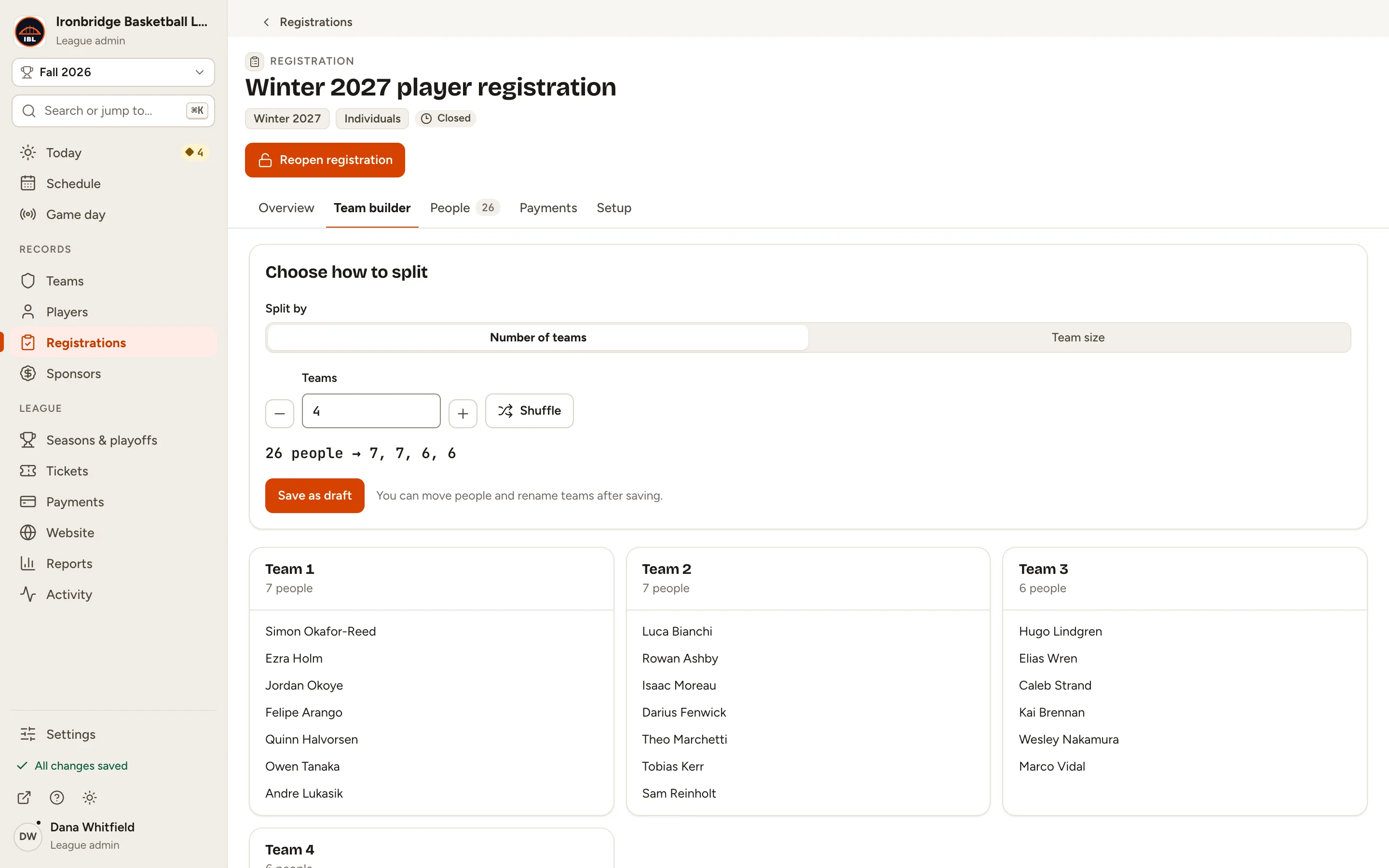
Fig. 5Shuffle deals the teams again. -
Step 6: Click Save as draft.
Your draft opens: a card per team, where you can move people and rename teams. Nothing is published yet.
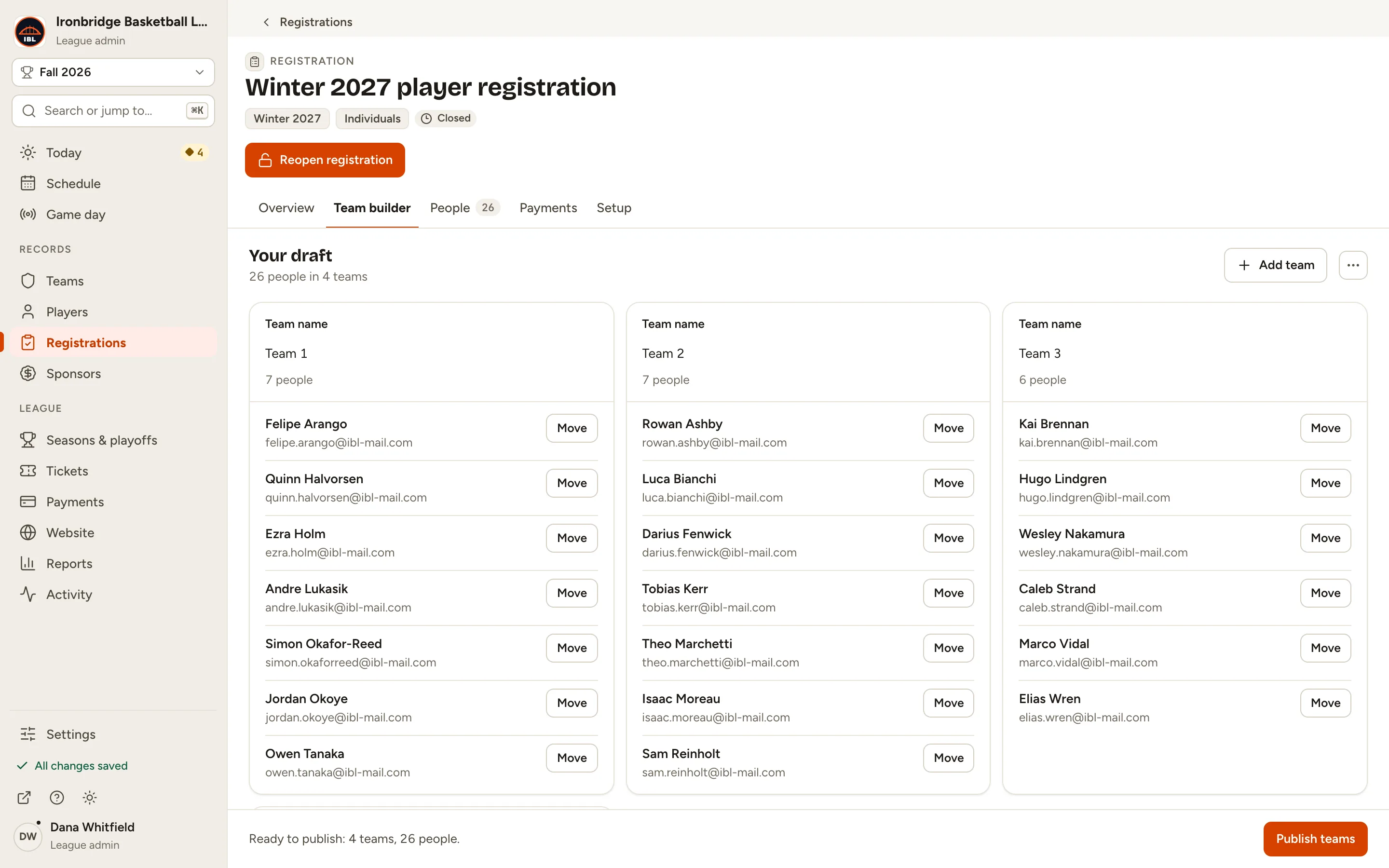
Fig. 6Your draft, a card per team. -
Step 7: Click each team’s name and type a new one, like Ironclads.
Press Enter to save each name. These become the team names on your rosters, schedule and website.
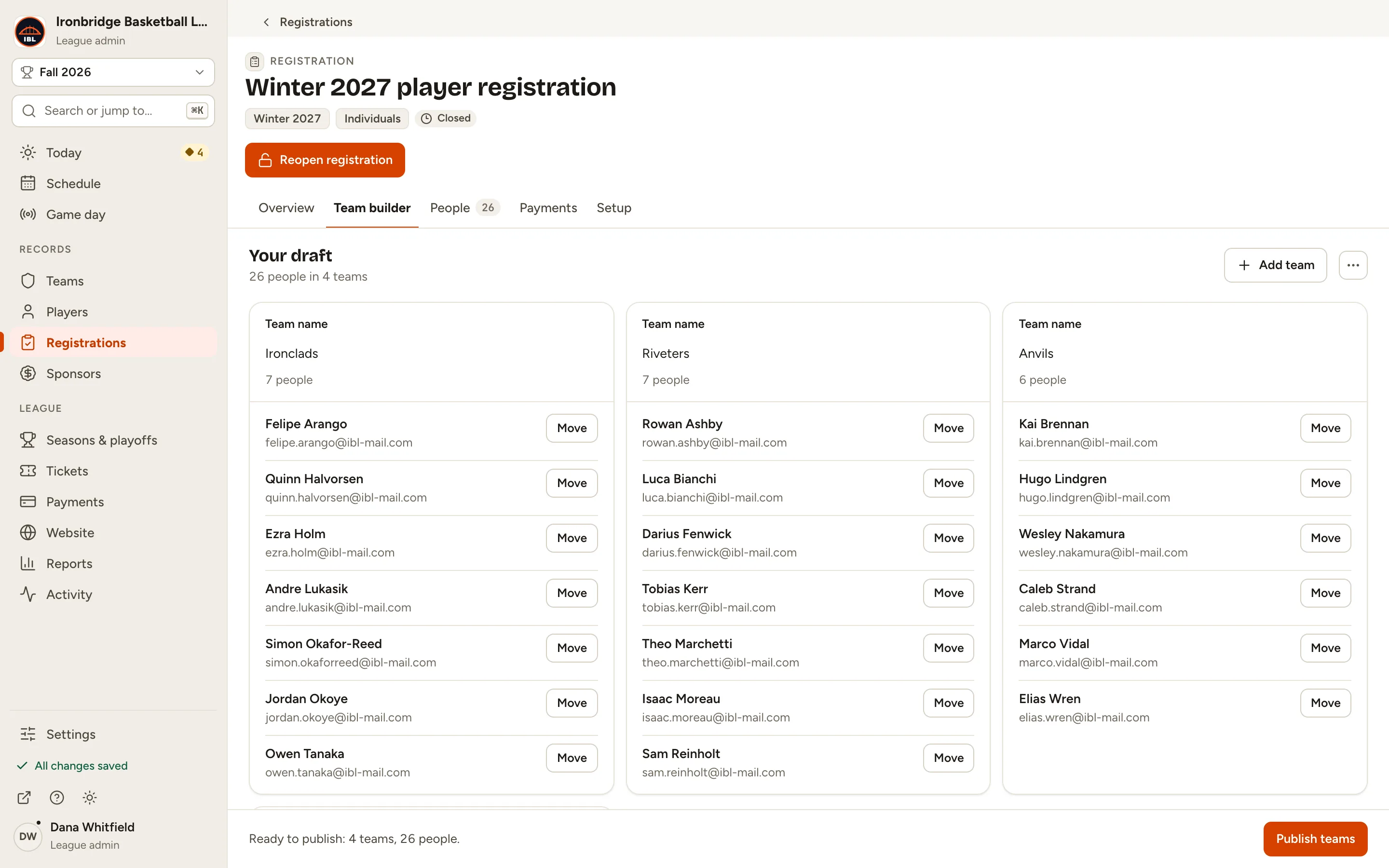
Fig. 7Teams with their names. -
Step 8: Click Move next to a person and choose their new team.
They move straight away, and the team counts update.
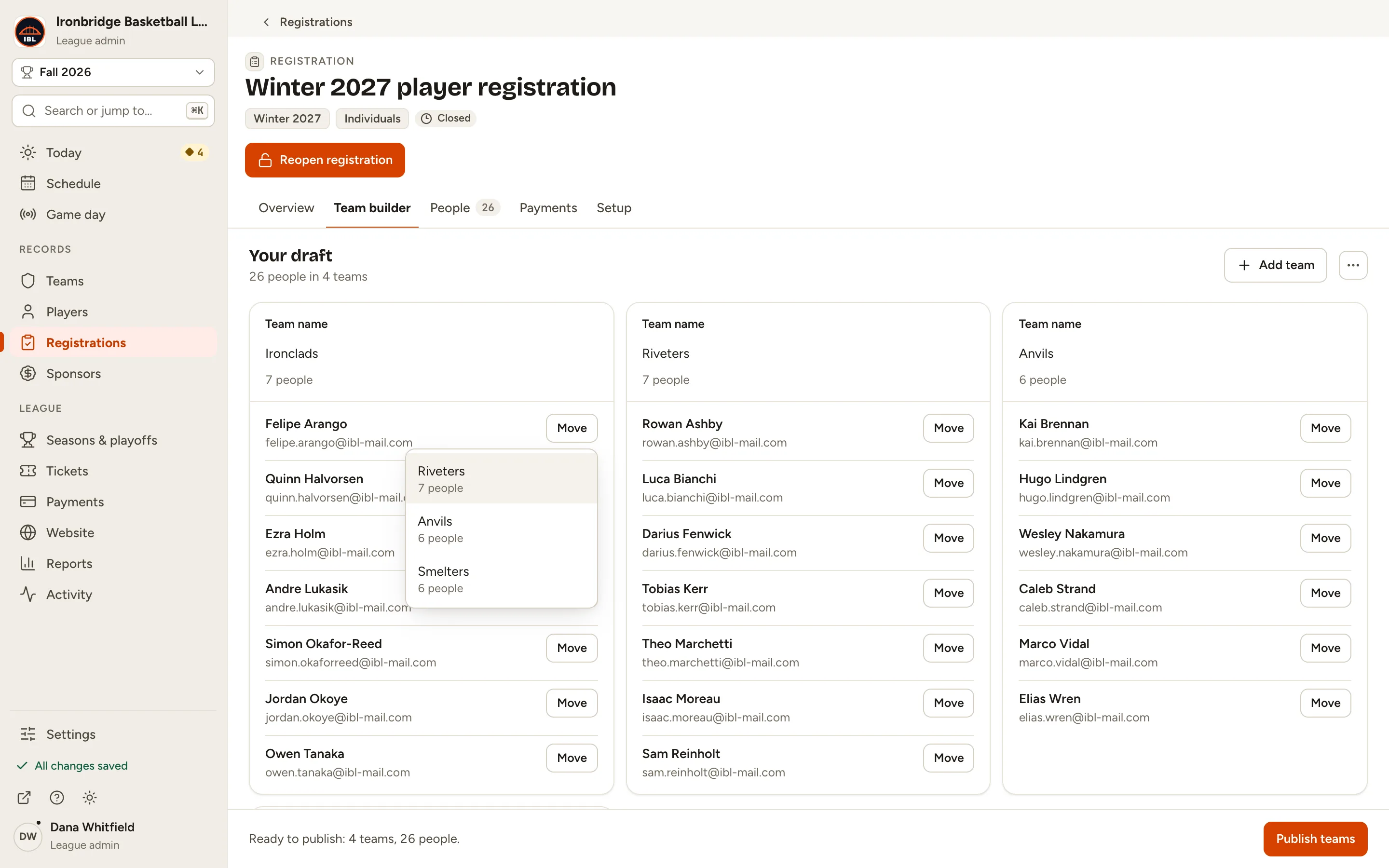
Fig. 8Move, with the other teams to choose from. -
Step 9: Click Publish teams, then Publish teams in the box that opens.
The four teams are created in Winter 2027, and everyone is put on their roster and emailed their team. You can’t undo publishing.
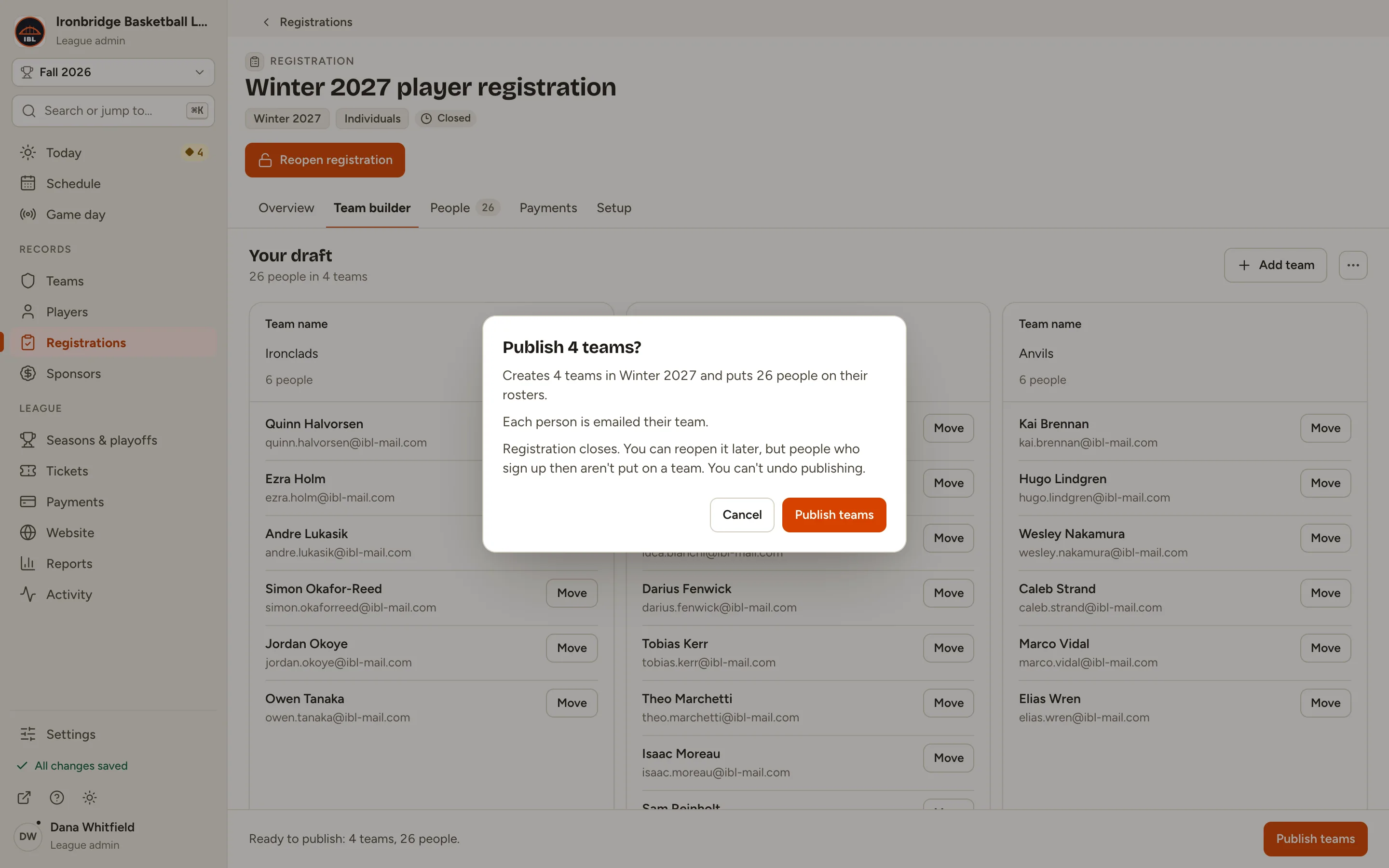
Fig. 9Publish 4 teams? 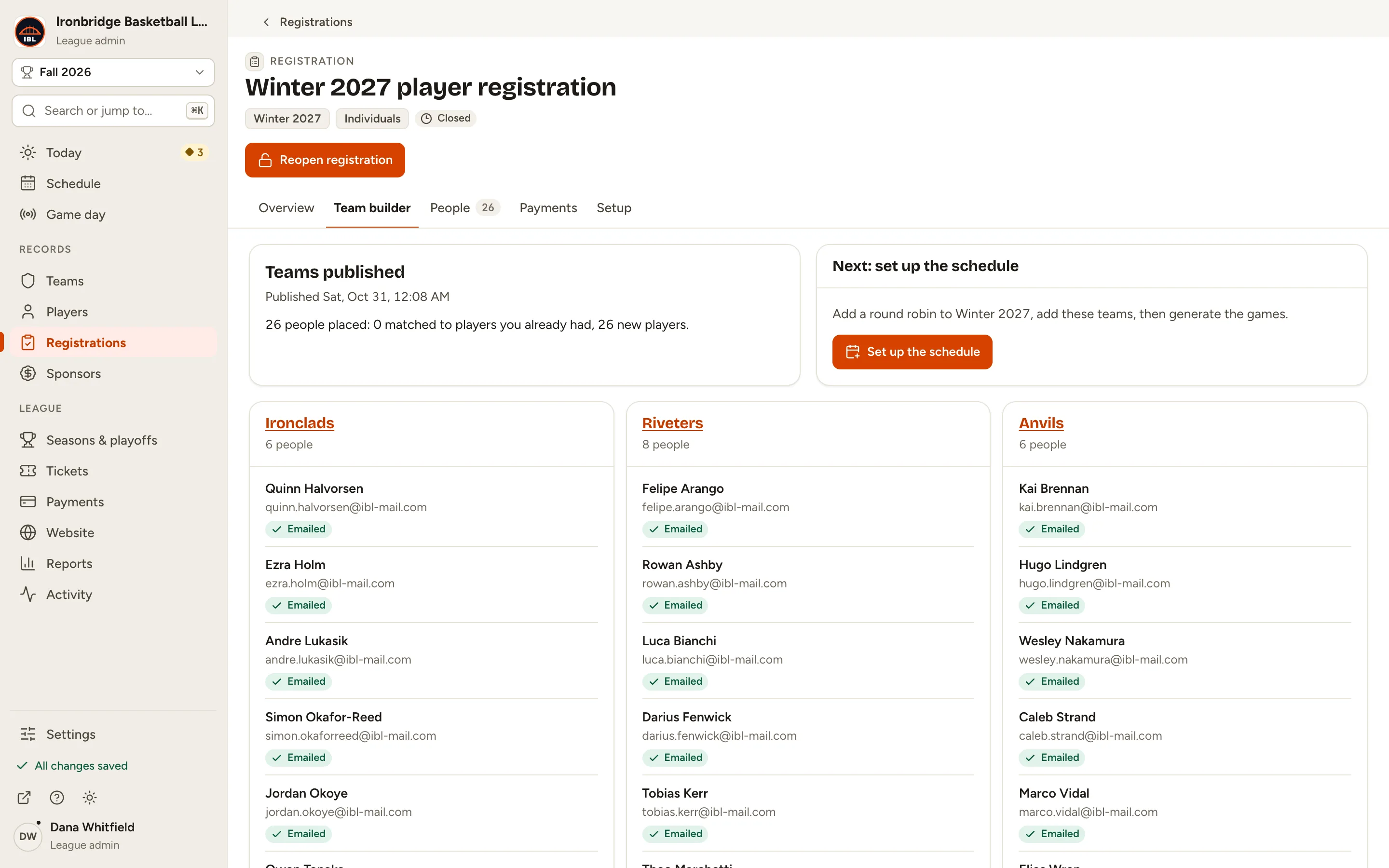
Fig. 9bTeams published. -
Step 10: Open your website and click Teams.
From the admin, click ↗ (View public site) at the bottom of the sidebar; your website opens in a new tab. The new teams are listed with the rest of your league’s teams.
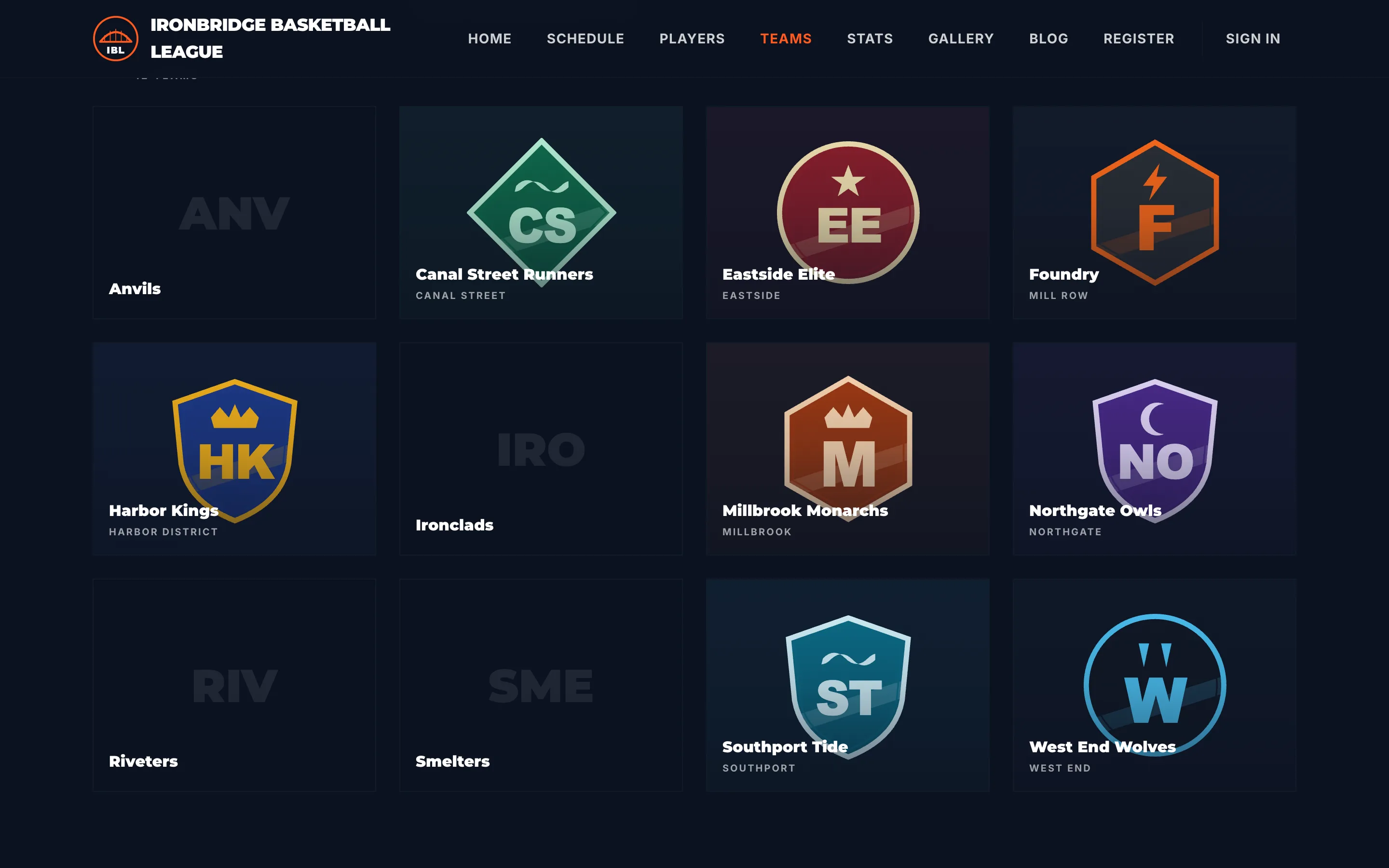
Fig. 10The new teams on your website.
What you’ll see
Your four teams are on Winter 2027 with full rosters, and everyone knows their team. The Team builder tab now shows what was published and links each team’s roster. Next, Set up the schedule adds a round robin for these teams.