
ScoreLM Guides
scorelm.com

Fix a scheduling conflict

By the end you’ll have no double-booked courts or teams left on your schedule.

  • Who: League admin or Editor
  • Time: 2 min
  • Steps: 7
Video · 0:51 · Voiceover · every step is also written on screen Prefer to read? Steps below

Before you start

  • A conflict is two games on the same court at the same time, or a team in two games at once. The Schedule flags them for you.
  • To move a game in general, see Move or reschedule a game.

Steps

  1. Step 1: In the left menu, click Schedule.

    When games clash, a conflicts button appears at the top right (here 2 conflicts), and each clashing game is marked Double-booked.
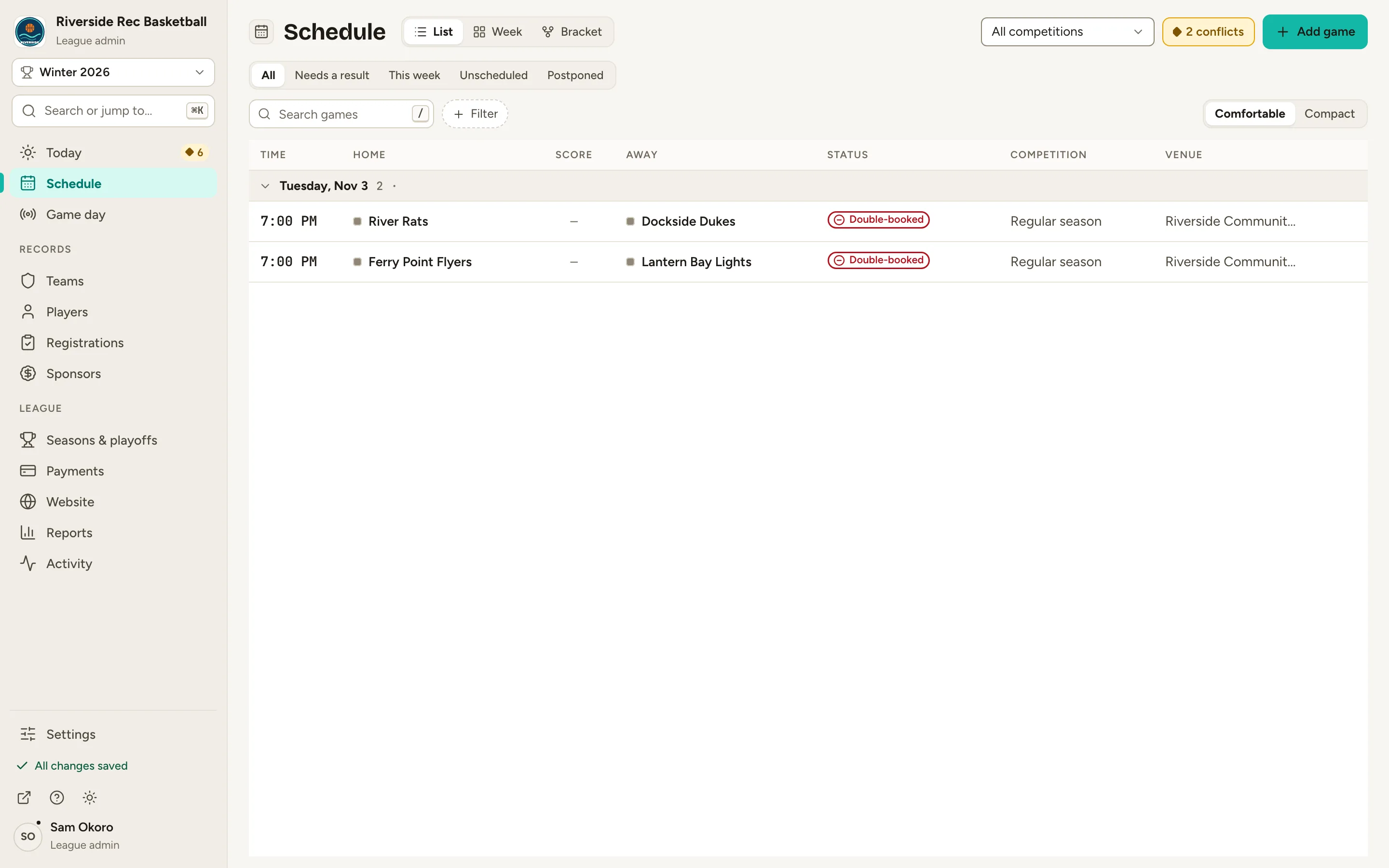
    Fig. 1

    Scroll sideways to see the whole screen.

    The Schedule list with two 7:00 PM games marked Double-booked and a 2 conflicts button at the top right.
    Fig. 1The Schedule flags the clash.
  2. Step 2: Click 2 conflicts at the top right.

    Each clashing game is listed with what it clashes with.
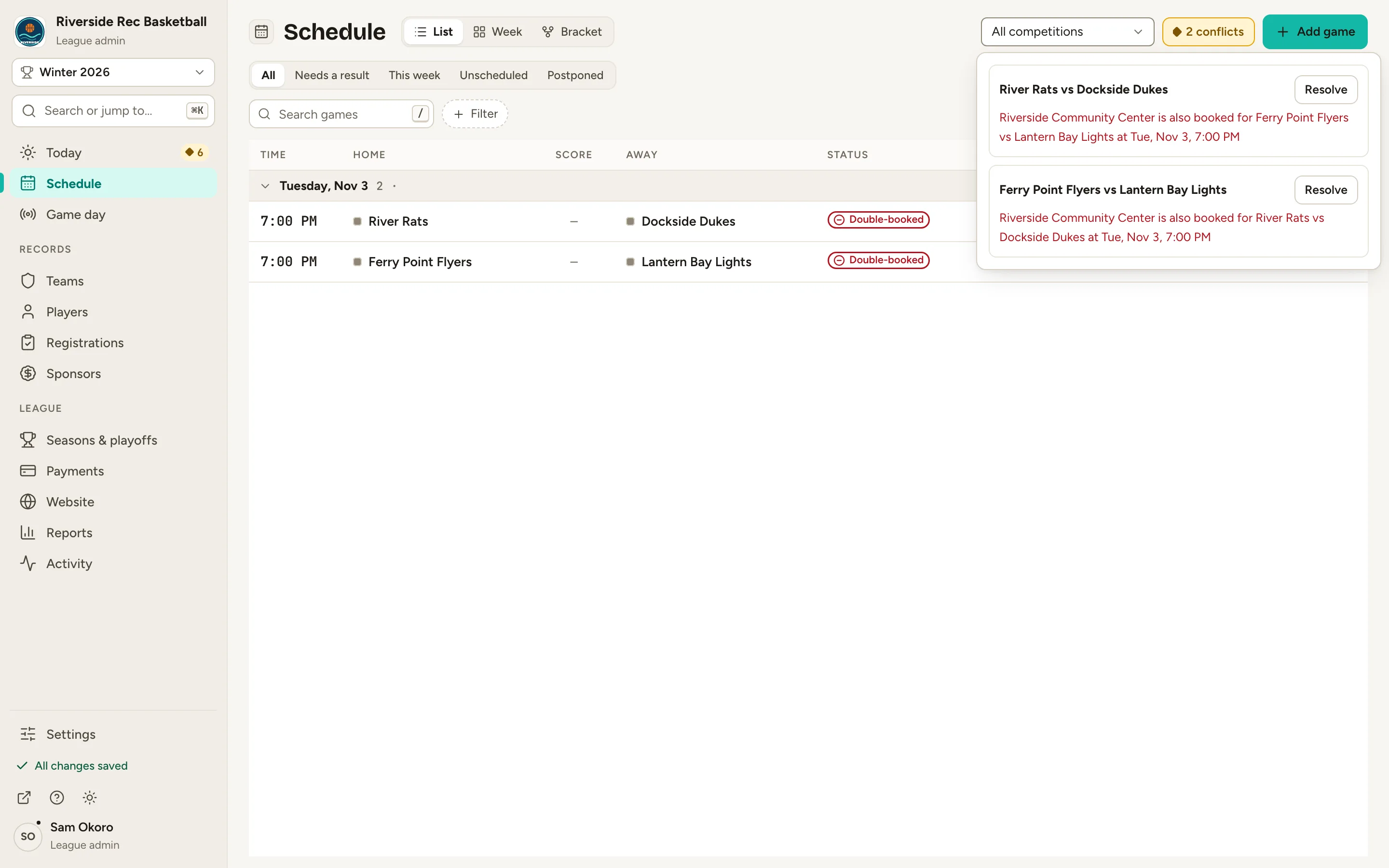
    Fig. 2

    Scroll sideways to see the whole screen.

    The conflicts list open under the 2 conflicts button: both games, each with a Resolve button and the clash in red.
    Fig. 2Each clash, in words.
  3. Step 3: Click Resolve next to the game you want to change.

    The game opens. On its Overview, a red notice names the problem, like Court double-booked, with a link to the other game.
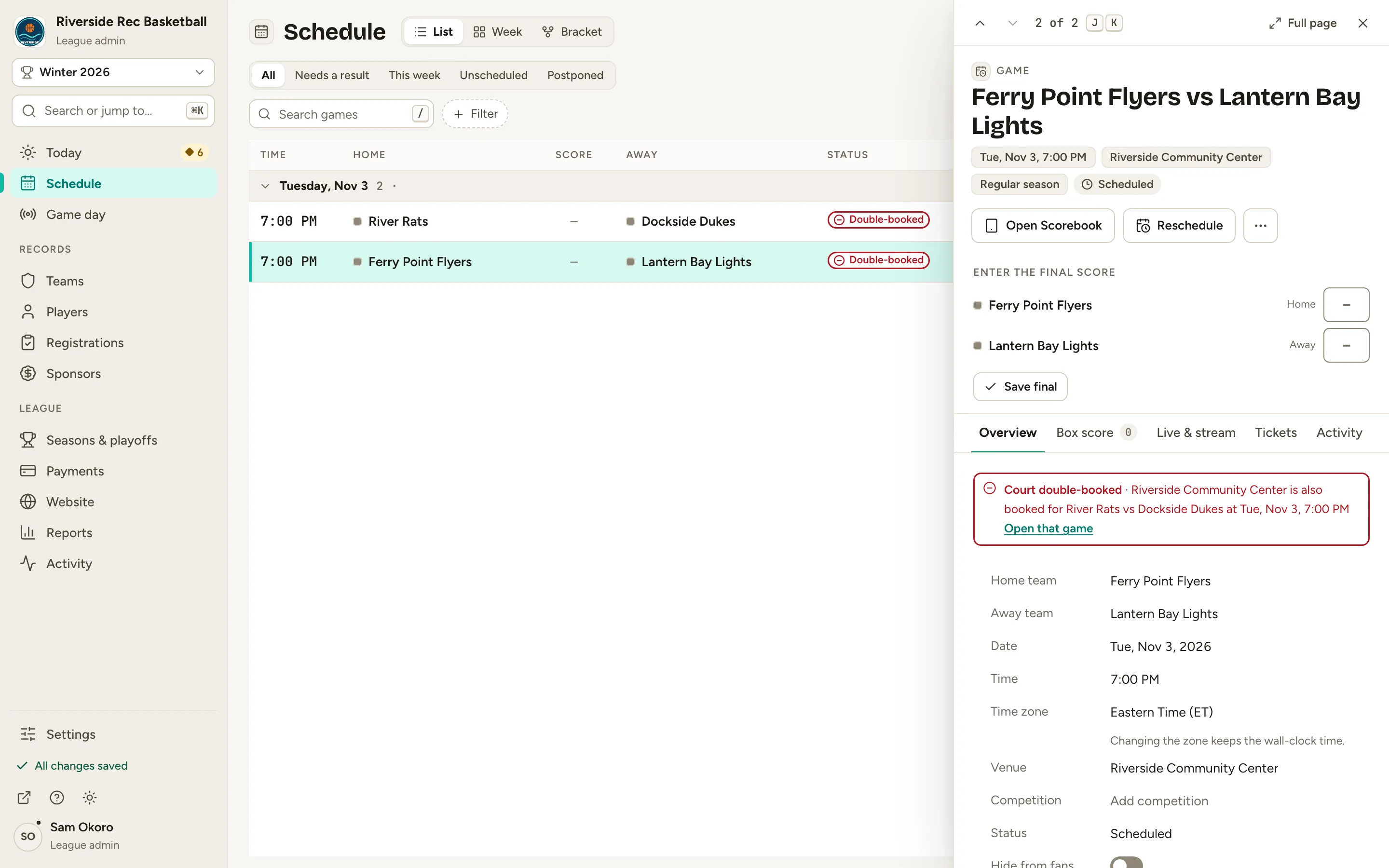
    Fig. 3

    Scroll sideways to see the whole screen.

    The Ferry Point Flyers vs Lantern Bay Lights game record with a red Court double-booked notice.
    Fig. 3The game shows what it clashes with.
  4. Step 4: Click Reschedule at the top of the game.

    The form shows the clash again, and Free that day lists times when that court is open.
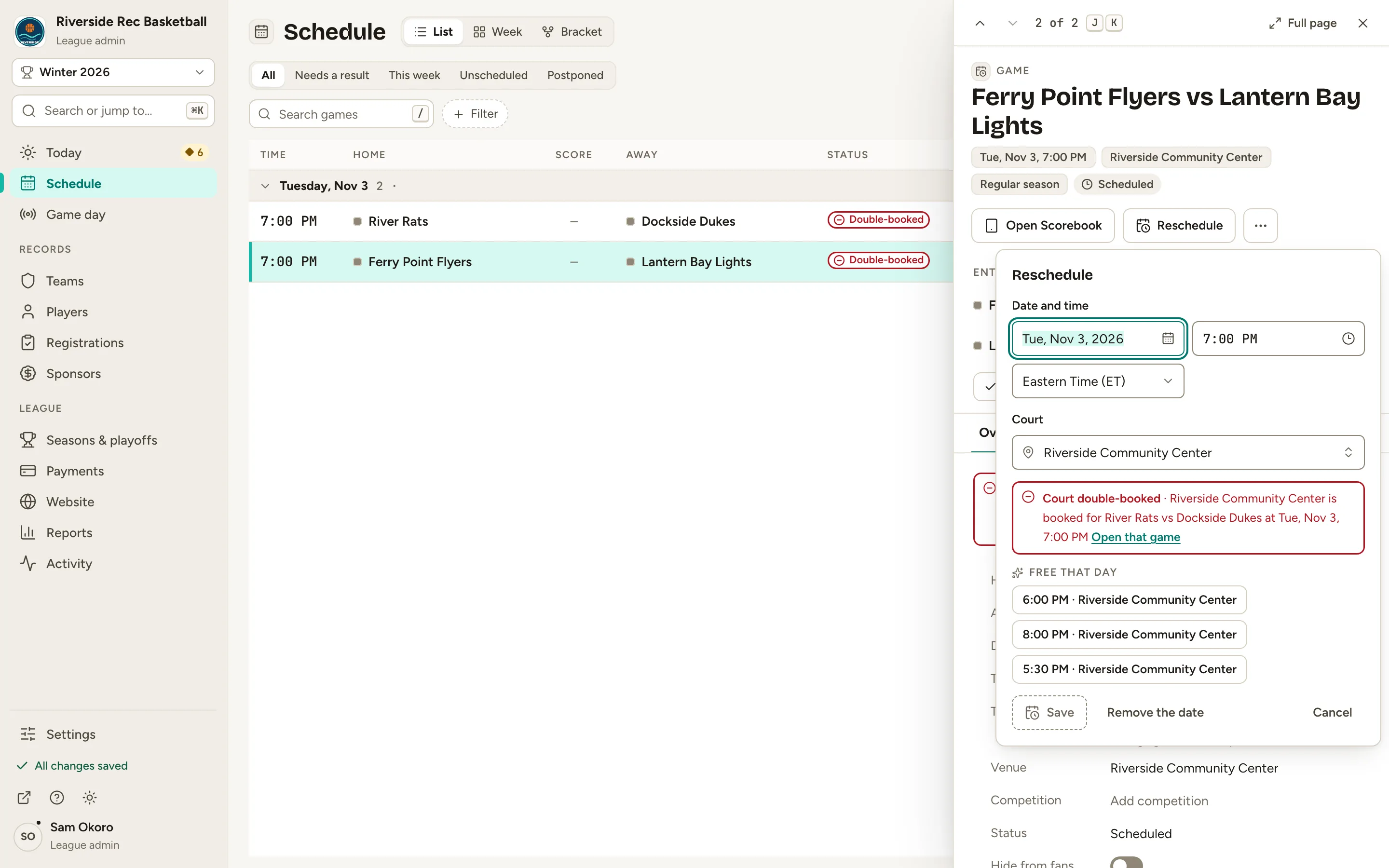
    Fig. 4

    Scroll sideways to see the whole screen.

    The Reschedule form with the Court double-booked notice and the Free that day times.
    Fig. 4Free that day: times the court is open.
  5. Step 5: Click a free time, like 8:00 PM · Riverside Community Center.

    The time and court fill in, and the clash message goes away. You can also type a new date and time, or pick another court.
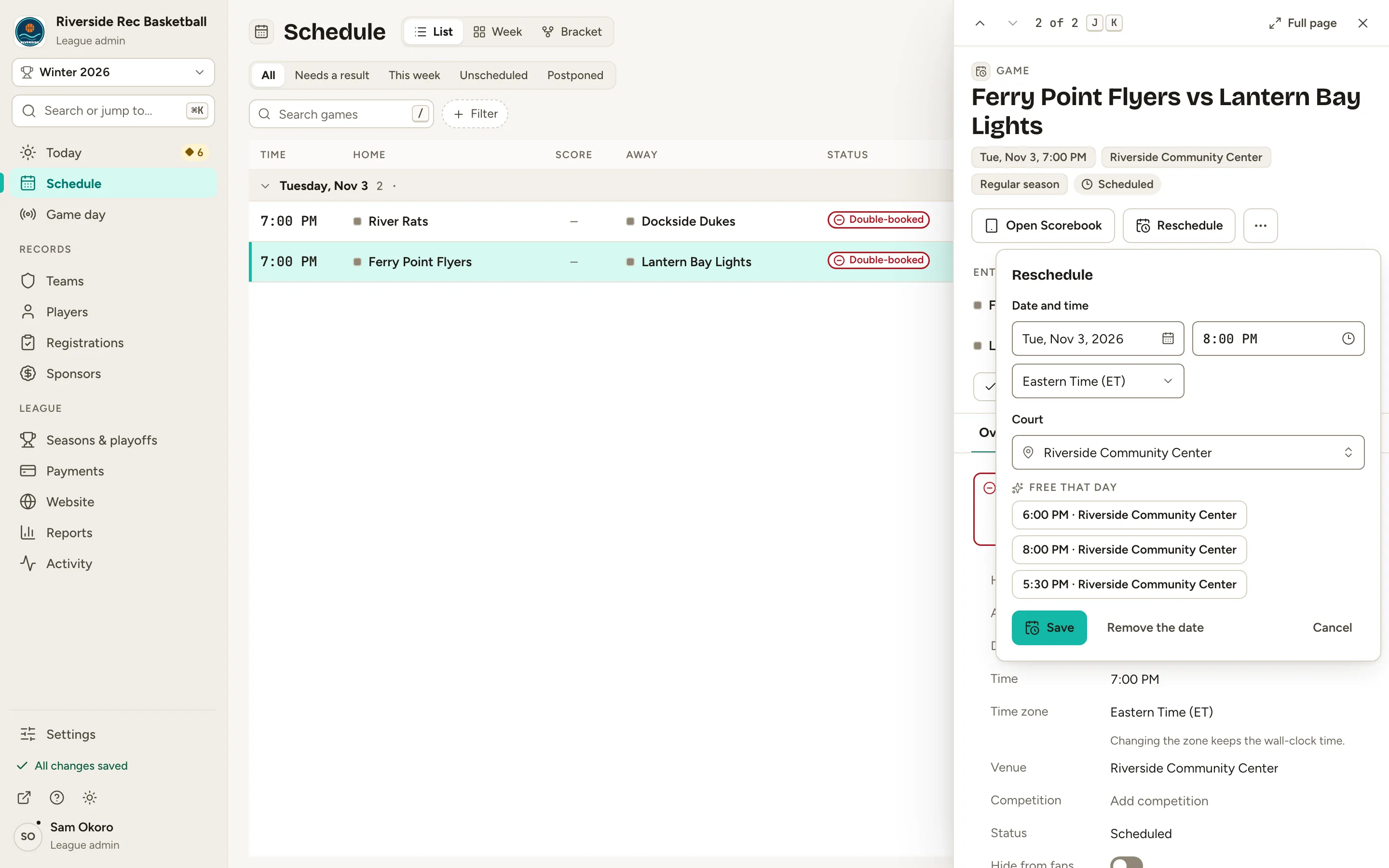
    Fig. 5

    Scroll sideways to see the whole screen.

    The Reschedule form with 8:00 PM filled in and no clash message.
    Fig. 5A free time fills in the form.
  6. Step 6: Click Save.

    The game moves. Once nothing clashes, the conflicts button and the Double-booked marks are gone.
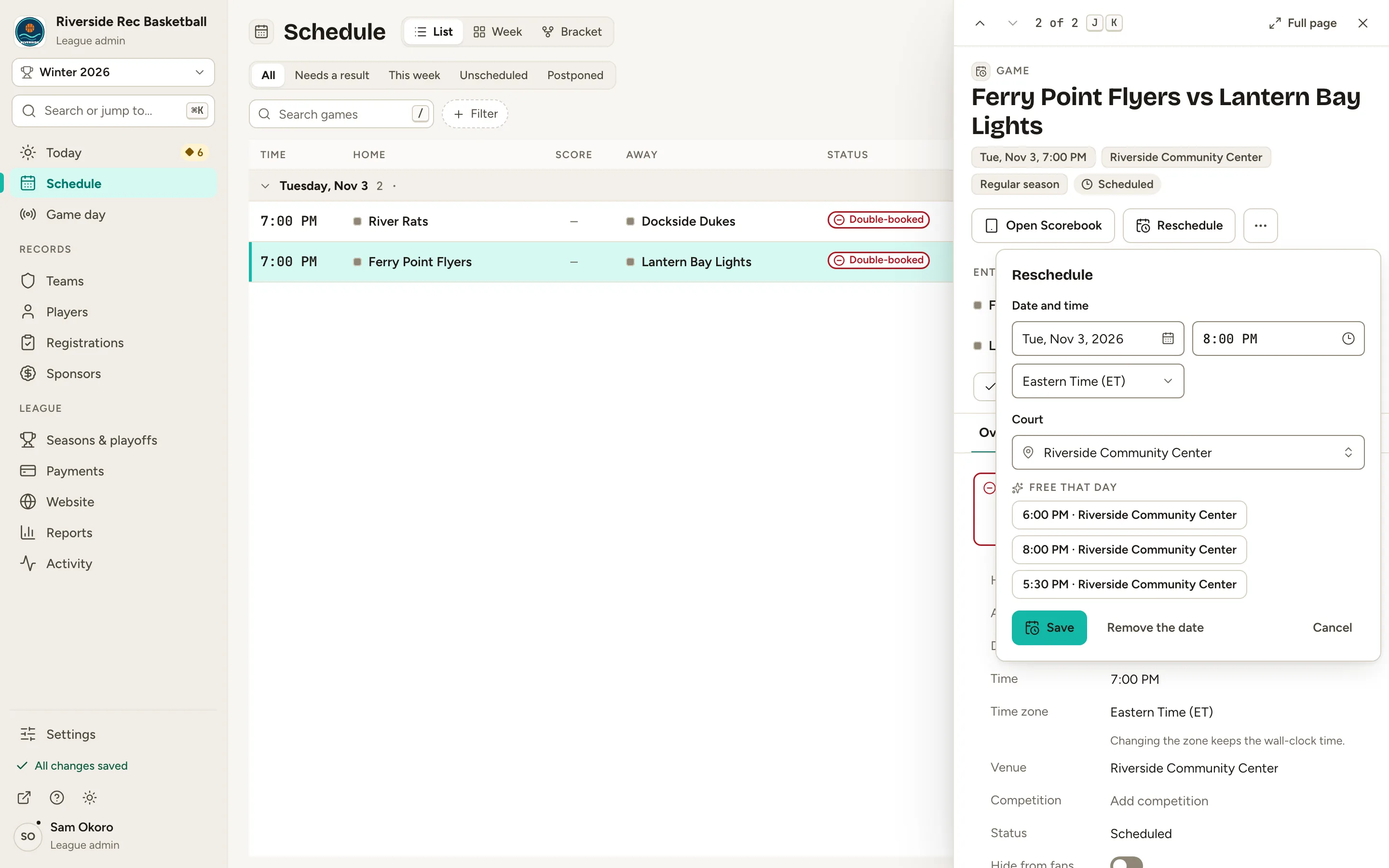
    Fig. 6

    Scroll sideways to see the whole screen.

    The Reschedule form’s Save button.
    Fig. 6Save, and the clash is fixed.
  7. Step 7: Open your website and click Schedule.

    From the admin, click ↗ (View public site) at the bottom of the menu; your website opens in a new tab. Fans see the game at its new time.
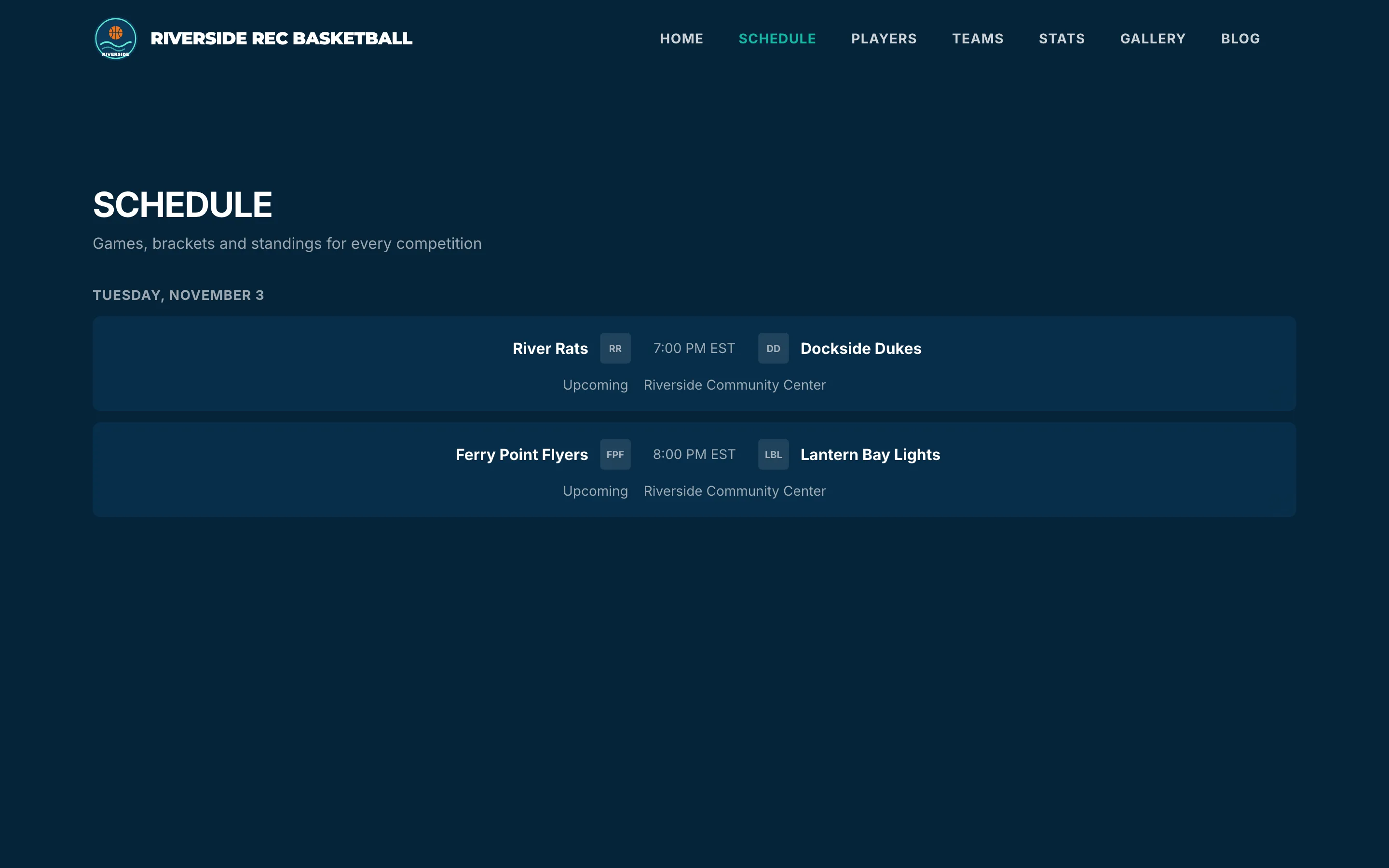
    Fig. 7

    Scroll sideways to see the whole screen.

    The public website’s Schedule page with the two games at 7:00 PM and 8:00 PM.
    Fig. 7Your website shows the new time.

What you’ll see

Nothing clashes any more: every court and team has one game at a time, in the admin and on your website.
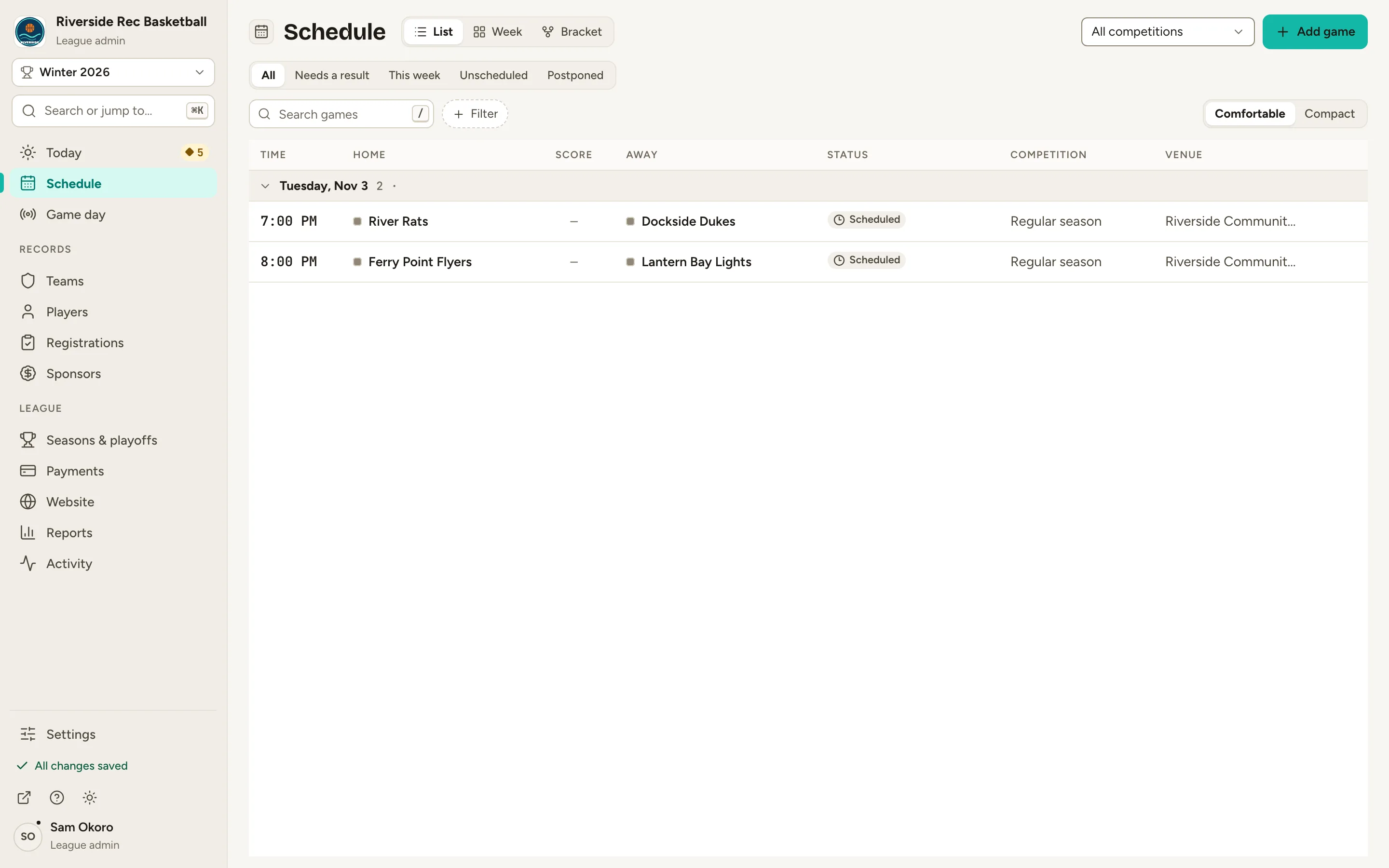
Fig. 8

Scroll sideways to see the whole screen.

The Schedule list with the games at 7:00 PM and 8:00 PM, no Double-booked marks and no conflicts button.
Fig. 8No conflicts left on the Schedule.

Common questions

How can a conflict happen if the Schedule checks every move?
Adding a game, moving it on the week board or with Reschedule, and editing its date all check for clashes first, so you can’t create one by hand. One can still appear in two ways: when you import games from a spreadsheet (the import doesn’t check for clashes), or when you undo a move after another game took that slot, because Undo puts the game straight back.
What does “Check the court” mean?
A game at the whole venue while a game is booked on one of its courts. That’s a warning, not a clash: if they really are on different courts, you can click Save anyway.
What if a team is double-booked?
It shows as Team double-booked, and you fix it the same way: open the game from the conflicts list and reschedule one of the two games.
Which game should I move?
Either. Fixing one of the pair fixes both, because the clash is between them. Open the other game from the notice with Open that game if that one is easier to move.