
ScoreLM Guides
scorelm.com

Refund or void an order

By the end you’ll have an order refunded, with its tickets stopped at the gate and the refund on record.

  • Who: League admin or Editor
  • Time: 2 min
  • Steps: 7
Video · 0:58 · Voiceover · every step is also written on screen Prefer to read? Steps below

Before you start

  • You need the order: here Casey Morgan’s cash order at the door, 3 tickets for $35.00. See Sell tickets at the door.
  • Card orders are refunded to the buyer’s card through Stripe. For cash, you hand the money back and ScoreLM records it.

Steps

  1. Step 1: In the left menu, click Tickets.

    Your ticket sales are listed.
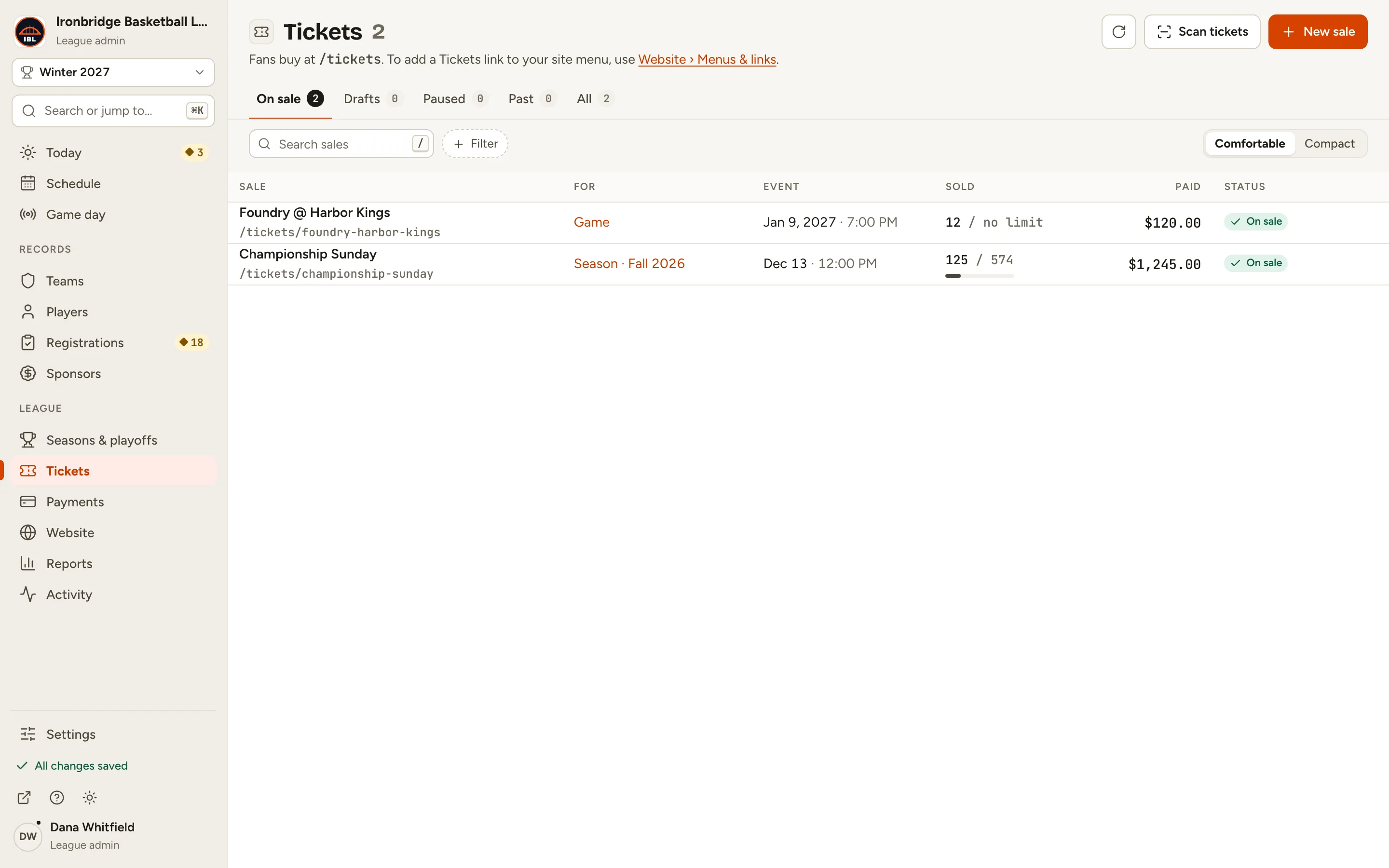
    Fig. 1

    Scroll sideways to see the whole screen.

    The Tickets page listing Foundry @ Harbor Kings and Championship Sunday.
    Fig. 1Your ticket sales.
  2. Step 2: Click the sale, like Foundry @ Harbor Kings.

    The sale’s record opens.
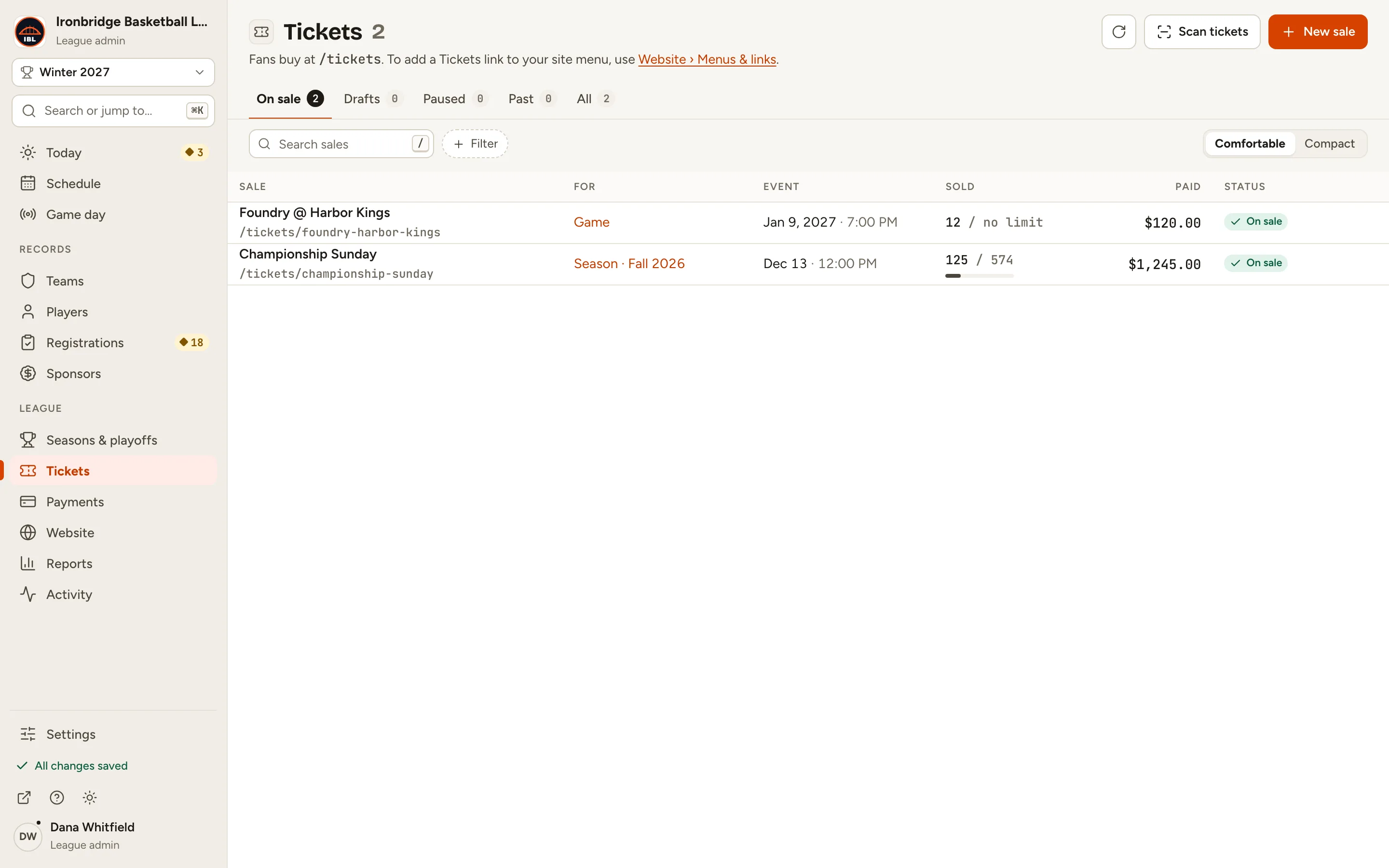
    Fig. 2

    Scroll sideways to see the whole screen.

    The Foundry @ Harbor Kings row in the Tickets list.
    Fig. 2Open the sale.
  3. Step 3: Click the Orders tab.

    Every order is listed, newest first, with its channel, total and payment. Search by name or email to find one.
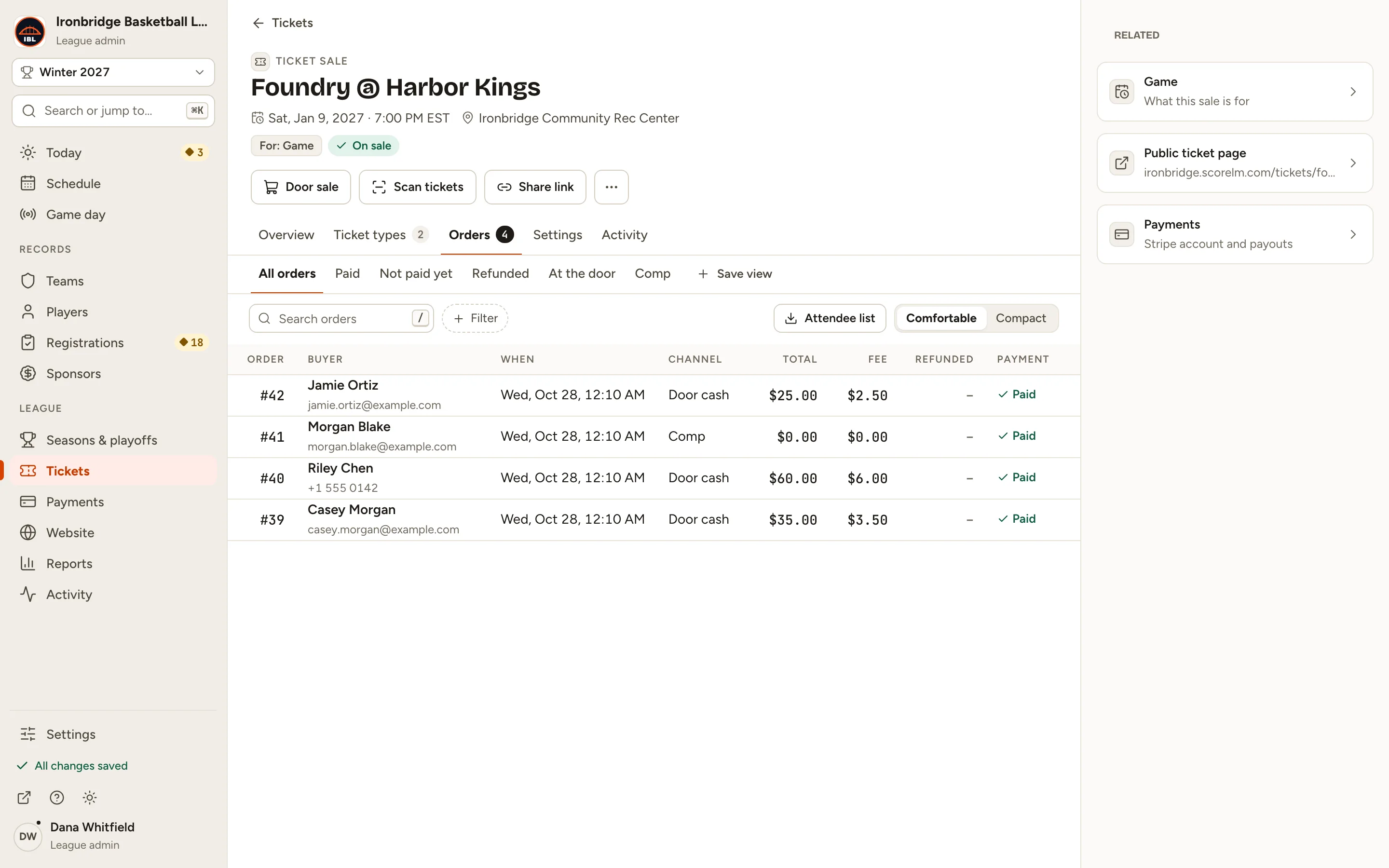
    Fig. 3

    Scroll sideways to see the whole screen.

    The Orders tab listing four orders, with Casey Morgan’s Door cash order for $35.00.
    Fig. 3The sale’s orders.
  4. Step 4: Click the order, like Casey Morgan.

    The order opens beside the list, with its tickets and their codes.
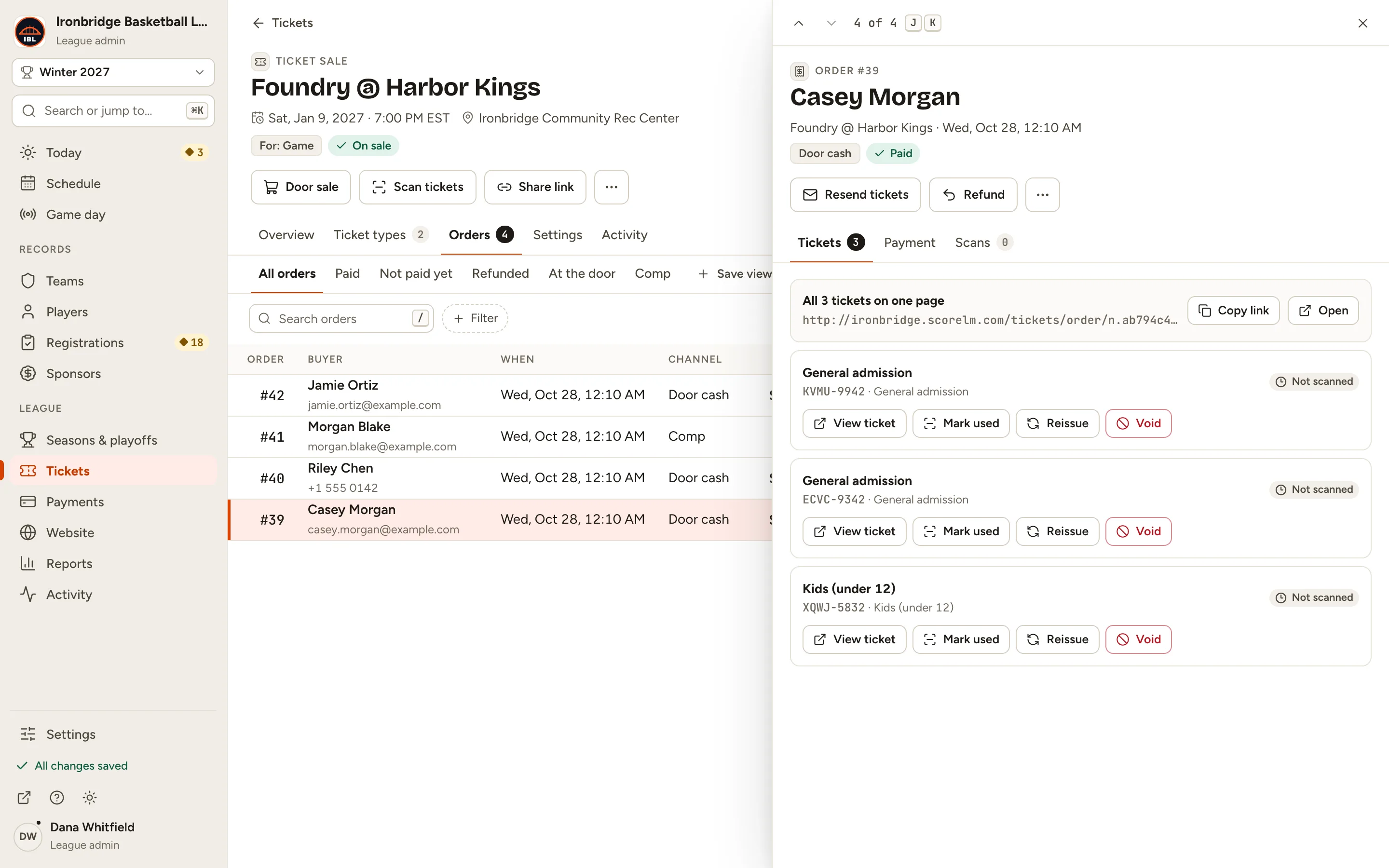
    Fig. 4

    Scroll sideways to see the whole screen.

    Casey Morgan’s order #39: Door cash, Paid, with three tickets and the Refund button.
    Fig. 4The order and its tickets.
  5. Step 5: Click Refund.

    Amount starts at the full order. Lower it for a part refund: their tickets stay valid then.
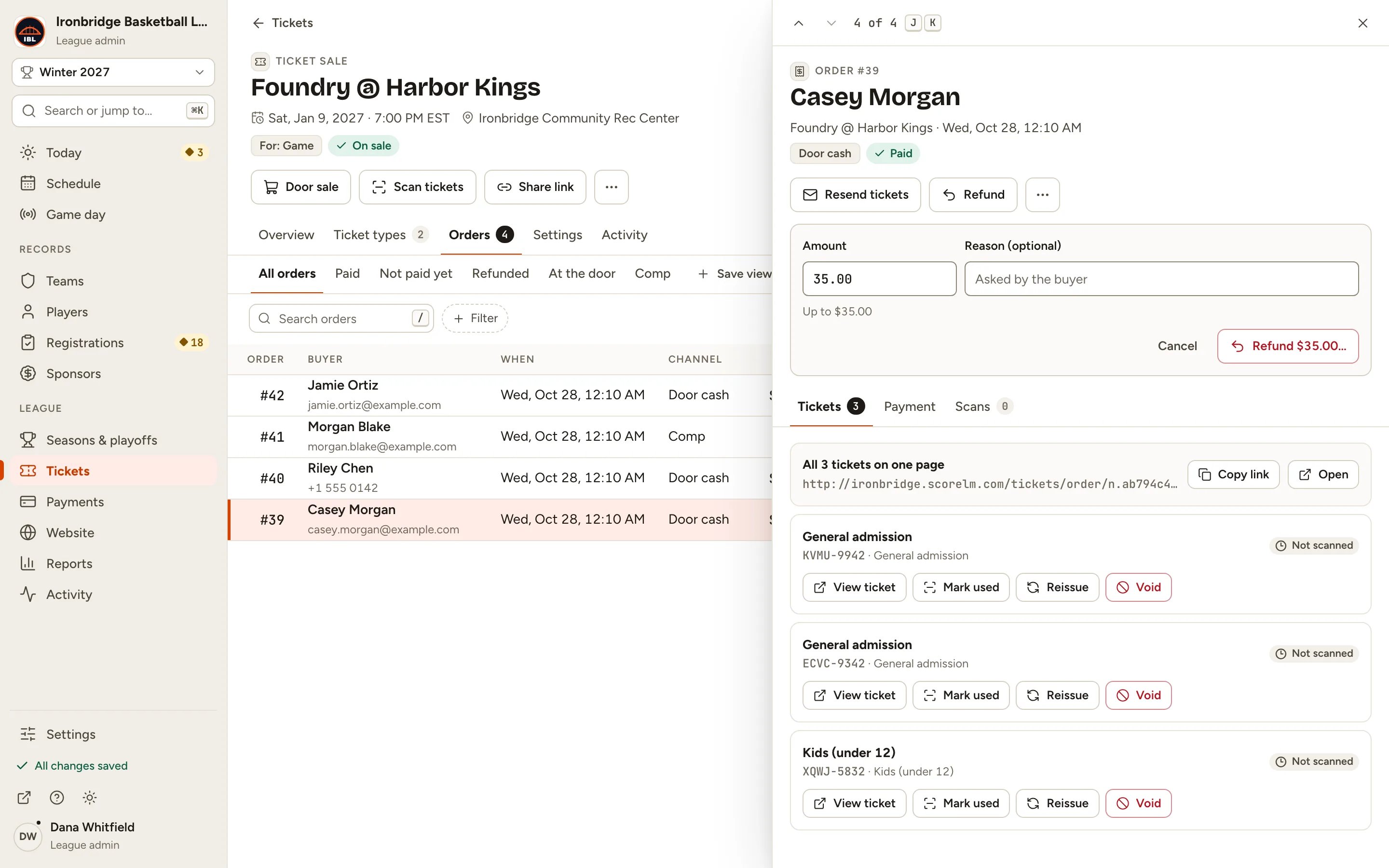
    Fig. 5

    Scroll sideways to see the whole screen.

    The refund panel with Amount 35.00, Up to $35.00, and a Reason field.
    Fig. 5Refund the full order.
  6. Step 6: Type a Reason, like Game night clash, and click Refund $35.00…

    A box shows what will happen before anything changes.
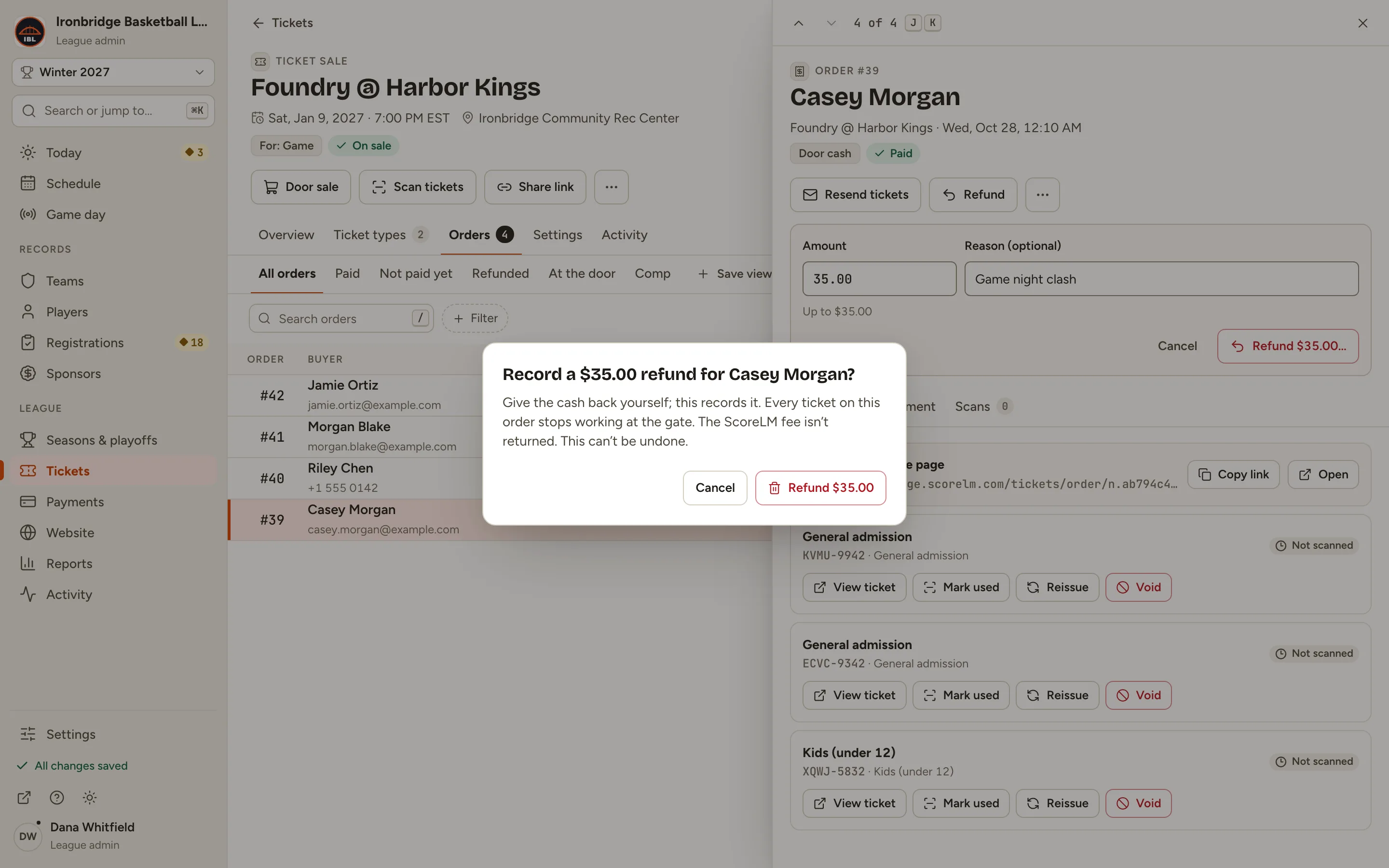
    Fig. 6

    Scroll sideways to see the whole screen.

    The Record a $35.00 refund for Casey Morgan? box: give the cash back yourself; every ticket stops working at the gate.
    Fig. 6Check what the refund does.
  7. Step 7: Click Refund $35.00 in the box.

    The order is Refunded, and each ticket shows Refunded: they no longer get in at the gate. For a cash order, hand the money back.
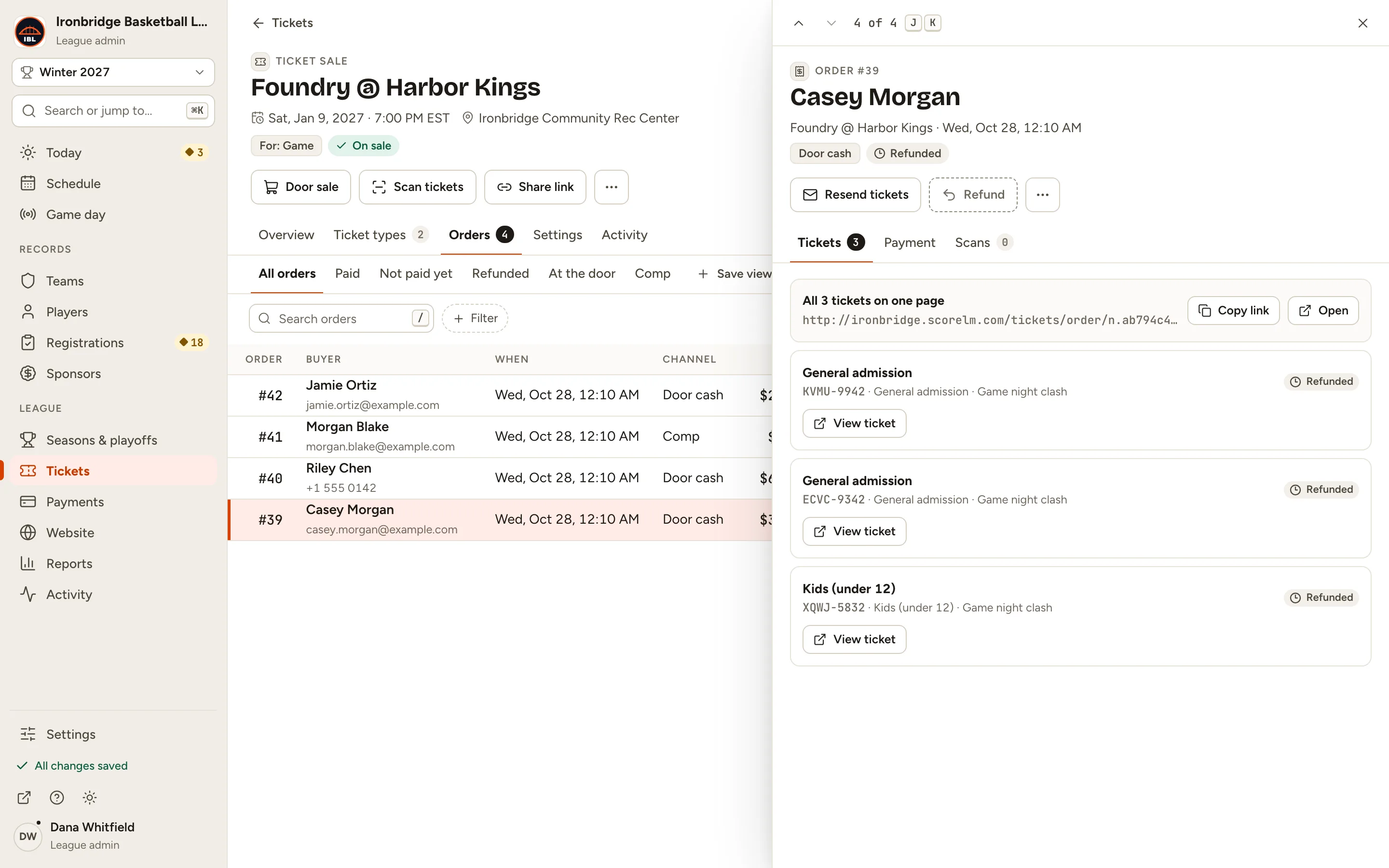
    Fig. 7

    Scroll sideways to see the whole screen.

    Casey Morgan’s order marked Refunded, with each of its three tickets Refunded.
    Fig. 7Refunded: the tickets stop at the gate.

What you’ll see

Casey Morgan’s order is refunded. Scanning one of its tickets now shows Refunded, and the sale’s Overview takes the refund off its net.
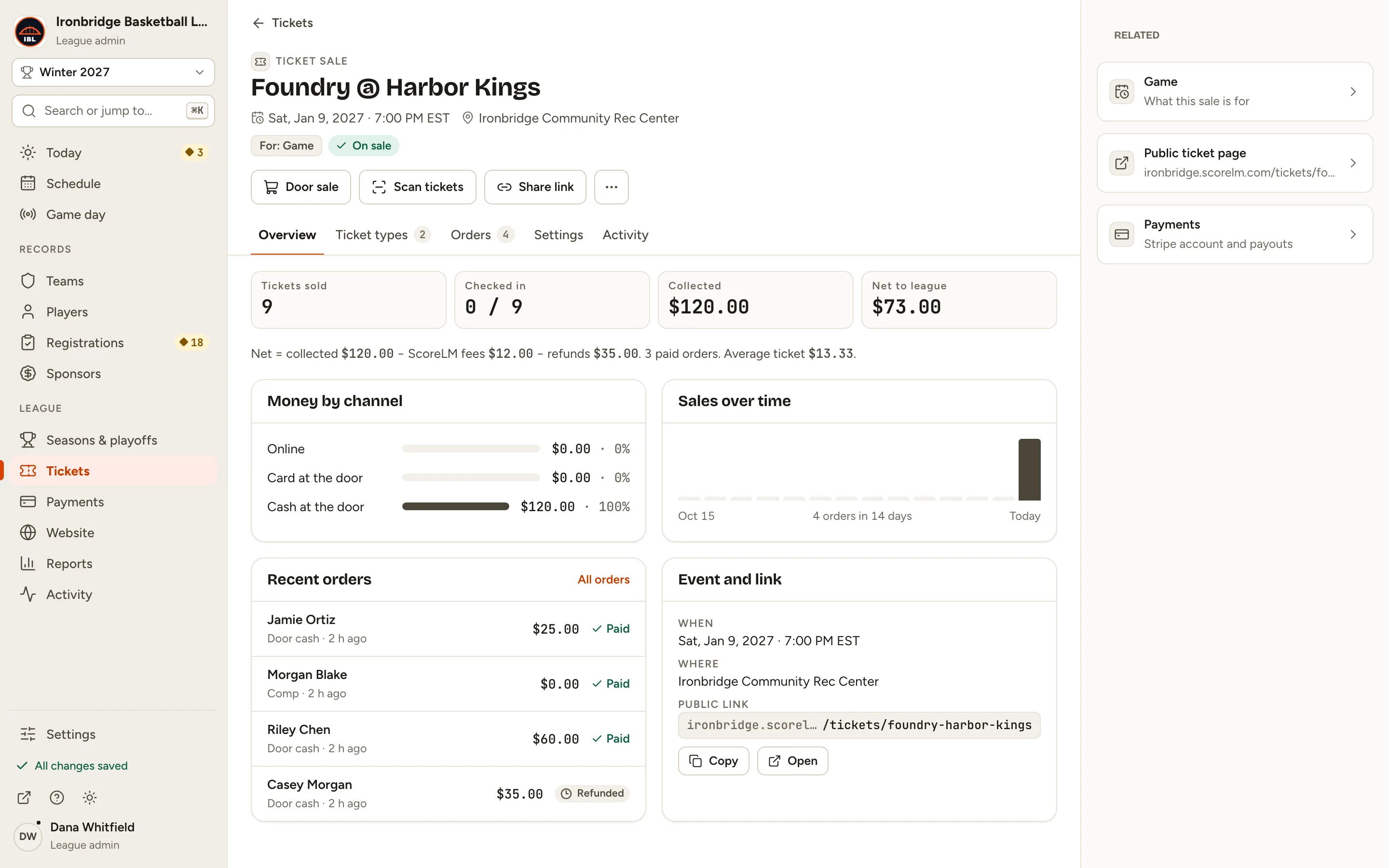
Fig. 8

Scroll sideways to see the whole screen.

The sale’s Overview with the net line showing refunds of $35.00.
Fig. 8The refund, on the sale’s Overview.

Common questions

How do I refund a card order?
The same way. For an order paid by card, the box says Stripe sends the money back to the card they paid with. The ScoreLM fee isn’t returned.
How do I stop one ticket without a refund?
On the order, click Void on that ticket and say why, like “Lost ticket”. It won’t scan at the gate and the seat goes back on sale. To give the fan a new code instead, click Reissue.
Can I undo a refund?
No. A refund can’t be undone, so check the amount in the box before you confirm.
Why can’t I refund this order?
Only paid orders can be refunded, and an order that’s already fully refunded can’t be refunded again.