
Team registration, with captains doing the legwork.
ScoreLM's team registration lets captains build their own rosters while you keep the final say. Add a team, invite its captain by email, and the captain adds players or shares a team code, pays the team fee and sees every decision you make. Charge one fee per team or a share per player, and approve teams and roster changes from one queue. Team registration is on every plan.
How team registration works
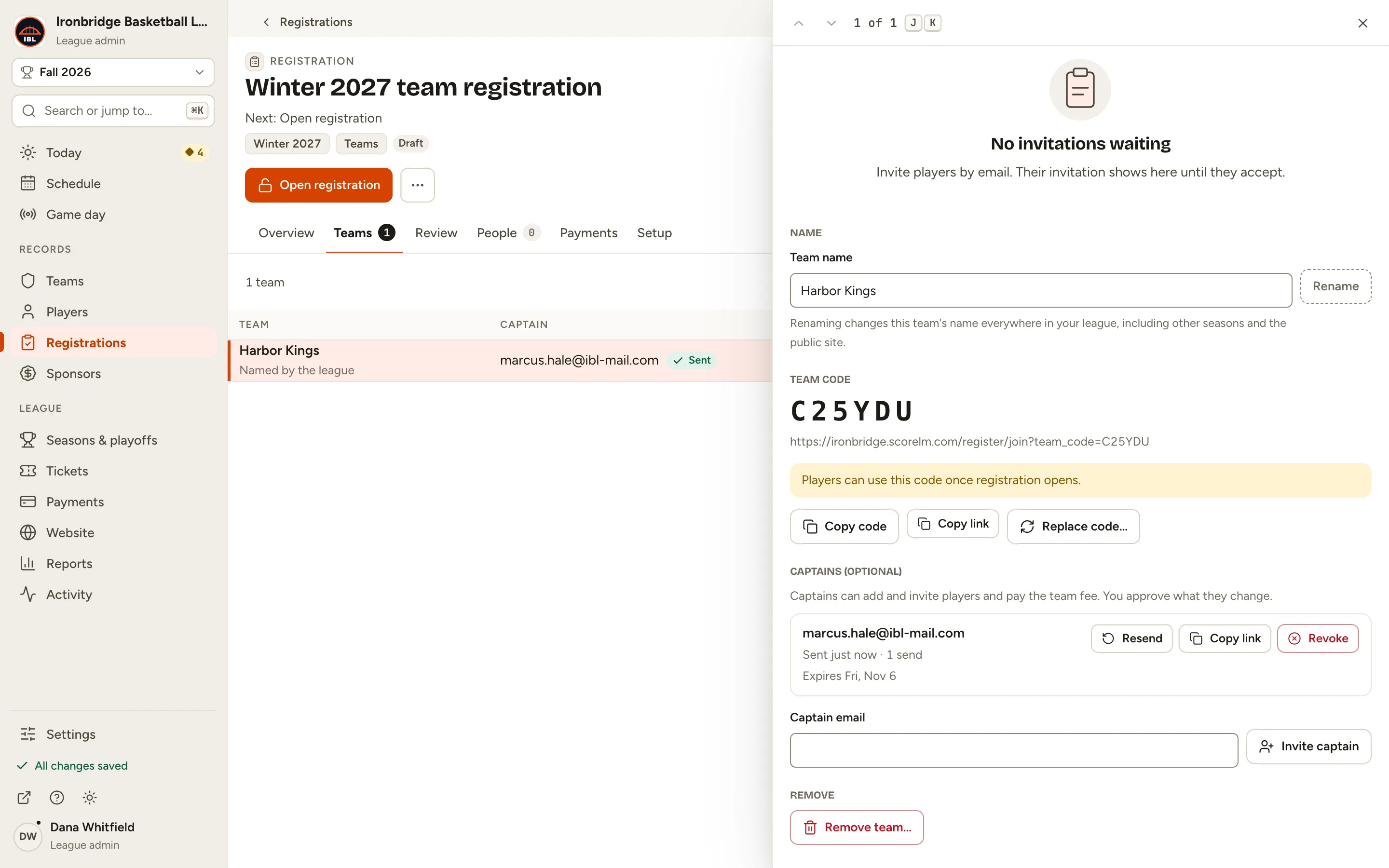
Create a team registration for a season with dates, a limit on teams and your own questions. Then add teams: pick a team you already have, or let the captain name it, and type the captain's email. ScoreLM sends the invitation.
The captain signs in to a page that shows only their team. From there they add players or invite them by email, share the team code and pay the team fee. Every add and removal waits for you.
- Team fee
- One payment from the captain covers the whole team.
- Per player
- Or each player pays their own share when they join.
- Offline
- Mark a fee as paid in cash, or waive it.
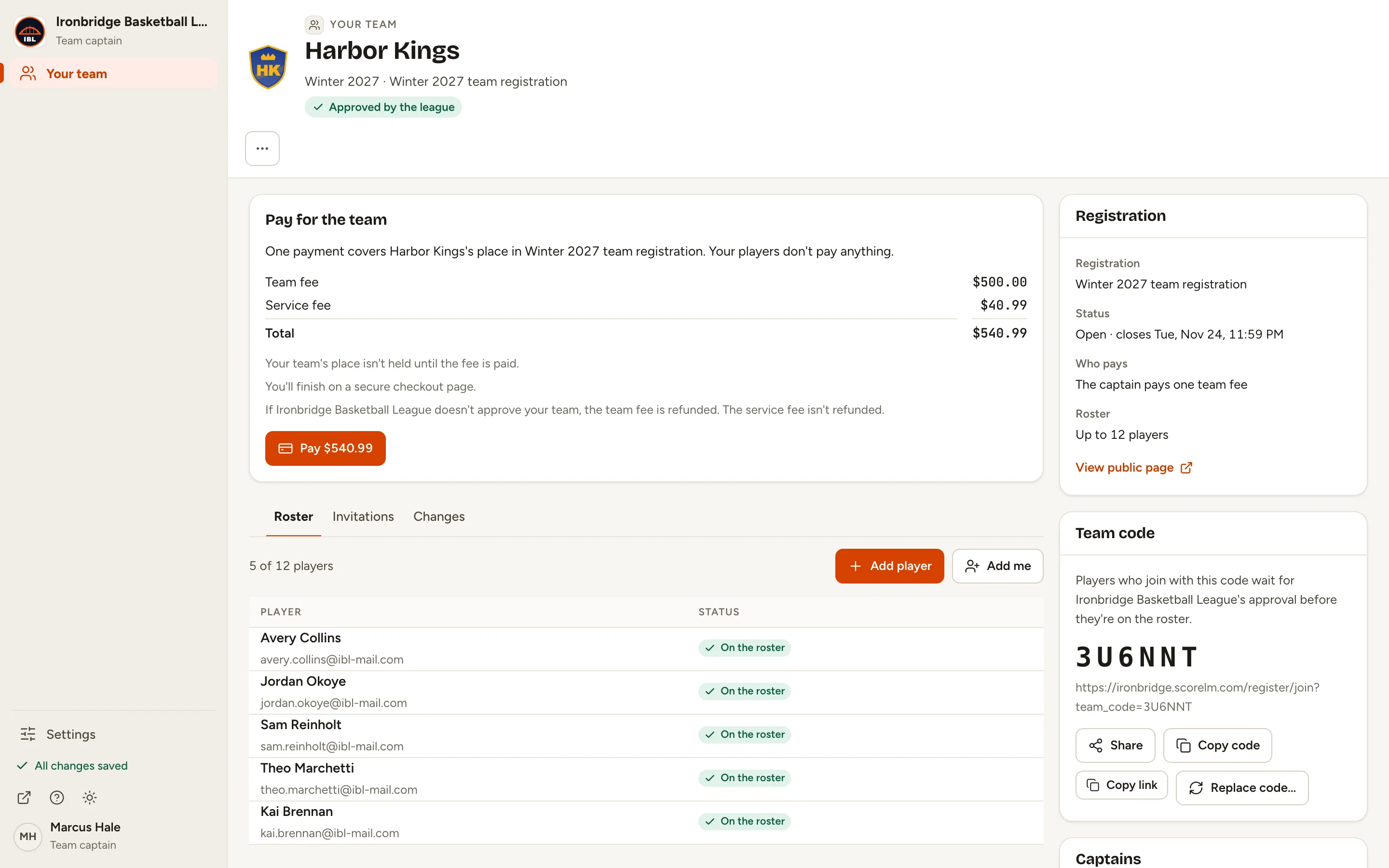
Team codes put players on the right team
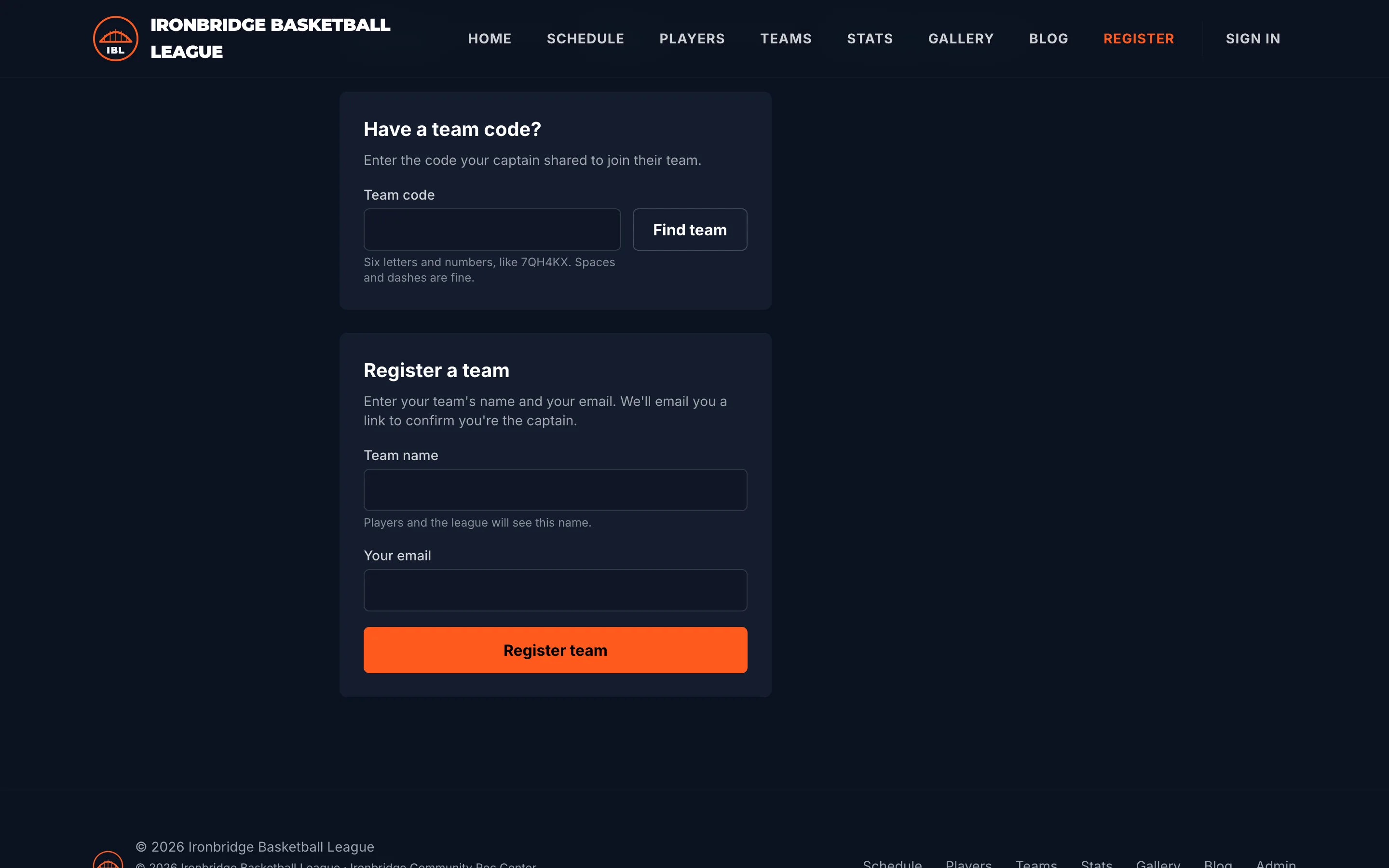
Every team gets a code. Players type it on your registration page, or open the link their captain shares, then create an account, answer your questions and join. If you charge per player, they pay their share right there.
Their place waits for your approval, so nobody ends up on the wrong roster and nobody plays before they've registered.
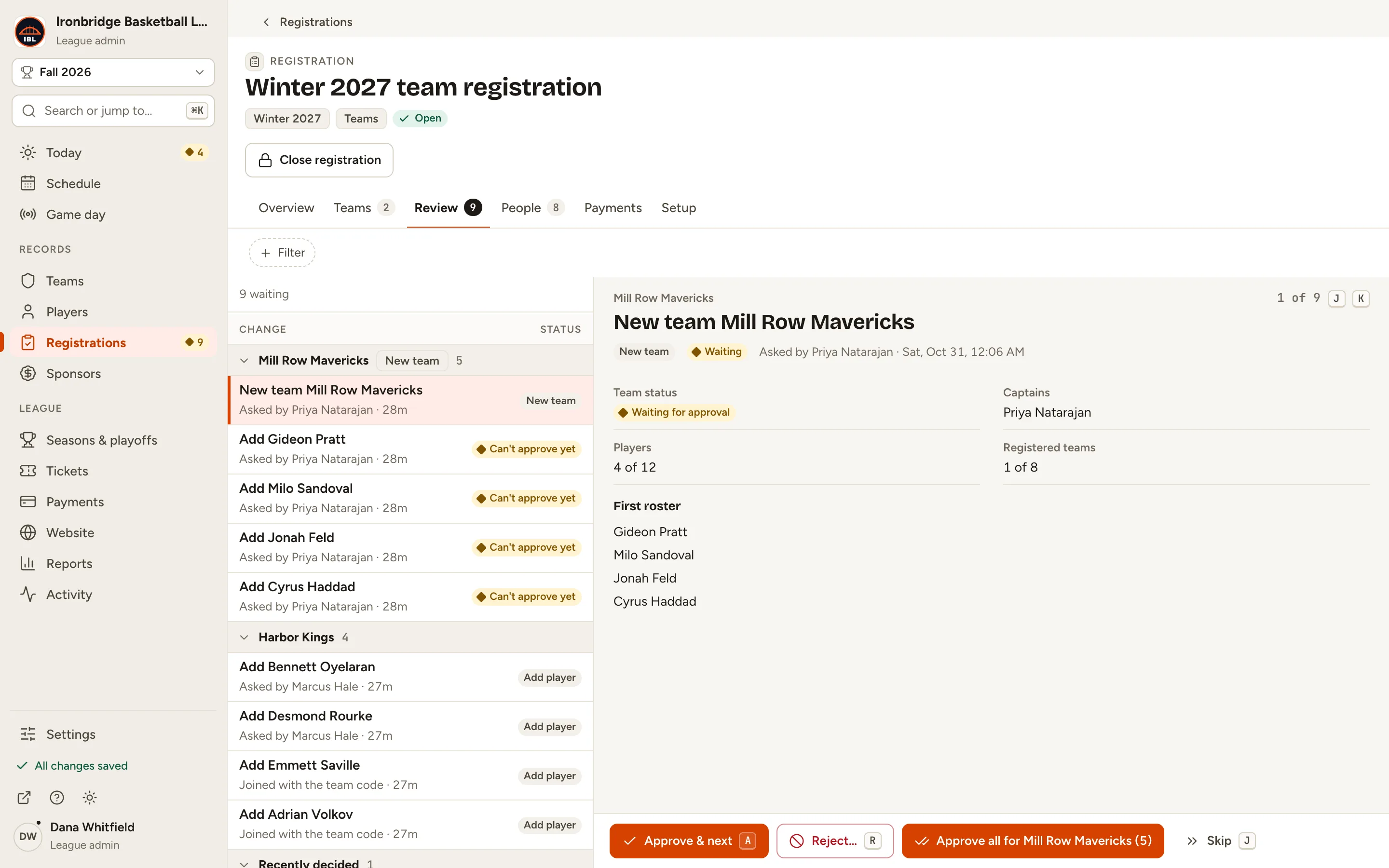
Approve teams and roster changes in one place
Changes wait in one review queue, grouped by team, new teams first. Each one shows how the person joined, whether the captain added them or they used the team code. Approve a new team and its first roster together, or turn a change down with a reason the captains get by email.
Keyboard shortcuts get you through a busy week fast, and everything you approve goes straight onto the season's rosters and your league website.
Common questions
Want the clicks? Read Register teams and invite captains.
Do I need captains for team registration?
No. Captains are optional helpers. You can add players yourself, invite them by email or share the team code, and what you change applies at once.
What can a captain see and do?
Only their own team. They add and invite players, share the team code and pay the team fee. Every change they ask for waits for your approval, and they can see what you decided.
Can the captain name the team?
Yes. Add the team to be named later with the captain's email, and the captain names it when they accept the invitation.
Can each player pay instead of the captain?
Yes. Choose a per-player fee and each player pays when they join, so the team pays nothing. Decide before you add teams: who pays can't change once anyone owes a fee.
A team paid its fee in cash. How do I record it?
Mark the team fee as paid offline on the team's page, or waive the fee if the team doesn't pay.
Part of one league platform.
Try every Pro feature free for 7 days.
No card needed. Your league site is live in a couple of minutes, and switching from another platform is free: we move your league over for you.