
Online waivers, signed before anyone plays.
ScoreLM makes online waivers part of registration, so nobody steps on the court without signing. Write your waiver or upload a PDF, attach it to a registration, and every player reads it and signs by typing their full name before they finish. You see who has signed which version, and anyone who registered earlier can sign from their account. Online waivers are on every plan.

Write it once, attach it to any registration
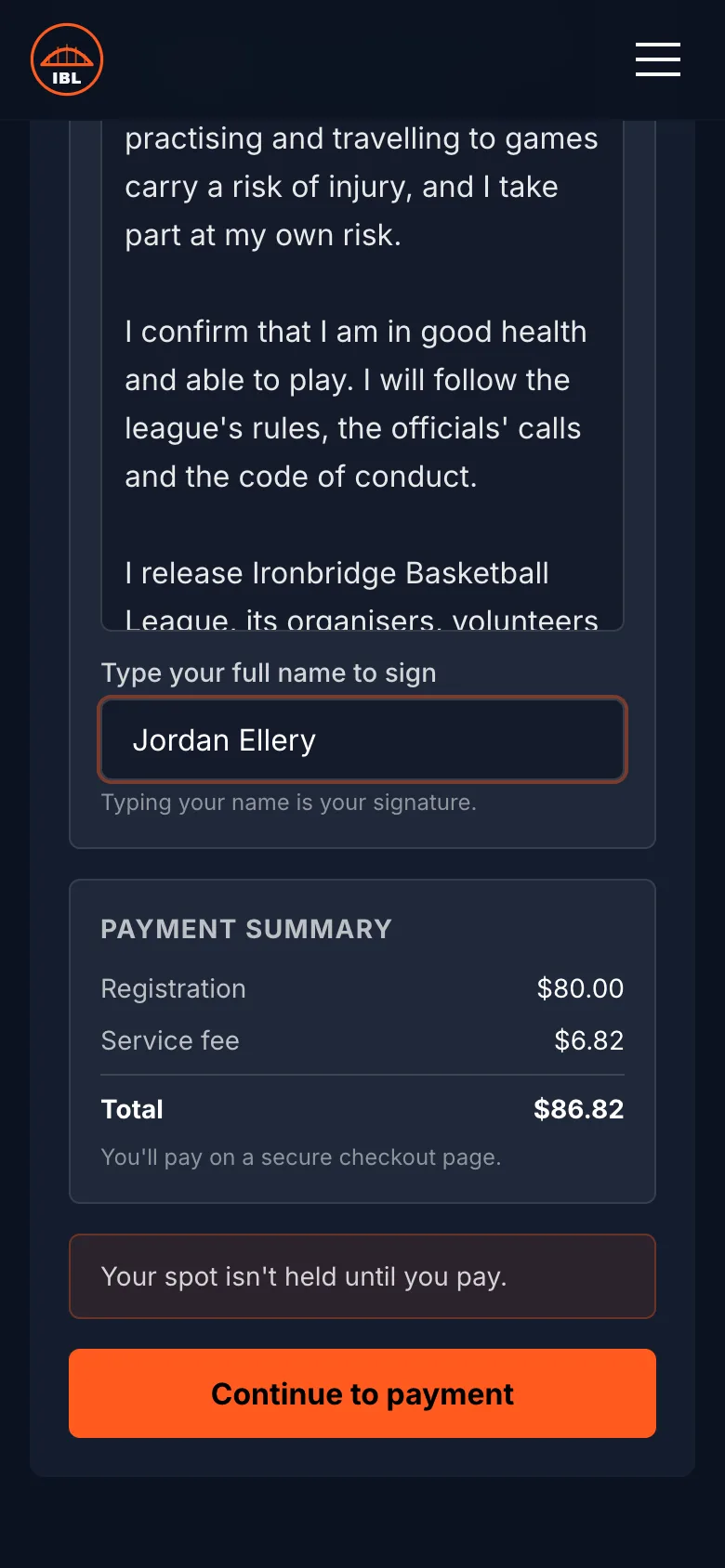
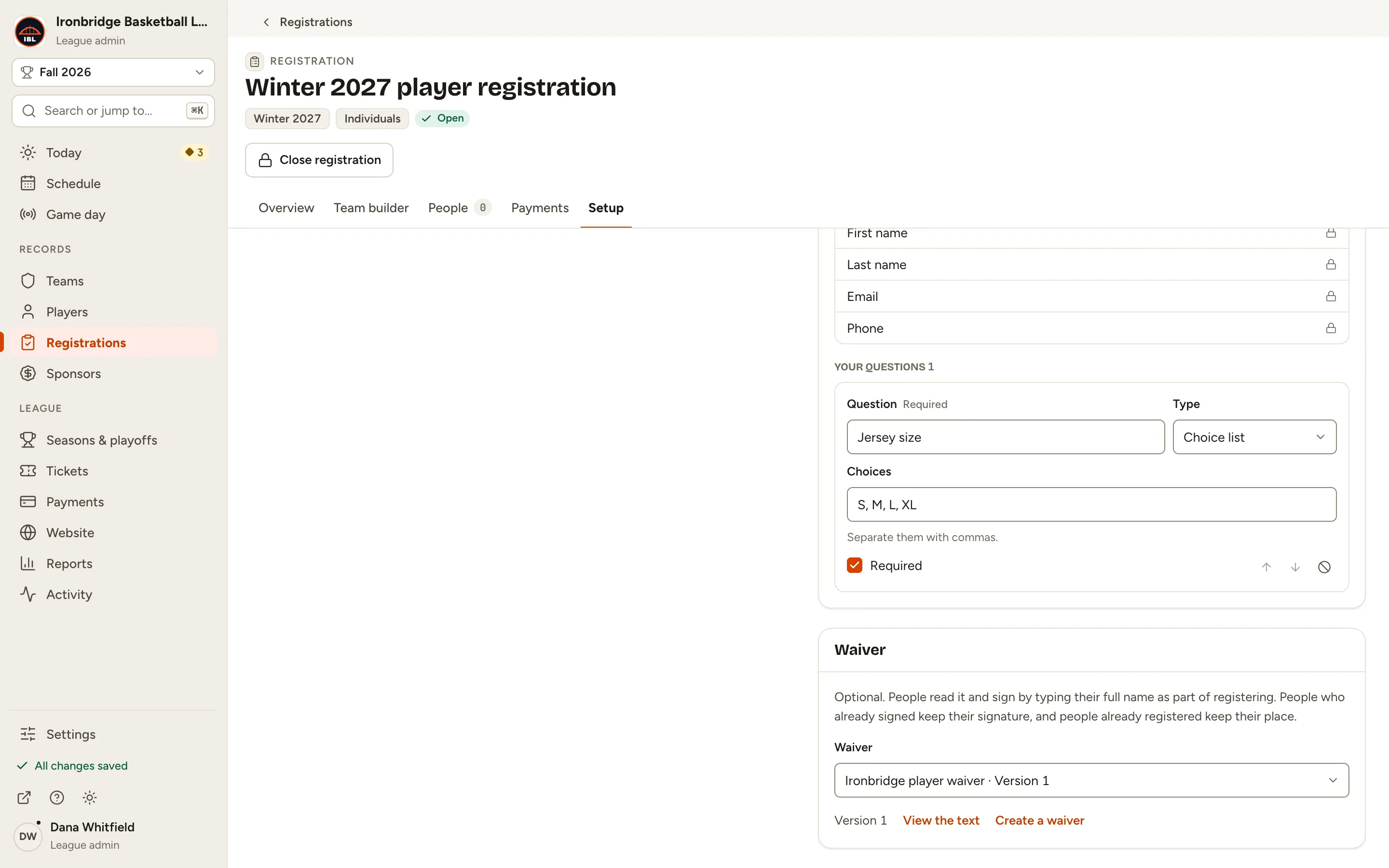
Create a waiver by typing the text or uploading a PDF, then choose it in a registration's setup. From then on it's part of signing up: players read it, tick that they agree and type their full name, right before they pay.
Players sign on whatever they registered on, phone included. With online waivers there's no paper to collect at the gym door and nothing to scan in afterwards.
- Written
- Type or paste the text, and players read it on the page.
- Upload your own document of up to 10 MB.
- Signature
- Their full name as registered. Case, spaces and accents don't matter.
See who has signed online waivers, and which version
Each registration's People list has a waiver column showing who signed and which version, and a filter that lists everyone who hasn't.
Players who registered before you added the waiver keep their place, show as Not signed, and can sign from their account on your league website.
Change the wording without chasing signatures
New wording for next season? Publish a new version. Everyone who signs from then on signs the new one, people who already signed keep the version they agreed to, and nobody is asked to sign twice.
In a team registration, a captain or an admin can sign for a player who doesn't have an account yet, by typing their own name. It's recorded as signed on that player's behalf.
Common questions
Want the clicks? Read Add a waiver to a registration.
Are online waivers included in every plan?
Yes. Waivers come with registration on Starter, Pro and Courtside.
Can I upload my own PDF waiver?
Yes, up to 10 MB. Players open it, tick that they have read and agree, and type their full name. Anyone with the file's link can open it.
How do players sign?
By typing their full name as it appears on their registration, as part of registering and before they pay. Case, extra spaces and accents don't matter.
Can a captain sign for a player?
In a team registration, yes, for a player who doesn't have their own account: the captain or an admin signs on their behalf by typing their own name, and it's recorded that way. Players with an account sign from it.
What about people who registered before I added the waiver?
They keep their place and show as Not signed, and they can sign from their account on your league website.
Part of one league platform.
Try every Pro feature free for 7 days.
No card needed. Your league site is live in a couple of minutes, and switching from another platform is free: we move your league over for you.