Tournament Management
Running tournaments -- pools, brackets, and hybrids
This walks through setting up a tournament from the first team to the final score. Round robin pools, single-elimination brackets, hybrid formats, seeding, and the auto-advance logic that fills in your bracket as games finish.
Before you start
- An active season in your league (tournaments scope under a season, not the league directly)
- Teams registered to that season -- the tournament picker only shows teams already on the season roster
- For brackets, a team count that's a power of 2 (2, 4, 8, 16, 32) -- use byes or a play-in round if you're not there
- An admin or operator account for your league (only admins can create and run tournaments)
Open the season and create a tournament
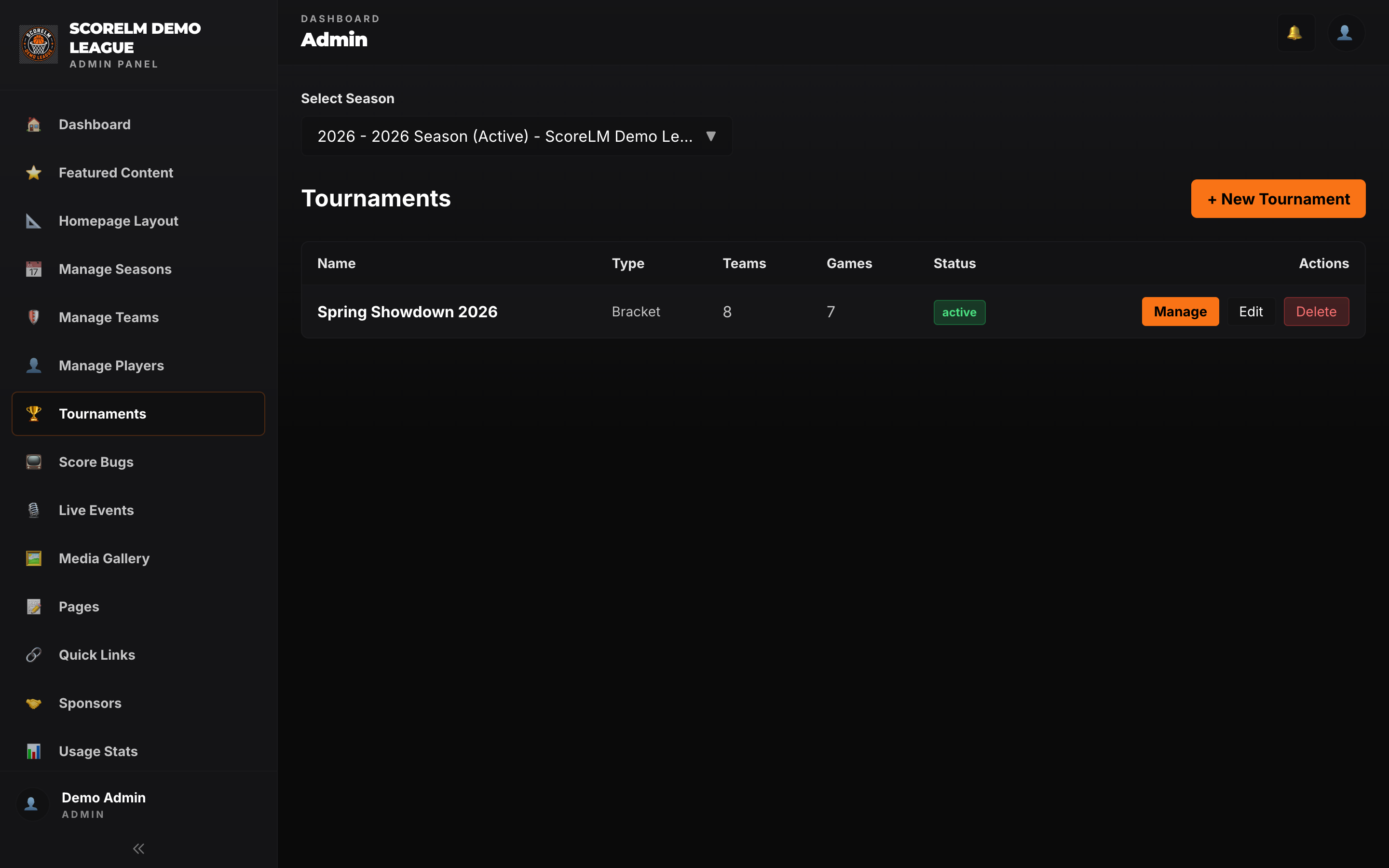
Tournaments live under a season -- not under the league directly -- because most leagues run multiple cups, group stages, and playoffs inside one calendar year. Go to Seasons, open the season you want, then jump into Tournaments and click "+ New Tournament". Give it a name ("Group Stage A", "Spring Cup Quarterfinals", "FIBA Qualifying Round 2"), pick a type, set the dates if you have them, and save. It starts in draft so you can keep tweaking before anything goes public.

Pick the format -- round robin or single elimination
Round robin schedules every team against every other team and is the right call for group stages, regular seasons, or pool play before a bracket. Pick single (each pair plays once) or double (home-and-away). Single elimination is a knockout bracket -- winner advances, loser is out. Bracket tournaments require a power of 2 teams (2, 4, 8, 16, 32) so the rounds line up cleanly. For a hybrid format (pools into a bracket), create one round robin tournament per pool and a separate single-elimination tournament for the bracket -- then add the qualifying teams into the bracket once pools finish.
Add teams and set seeds
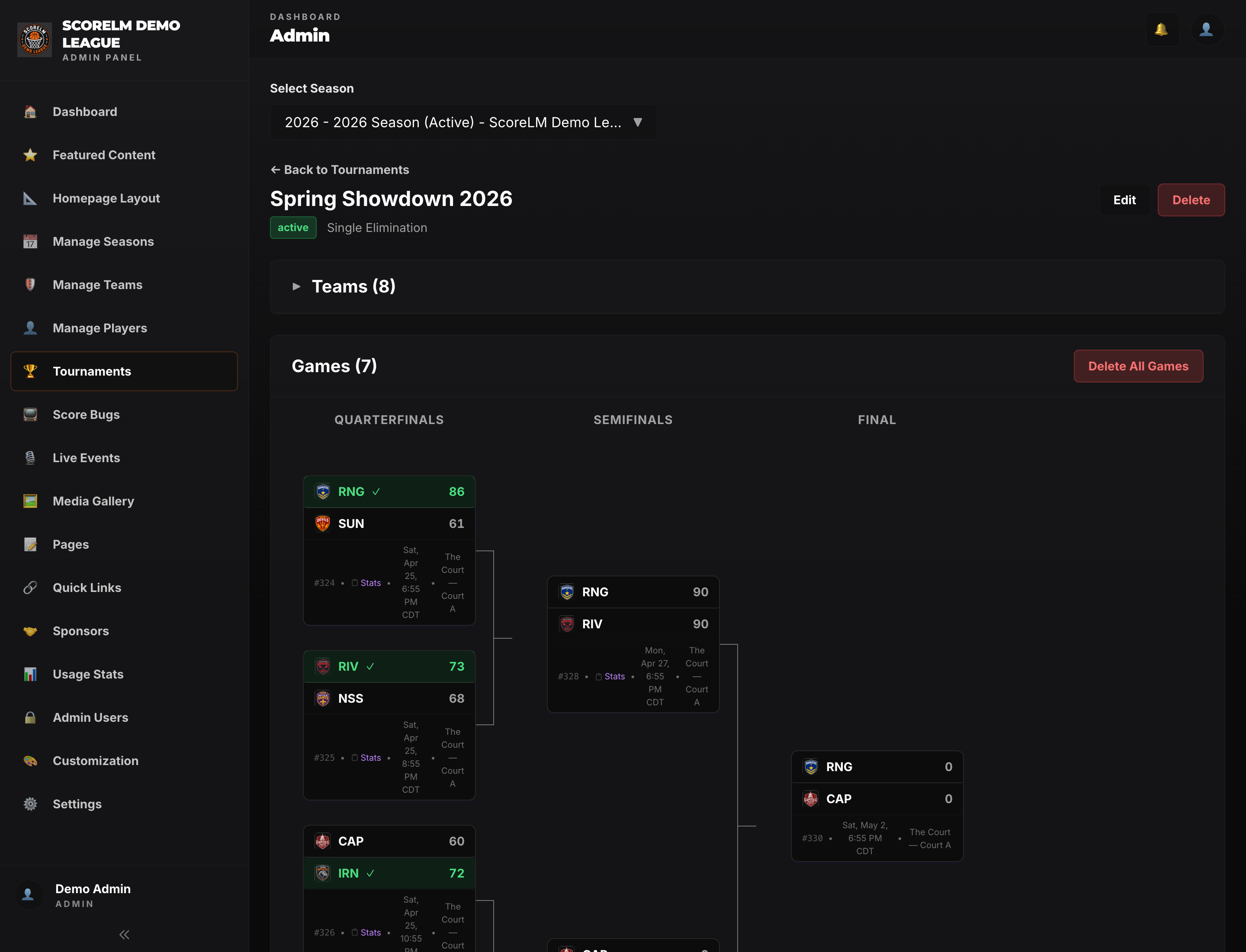
Open the tournament, expand the Teams section, and pick from teams already registered in the parent season. For brackets, set a seed on each team (1 = top seed). Seeding drives the Round 1 matchups: 1 plays the lowest seed, 2 plays the second-lowest, and so on. For round robin, seeds are optional -- they're just used as tiebreakers in some ranking strategies. If a team withdraws before games are generated, just remove them; if it happens after, see the re-seeding tip below.
Generate the schedule
Click "Generate Games". For round robin, pick how many matchdays you want -- the default spreads games evenly (N-1 matchdays for single, 2(N-1) for double). For a bracket, you get two options: "Generate by Seed" auto-fills Round 1 using the seeds you set, or "Create Manual Bracket" creates an empty bracket with all matchups as TBD so you can click each slot and pick teams yourself. Manual mode is the right pick for play-in games, geographic brackets, or anywhere the standard seeding formula doesn't apply. You can always delete all games and regenerate if you change your mind.
Set matchday dates and venues
Round robin tournaments get a Matchdays section where you can map each matchday number to a calendar date. Set Matchday 1 to April 5, Matchday 2 to April 12, and so on -- every game in that round inherits the date. Per-game venues come from each home team's default venue when you generate, but you can override on any game. For brackets, edit each matchup individually -- venues for later rounds often depend on which teams advance.
Flip the tournament to active
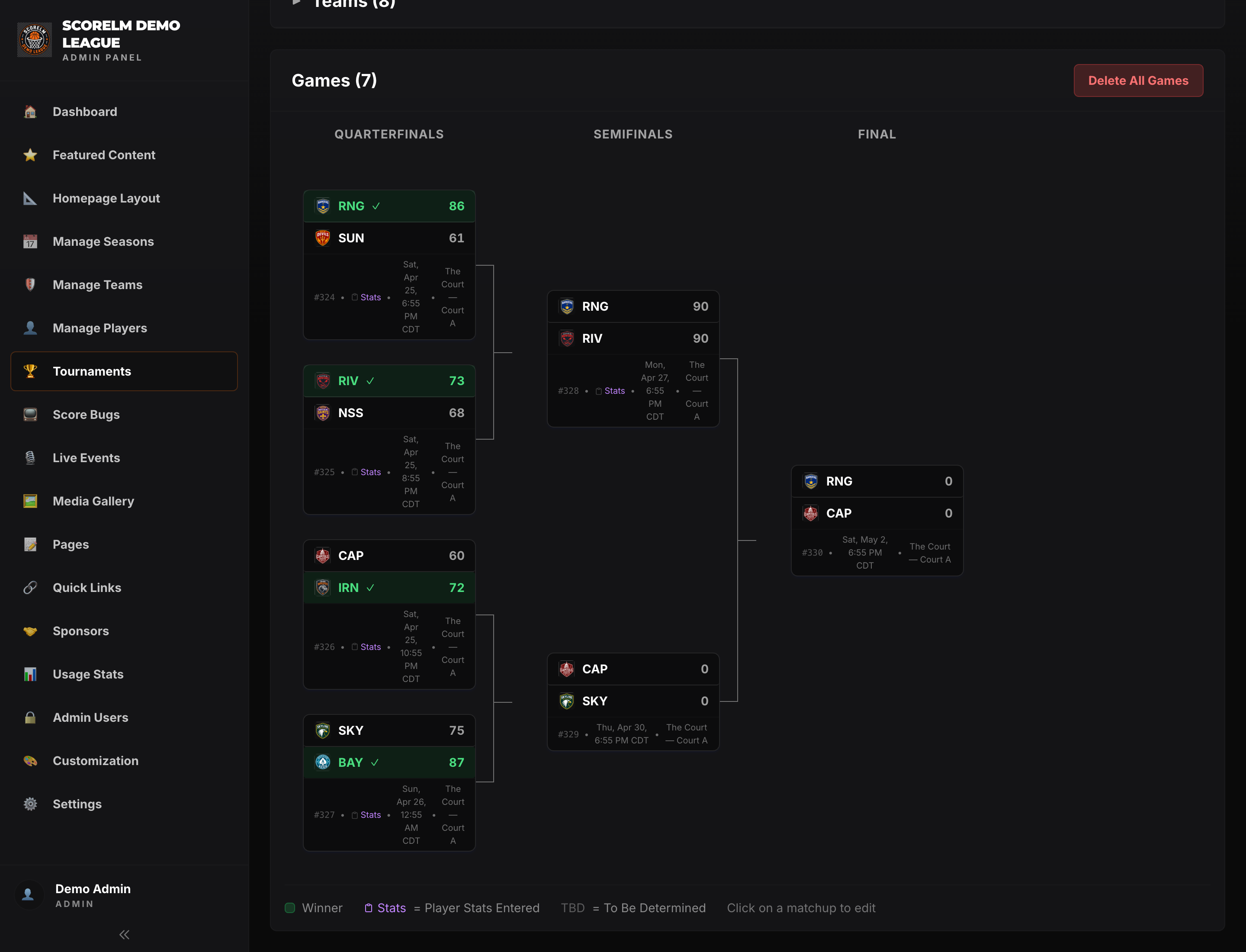
Edit the tournament and change Status from "draft" to "active". This is what makes it visible to the public on standings, schedule, and bracket pages on your league site. Keep auto-advance turned on (the default) so when you enter a final score on a bracket game, the winner automatically slots into the next round in the right home/away position. If you ever need to manually pick who advances -- e.g. a tiebreak rule that the system doesn't model -- turn auto-advance off in the tournament settings before finalizing those games.
Run games, watch the bracket fill in
As you finalize bracket games, winners propagate up the bracket automatically. Standings on round robin tournaments recalculate the moment a score lands -- W/L, points for/against, point differential, and (for FIBA-style competitions) FIBA 2-1-0 classification points. If a tiebreak comes out wrong, override it: open the standings, type a manual rank on the affected teams, and save. When the final game is in the books, flip the tournament status to "completed" so the public site moves it into the archive.
Pro Tips
Tips from running real tournaments
Things every tournament director runs into eventually. Here's how to handle them.
Get seeds right before generating
Bracket generation reads seeds at the moment you click generate. If you fix a seed afterward, the existing matchups don't shuffle -- you'd need to delete all games and regenerate. Lock in your seeding committee's call before anyone touches the generate button.
Use pools then a bracket for hybrid formats
There's no single "group stage + knockout" tournament type, and that's deliberate -- it keeps each tournament's standings and bracket clean. Create one round robin tournament per pool ("Pool A", "Pool B"), and a separate single-elimination tournament for the knockout. When pools finish, manually add the top finishers into the bracket with seeds based on their pool finish.
Use "Create Manual Bracket" when seeding isn't standard
Auto-seeding pairs 1 vs N, 2 vs N-1, etc. -- the textbook formula. If you have play-in games, geographic brackets, or a draw show where matchups are picked live, generate an empty bracket instead and click into each slot to assign teams. The auto-advance still works once teams are set.
Handle forfeits by editing the game, not the bracket
If a team forfeits a bracket game, open the game and enter the score the forfeit rule prescribes (commonly 20-0 or 2-0 depending on the sport). Auto-advance picks the winner from the score, so the next round slot fills correctly. For round robin forfeits, do the same -- the standings recalc will credit the win.
Use FIBA points for international-style competitions
Most leagues default to win-percentage rankings, but FIBA basketball (EuroBasket, Olympic qualifiers, Basketball Champions League) uses a 2-1-0 classification: 2 points for a win, 1 for a loss, 0 for a forfeit. Set the tournament's ranking strategy override to FIBA Points -- it overrides the season default for that one tournament so your group stage matches the federation's reporting format.
Use the public note for tiebreaker rules
Every tournament has a public note field that shows up on the bracket and standings pages. Put the tiebreaker rules there -- "H2H first, then point differential, then points scored" -- so coaches and fans can see why a team ranks where it does. Saves the inevitable email asking how the tiebreak was resolved.
How auto-advance works
When you mark a bracket game completed with a final score, the next round's matching game updates automatically and the winner drops into the right slot. No clicking through the bracket to wire it up by hand.
When auto-advance fires
The tournament is single elimination, auto-advance is on (default), the game's status is set to completed, both scores are entered, and they're not equal. Tied games stop propagation -- you have to resolve the tie first (overtime, shootout, whatever your rule is) before the winner can advance.
When to turn it off
Turn auto-advance off on the tournament if your competition has a rule the system doesn't model -- best-of-three series, aggregate scores across two legs, or a panel that picks the wildcard. Then assign winners manually by editing each next-round game.
That's the whole tournament loop
Create, seed, generate, run, complete. The bracket visualization, standings, and matchday view all stay in sync as games finish.