Basketball tournament ticketing — how Somali Week 2026 ran the gate on ScoreLM
Somali Week ran their annual basketball tournament in Minnesota over July 4th weekend. Four days, twenty-two teams, four venues across the Twin Cities. They needed a ticketing setup that could handle both the online pre-sale wave and the walk-up rush at the gate. That didn't exist inside the platform they were already using — until it did.
What Somali Week is
Somali Week is one of the bigger events on the Twin Cities basketball calendar. It runs annually — four days of tournament basketball on the July 4th weekend, twenty-two teams this year, group stage Thursday and Friday, playoffs through the weekend. Games ran across four different gyms in the Twin Cities, with the schedule rotating venues as court availability shifted. That's a normal grassroots-tournament reality — you don't own the gyms, and the schedule has to flex around what's open.
It's community basketball. Volunteer-run gate. Kids playing in the parking lot before their older siblings' games. Food trucks. Not the kind of event any of the big enterprise ticketing platforms are built to serve. But the organizers wanted to run the ticketing operation like it wasn't 2005 — a real online storefront, real card acceptance at the door, and one place to see what had actually been sold instead of asking around the gate table.
What they were solving
Most grassroots tournaments handle tickets one of two ways. Either you take cash at the door and pray you remember to write it down, or you tell people to Venmo you and hope they actually do. Both are functional in the sense that people get in and money gets collected. Both fall apart the moment you want to know, with any confidence, how many people showed up and what came in.
Somali Week wanted to go a step past both. A public checkout page for fans buying in advance. Real card acceptance for the walk-ups. And one dashboard the organizers could refresh at any point during the weekend and get an honest answer to "how much have we sold." Not five group chats and a shoebox.
What we shipped for them
The public sales page lives on their own domain — somaliweek.scorelm.com/tickets — and takes cards through Stripe. There's no third-party checkout page in the middle. The moment a buyer pays, they get a QR code and a short code by email or SMS. If they showed up with just the short code because they didn't know where the email went, the gate could type it in manually.
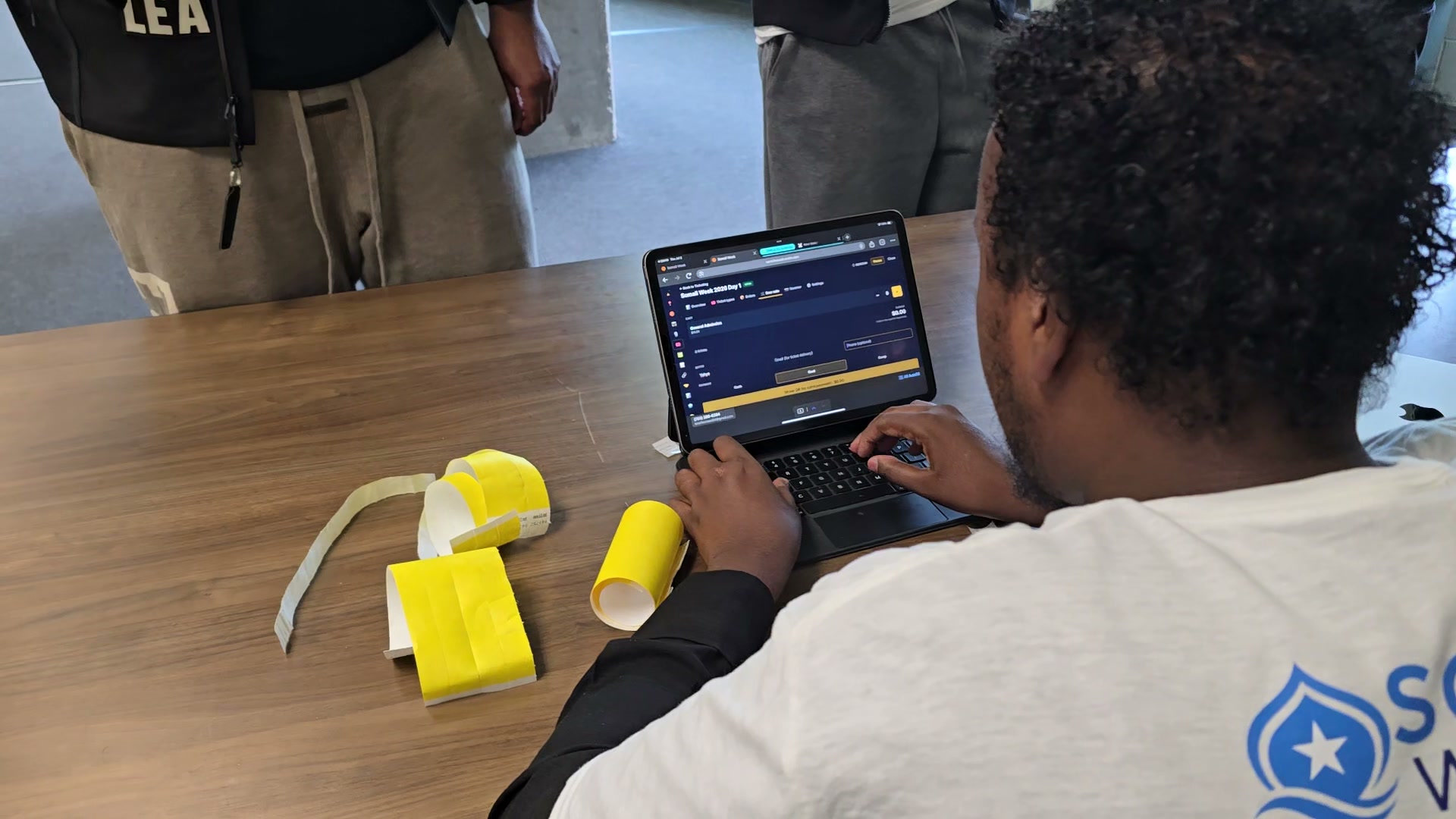
The door-sale interface runs off any phone or iPad. Cash sales are a tap-through: add tickets to a cart, take the money, done. Card sales at the door are the interesting flow — the volunteer generates a QR right on their screen and the buyer scans it to pay from their own phone. The volunteer never touches the card. Nobody's typing card numbers with cold hands under a tent. The buyer's phone becomes the reader.
Scanning at the gate is a phone-camera job. Any volunteer with the scanner permission can scan. Duplicate scans throw a red screen and show the original scan time, so nobody accidentally waves the same ticket through twice. Refunds, comps, and marking someone through by hand all live in the same admin. Same login, same permission model as the rest of the league site.
Pricing is a conversation, not a rate card. We work it out with each league based on volume, event mix, and what makes sense for their operation — so a one-off benefit game isn't priced like a full tournament season. What we don't do is bury a per-ticket surcharge that quietly grows with the ticket price.
Two things they asked for by Friday night
About halfway through Friday I got a text from their lead organizer. Two things — both real problems the volunteers had run into during the day.
First: they wanted the online price to be lower than the door price. A soft push to buy in advance so the gate line would stay shorter on game night. Our system didn't support it yet — every ticket type had a single price, the same online and at the door. We added a separate door price to the ticket type. By Saturday morning, when volunteers pulled up the door-sale screen, tickets with a dual price showed the door price with a small orange "DOOR" pill next to it. On the checkout page, online buyers saw a "Save $5 vs. the door" callout in green under the price.
Second: someone on the door team had recorded a card sale as cash by mistake. Cash and Card sit close together on the payment picker, and by 11 PM everyone's tired. We added a confirmation step specifically for cash sales — big buyer name, big amount, a "Yes, take cash" button in green instead of the usual yellow. Not a "are you sure?" wall — a two-tap deliberateness check that reads different from every other button. Cash mis-taps on Sunday: zero.
Neither of these were on a roadmap. They came out of watching the tournament run. That's the payoff of running a league on the same platform the developers are shipping — real feedback in, ship immediately, no vendor to negotiate with.
Who this is built for
You don't need stadium infrastructure to sell tickets to a community tournament. You need to charge people money and let them into the gym. Grassroots leagues have been solving that with cash boxes for decades because the alternative — signing up for a third-party ticketing platform on top of Stripe — didn't make sense for what they were doing.
That's the reason to build ticketing into ScoreLM instead of pointing you at a third-party vendor. The platform you already use for your schedule, standings, streams, and stats can now run your gate too. Same admin, same login, same phone in your pocket. If you're already using ScoreLM, activation is one email away. If you're not, the ticketing story doesn't stand on its own — it fits inside the operational story, which is what the platform is about.
How to activate ticketing on your league
Ticketing is off by default. Turning it on depends on a Stripe Connect setup so payouts land in your bank account instead of ours — that's the piece we can't automate for you because Stripe has to verify your organization directly.
Email [email protected] and we'll walk you through it. Setup is normally about an hour, most of which is waiting for Stripe. Once it's live, you can create a sale, define ticket types, and publish a public page the same afternoon.
Talk to our team about the platform, or read the setup guide if you want to see how the pieces fit together.